
Learning how to improve technical seo is essential for any business that wants to rank higher in search results. Technical SEO is the behind-the-scenes work that helps search engines find, understand, and trust your website. Think of it as the foundation of a house. Without solid groundwork, even the most beautiful rooms (your content) won't matter if the building is inaccessible.
As one research study found: "If your technical SEO is messed up? Then you're not going to rank." This reality affects countless websites with great content that remain invisible because search engines can't properly access or understand them.
Quick Answer: How to Improve Technical SEO
Technical SEO is the first of three pillars, working alongside on-page SEO (content) and off-page SEO (authority). It ensures search engines can crawl your pages, index your content, and render your site correctly. When these basics fail, even the best content marketing and link-building efforts fall flat. With nearly half of web traffic coming from mobile and 40% of users abandoning sites that take more than three seconds to load, technical health is non-negotiable.
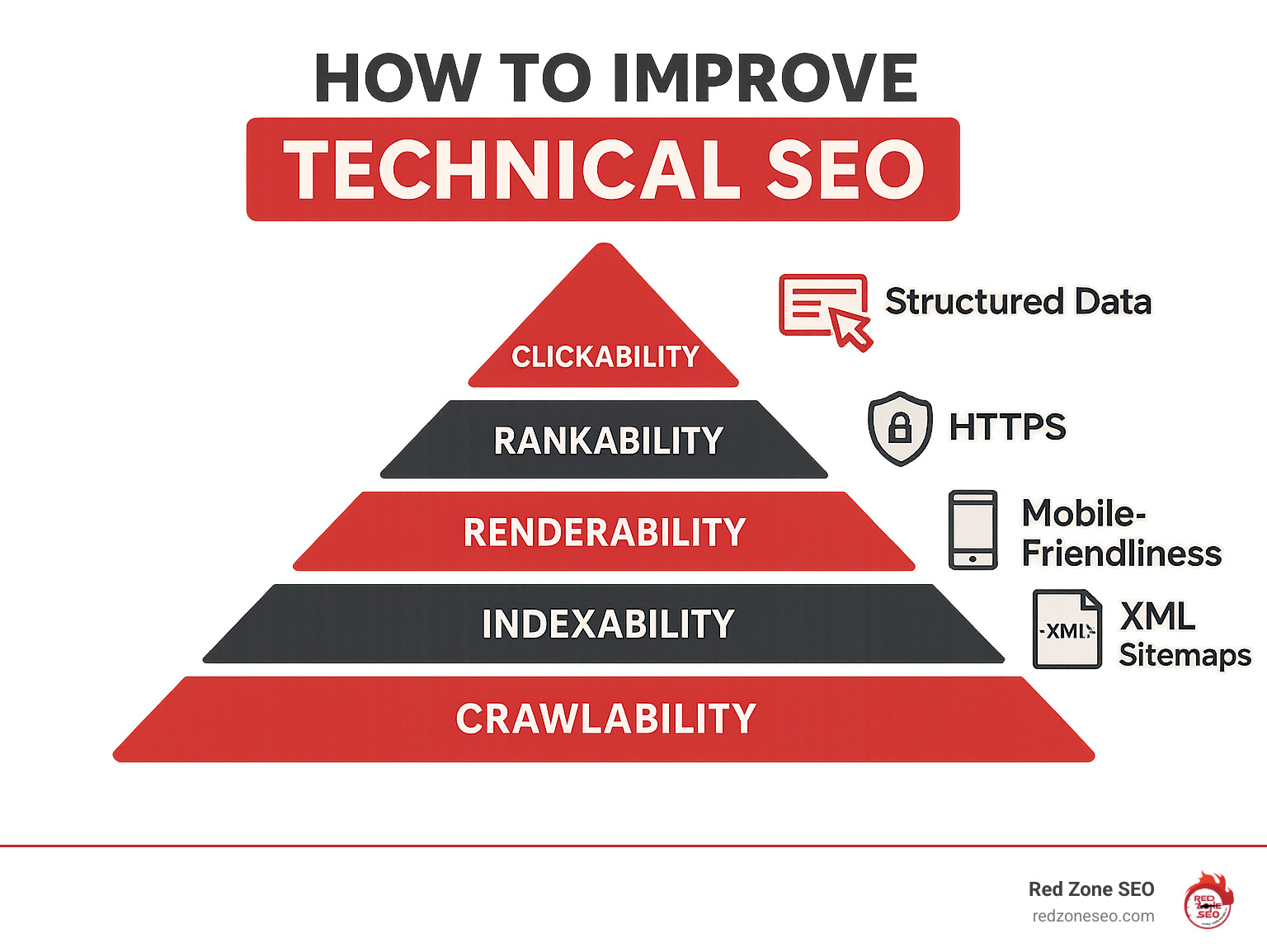
If search engines can't find your content, it will never rank. This section covers the absolute basics of how to improve technical SEO by making your website findable, understandable, and trustworthy for search engine crawlers.
Before Google can rank your pages, its bots must "crawl" them. Crawlability is simply how accessible your content is to these bots. Your robots.txt file acts as a doorman, telling crawlers which areas to avoid, like admin pages. Be careful not to accidentally block important content. You can find official guidance on controlling crawlers with a robots.txt file.
While robots.txt tells crawlers where not to go, XML sitemaps provide a detailed map of all the pages you want them to find. A clean, well-structured sitemap is crucial for ensuring all your valuable content gets finded. For larger websites, crawl budget optimization is key. This means making every visit from Googlebot count by fixing broken links, removing duplicate pages, and eliminating redirect chains that waste resources. You can learn more about what crawl budget means for Googlebot and monitor your site's performance in the "Crawl stats" report in Google Search Console.
After crawling, search engines decide which pages to add to their index, their massive library of web content. Duplicate content is a major obstacle here, as it confuses search engines about which version of a page to rank, diluting your authority. Two tools help manage this:
Use the URL Inspection Tool in Google Search Console to check if your important pages are being indexed correctly.
Website security builds trust with both users and search engines. HTTPS encrypts the connection between your site and its visitors, which is essential for any site with forms or login fields. Google confirmed HTTPS as a ranking signal since 2014, giving secure sites a small but important edge.
The padlock icon in the browser address bar is a powerful visual cue of trust. Most web hosts now offer free SSL/TLS certificates through services like Let's Encrypt, making HTTPS a standard expectation for all professional websites.
A well-organized website is like a well-organized library—it's easy for both people and search engine bots to find what they need. A logical site architecture improves user experience, helps search engines understand your content's hierarchy, and allows ranking power (link equity) to flow to your most important pages. This is a critical step in learning how to improve technical seo.
The best approach for most websites is a flat site architecture, where any page can be reached within three or four clicks from the homepage. This contrasts with a deep architecture, which buries content under many layers of navigation, frustrating users and hindering search engine crawlers.
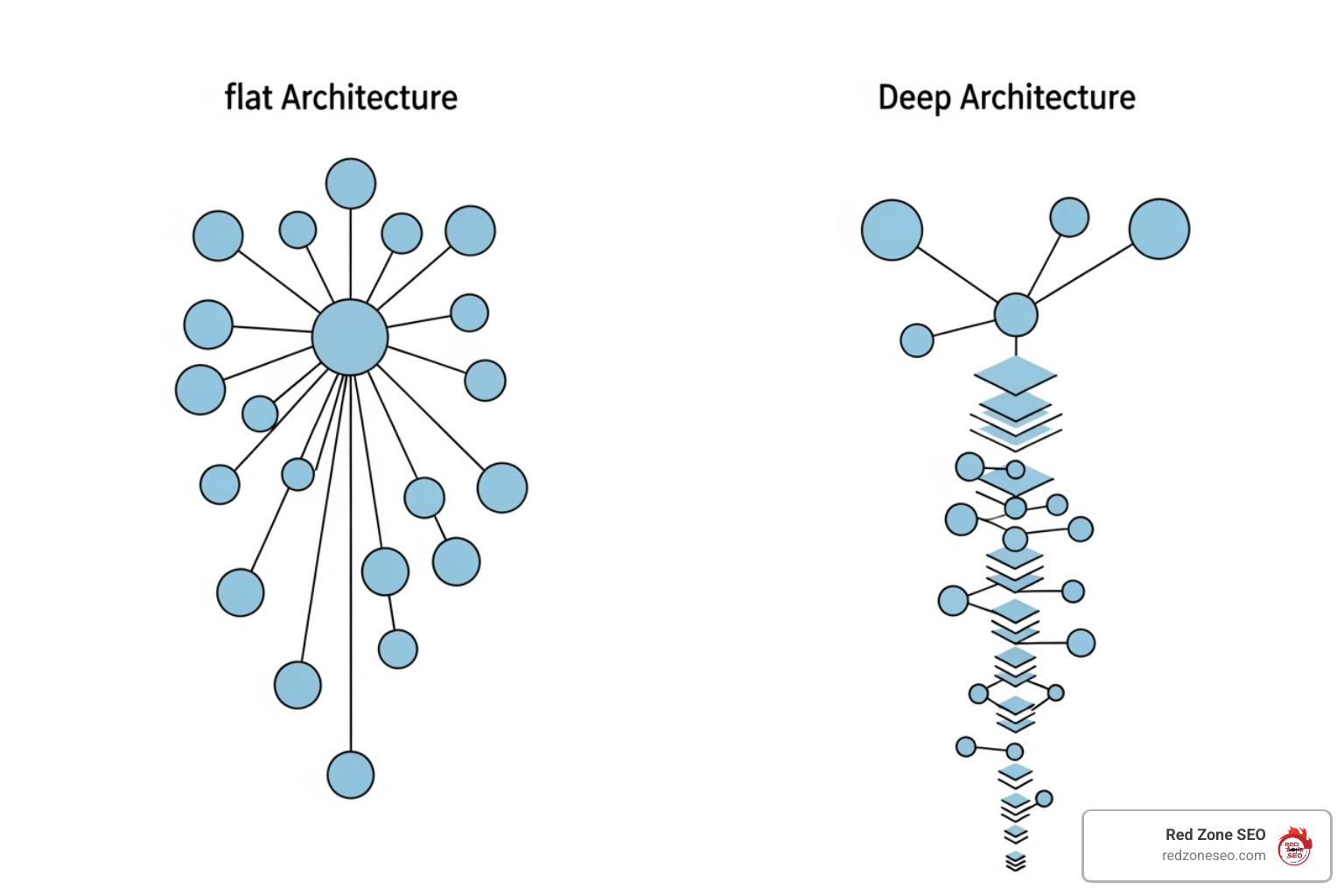
A flat structure makes content easily accessible, which keeps users engaged and helps Google's bots efficiently find and index all your pages. This is especially important for large e-commerce sites. Organize your content into logical categories and subfolders to create a clear hierarchy. A simple URL structure like /services/seo/technical-seo/ is far more effective than /page1/item/stuff/. Tools like Octopus.do can help you visualize and plan your site's structure before you build.
URL structure consistency is key. Use clean, descriptive URLs with hyphens to separate words (e.g., /category/product-name/). Your internal linking strategy is a powerful SEO tool. Links help users find related content and tell search engines which pages are most important. Use descriptive anchor text (the clickable words) like "technical SEO audit services" instead of generic phrases like "click here." This provides context to both users and search engines.
Breadcrumb navigation (e.g., Home > Services > SEO) is excellent for both usability and SEO. It shows users their location on your site and gives search engines clear structural signals. For more details, review these breadcrumb navigation best practices.
Broken links that lead to 404 error pages create a poor user experience and waste valuable link equity from other sites. Similarly, redirect chains (where Page A redirects to B, which redirects to C) slow down your site and can dilute ranking signals. As noted by Google's John Mueller, 30x redirects and PageRank can be negatively impacted by long chains.
Use redirects correctly:
Regularly finding and fixing broken links and inefficient redirects is essential maintenance for a healthy site.
Speed and mobile-friendliness are no longer optional; they are fundamental to user satisfaction and search rankings. Google prioritizes sites that offer a fast, seamless experience on any device. If your site is slow or clumsy on mobile, users will leave, sending negative signals to search engines that can harm your visibility. Focusing on performance is a core part of how to improve technical seo because it directly impacts how real people experience your brand.
Google has used page speed for mobile search as a ranking factor for years. The impact on user behavior is even more direct: as page load time goes from one to five seconds, the probability of a visitor bouncing increases by 90%.
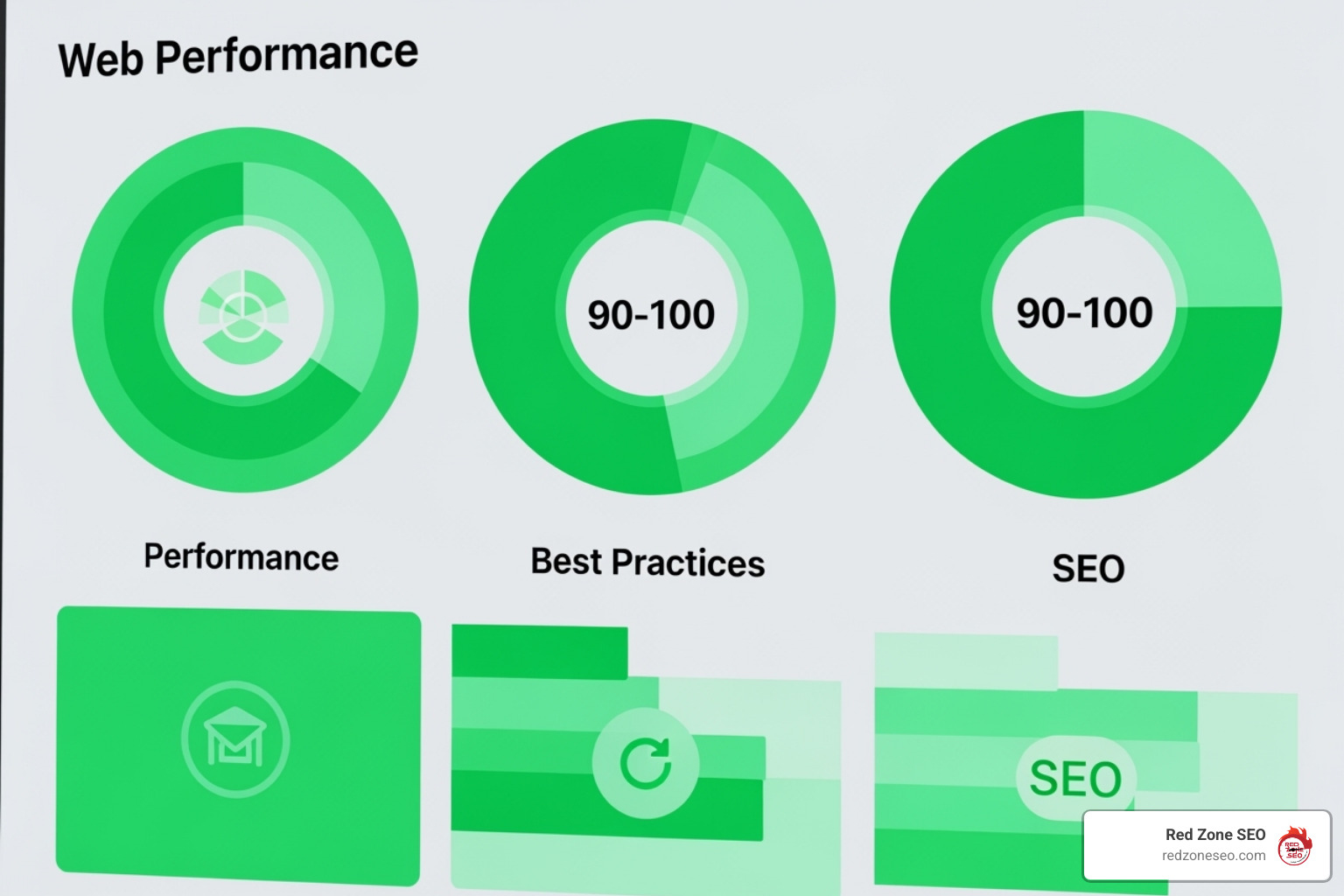
Here are proven ways to speed up your site:
Use Google's PageSpeed Insights tool to get specific recommendations for your site.
With nearly half of all web traffic coming from mobile devices, Google now operates on a mobile-first indexing initiative. This means Google primarily uses the mobile version of your site for indexing and ranking. A poor mobile experience will hurt your rankings across all devices.
Responsive web design is the best practice. It ensures your site's layout automatically adapts to any screen size, from a large desktop to a small smartphone. Beyond that, focus on mobile usability: use readable fonts, provide ample space for tapping links, and avoid content that requires horizontal scrolling. Use Google's Mobile-Friendly Test to identify any issues.
Core Web Vitals (CWV) are part of Google's Page Experience signals and measure real-world user experience. There are three key metrics:
Optimizing for CWV isn't just about chasing scores; it's about creating a better, less frustrating experience for your visitors, which Google rewards.
With a solid technical foundation in place, you can use advanced strategies to give search engines a richer, more nuanced understanding of your content. These techniques are central to learning how to improve technical seo beyond the basics, helping you stand out in crowded search results, ensure complex sites are indexed correctly, and reach global audiences.
Structured data (or schema markup) is code you add to your HTML to explicitly tell search engines what your content is about. It doesn't directly impact rankings, but it enables rich snippets—improved search results that can include star ratings, prices, event dates, or FAQ toggles. These eye-catching results can dramatically increase your click-through rate.
Google's preferred format is JSON-LD. You can see the many types of rich results available in the Search Gallery. Popular types include:
Always validate your implementation with the Rich Results Test to ensure it's error-free and eligible for rich snippets.
Many modern websites use JavaScript to create dynamic user experiences. However, this can pose a challenge for search engines, which have to "render" the page (run the JavaScript) to see the final content. This is more resource-intensive than reading plain HTML.
While Google is good at rendering, complex or slow-loading scripts can cause content to be missed. There are several solutions:
The goal is to ensure all critical content and links are visible to search engines without requiring complex rendering.
If your website targets users in different countries or who speak different languages, you need to give search engines clear signals. Hreflang tags are HTML attributes that specify the language and geographic targeting for each version of a page. They tell Google to show the Spanish version to a user in Mexico and the UK English version to a user in the UK.
Proper implementation prevents duplicate content issues and ensures users land on the correct version of your site. However, hreflang is notoriously difficult to get right; common errors include missing return links or using incorrect country codes. You can find detailed specifications in Google's guide on using the hreflang tag. Tools like the Hreflang Tags Generator Tool from Aleyda Solis can help, but careful auditing is essential.
Technical SEO is not a one-time fix; it's an ongoing process of auditing and monitoring. Using the right tools is crucial for catching issues before they harm your rankings and for identifying opportunities for improvement. This proactive approach is key to maintaining a healthy, high-performing website.
A technical SEO audit is a systematic check of your website's health. The process involves analyzing:
robots.txt blocks, noindex tags, and duplicate content.Website crawlers are essential for this process. A tool like the Screaming Frog SEO Spider simulates a search engine bot, crawling your site to identify technical issues at scale. It helps you find broken links, analyze page titles and meta data, find duplicate content, and visualize your site structure.
Beyond a dedicated crawler, a suite of tools is necessary for effective diagnosis and monitoring:
When clients ask how to improve technical seo, a few key questions always come up. Understanding the answers can help you make smarter decisions for your website's long-term health and visibility.
For most small to medium-sized websites, a comprehensive technical audit every 3-6 months is a good rule of thumb. For large, complex sites (like e-commerce stores) that change frequently, monthly or quarterly audits are better.
However, continuous monitoring is essential for all websites. Tools like Google Search Console act as an early warning system for critical issues like crawl errors or security problems. Think of the full audit as an annual physical and the daily monitoring as checking your pulse—both are necessary for good health.
Many basic technical SEO tasks are manageable for a tech-savvy business owner. Using a modern CMS like WordPress or Shopify, you can likely submit a sitemap, fix a broken link, or install a plugin to compress images.
However, complex issues require specialized expertise. Problems related to JavaScript rendering, Core Web Vitals optimization, international SEO (hreflang), or large-scale site migrations can be incredibly difficult to solve. A mistake in these areas can have disastrous consequences, such as accidentally de-indexing your entire site. For businesses that rely on search traffic, investing in a technical SEO specialist is often a wise decision.
This is a crucial distinction. They work together, but focus on different areas:
Technical SEO is the foundation of your website. It ensures search engines can efficiently find, crawl, index, and render your site. It covers site speed, mobile-friendliness, security, and site structure. If the foundation is broken, nothing built on top of it will be stable.
On-page SEO is the content and interior design of your house. It focuses on making individual pages relevant to a user's search query. This includes keyword research, writing compelling title tags, structuring content with headers, and creating high-quality, useful information.
Both are essential. You can have the best content in the world (on-page SEO), but it won't rank if search engines can't access it due to technical problems. Conversely, a technically perfect site will fail if its content doesn't meet user needs.
Mastering how to improve technical seo is about building a website that works seamlessly for both visitors and search engines. By making your site crawlable, secure, fast, and mobile-friendly, you are laying the foundation that allows all your other marketing efforts—from content creation to link building—to succeed.
A technically sound website creates a positive feedback loop. A great user experience leads to higher engagement and lower bounce rates. These positive signals tell search engines that your site is a quality result, which in turn boosts your rankings. It's an investment that delivers compounding returns over time.
However, technical SEO is never truly "finished." Search engine algorithms evolve, new technologies emerge, and user expectations rise. This is why ongoing monitoring and regular audits are not just recommended; they are essential for maintaining a competitive edge. It's the difference between constantly playing catch-up and confidently staying ahead.
For many business owners, navigating the complexities of site migrations, JavaScript rendering, and Core Web Vitals can be overwhelming. The stakes are high, and a single mistake can undo months of hard work. When the technical details become too complex or time-consuming, seeking expert guidance from a technical SEO specialist or agency can be an invaluable investment. A professional can conduct a thorough audit, identify critical issues, and create a clear, data-driven roadmap for sustainable success, focusing on the improvements that will have the greatest impact on your rankings, traffic, and bottom line.
An investment in technical SEO is an investment in your website's future. A properly optimized site doesn't just rank better today—it's built to adapt and thrive in the ever-changing digital landscape. By prioritizing your site's technical health, you are not just chasing algorithms; you are building an unshakeable foundation for long-term growth and creating a powerful, lasting competitive advantage in the digital marketplace.