Technical SEO Audit Tool: Top 4 Best of 2025
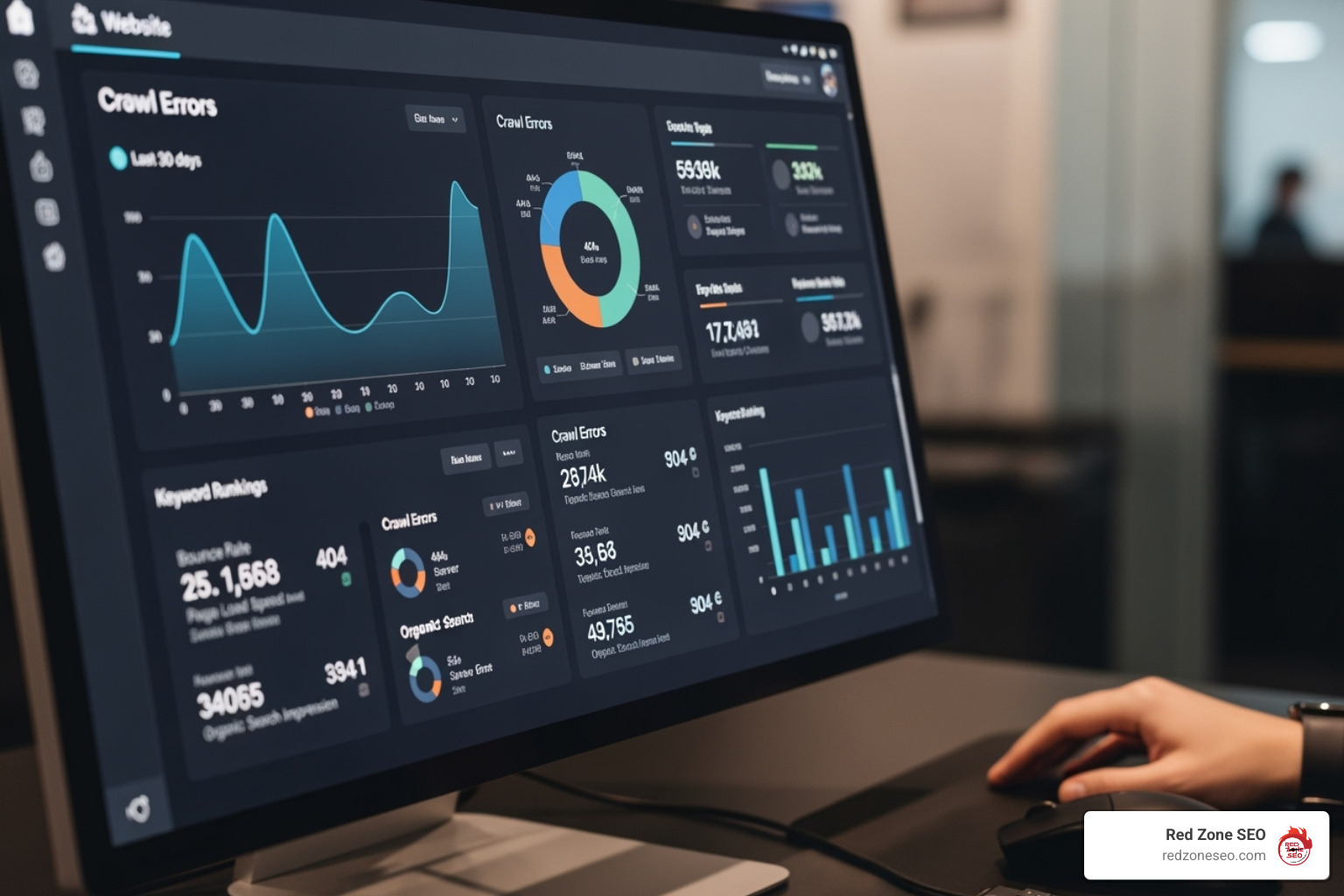
A technical SEO audit tool is essential software that scans your website for technical issues that prevent search engines from crawling, indexing, and ranking your content. These tools are crucial for optimizing site performance, fixing errors, and aligning your site with Google's technical standards.
Top Technical SEO Audit Tools at a Glance:
- Semrush Site Audit - All-in-one solution with 130+ checks.
- Ahrefs Site Audit - Advanced analysis with 170+ issue types.
- Screaming Frog SEO Spider - Desktop crawler with a free version.
- SE Ranking Website Audit - Best value option with competitor analysis.
- Google Search Console - Free foundational tool from Google.
If your website's traffic has plateaued or rankings are dropping, hidden technical issues are likely the cause. Research shows the average website has over 4,500 technical SEO problems that hurt its search visibility. Common issues include duplicate content (29% of pages), missing meta descriptions (34%), and failure to meet Core Web Vitals standards (88% of mobile sites).
The good news is that regular technical audits drive dramatic improvements. Websites with routine health checks see up to 61% increases in organic traffic and can reduce bounce rates by as much as 50%. A technical SEO audit tool is a health check-up for your website, ensuring its foundation is strong enough for Google to find, crawl, and rank your content.
Simple guide to technical seo audit tool:
Why Your Website Needs a Technical SEO Health Check-Up
Neglecting your website's technical health is like ignoring a crack in your house's foundation. Your content might be excellent, but hidden technical issues can prevent search engines from finding and ranking your site, making you invisible to potential customers.
Google's algorithms evolve constantly, with many updates focusing on technical aspects like site performance and user experience. Core Web Vitals, which measure loading speed, interactivity, and visual stability, are now crucial ranking factors. Yet, only about 12% of mobile pages pass all of Google's standards, meaning the vast majority of websites are missing out on better rankings due to technical shortcomings.
The High Cost of Neglect vs. The Reward of Proactivity
Ignoring technical SEO leads to predictable problems: traffic plateaus, slipping rankings, and lower conversions as users get frustrated with slow speeds or broken links. In severe cases, it can even lead to Google penalties. The average website has over 4,500 technical issues, including duplicate content on 29% of pages and missing meta descriptions on 34%. While you're stuck, your competitors are likely using technical SEO audit tools to get ahead.
In contrast, a proactive approach transforms your website into a powerful asset. Websites that conduct regular technical audits see remarkable results:
- Improved Search Rankings: A technically sound site signals quality to Google, leading to higher visibility.
- Better User Experience: Fast load times and smooth navigation keep visitors engaged, which can reduce bounce rates by up to 50%.
- Higher Conversion Rates: Fixing speed issues alone can significantly boost conversions, as every second of delay causes them to drop.
- Future-Proofing: A healthy site is more resilient to Google's algorithm updates.
A proactive, data-driven strategy removes guesswork and allows you to focus on growth initiatives like Content Optimization. A comprehensive SEO Audit is the first step to open uping your website's true potential.
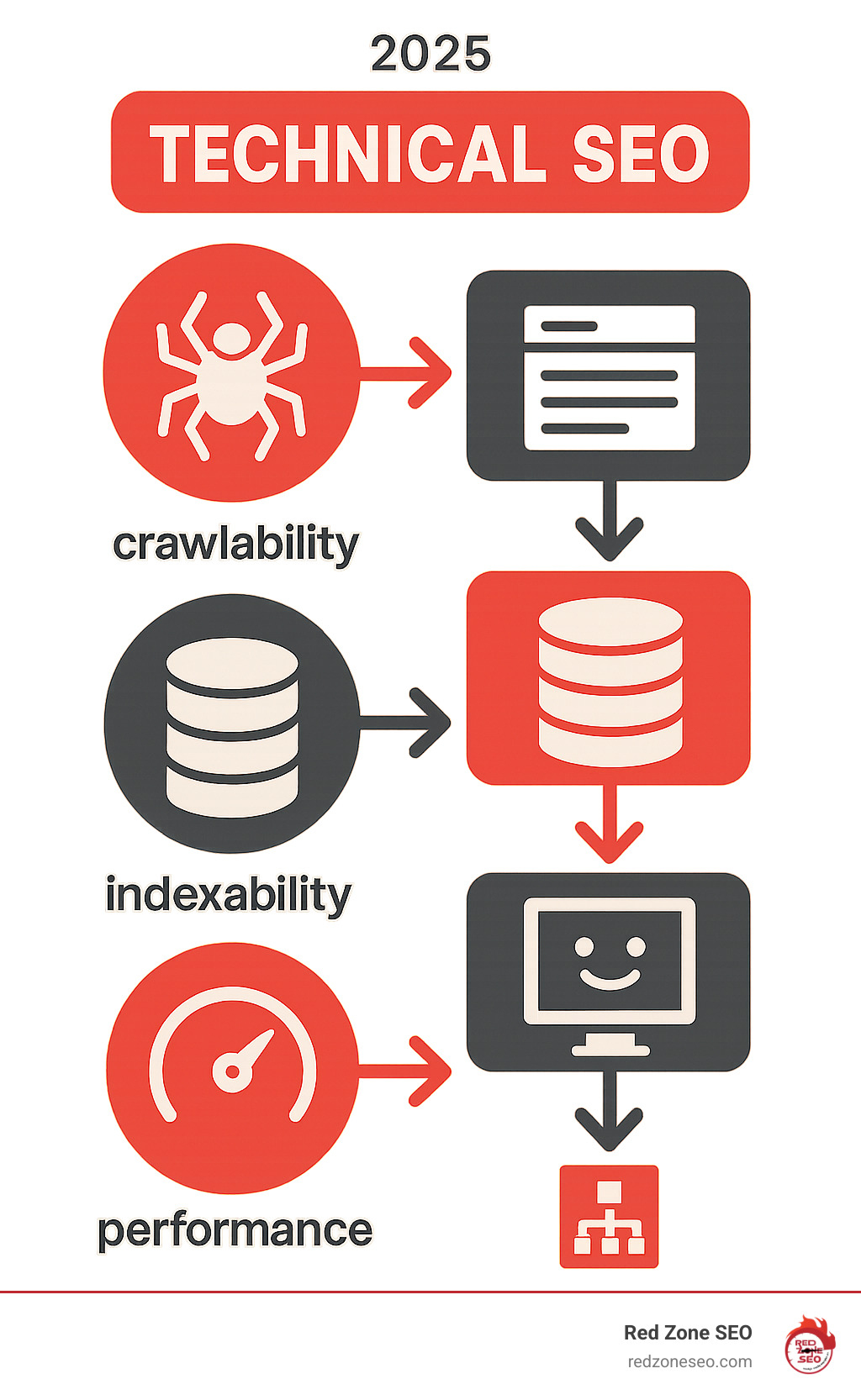
When choosing a technical SEO audit tool, look for one that not only identifies errors but also explains their impact and helps you prioritize fixes. The best tools provide a clear dashboard showing your site's overall health and a roadmap for improvement, covering the four pillars of technical SEO: crawling, indexing, performance, and architecture.
Crawling and Indexing Analysis
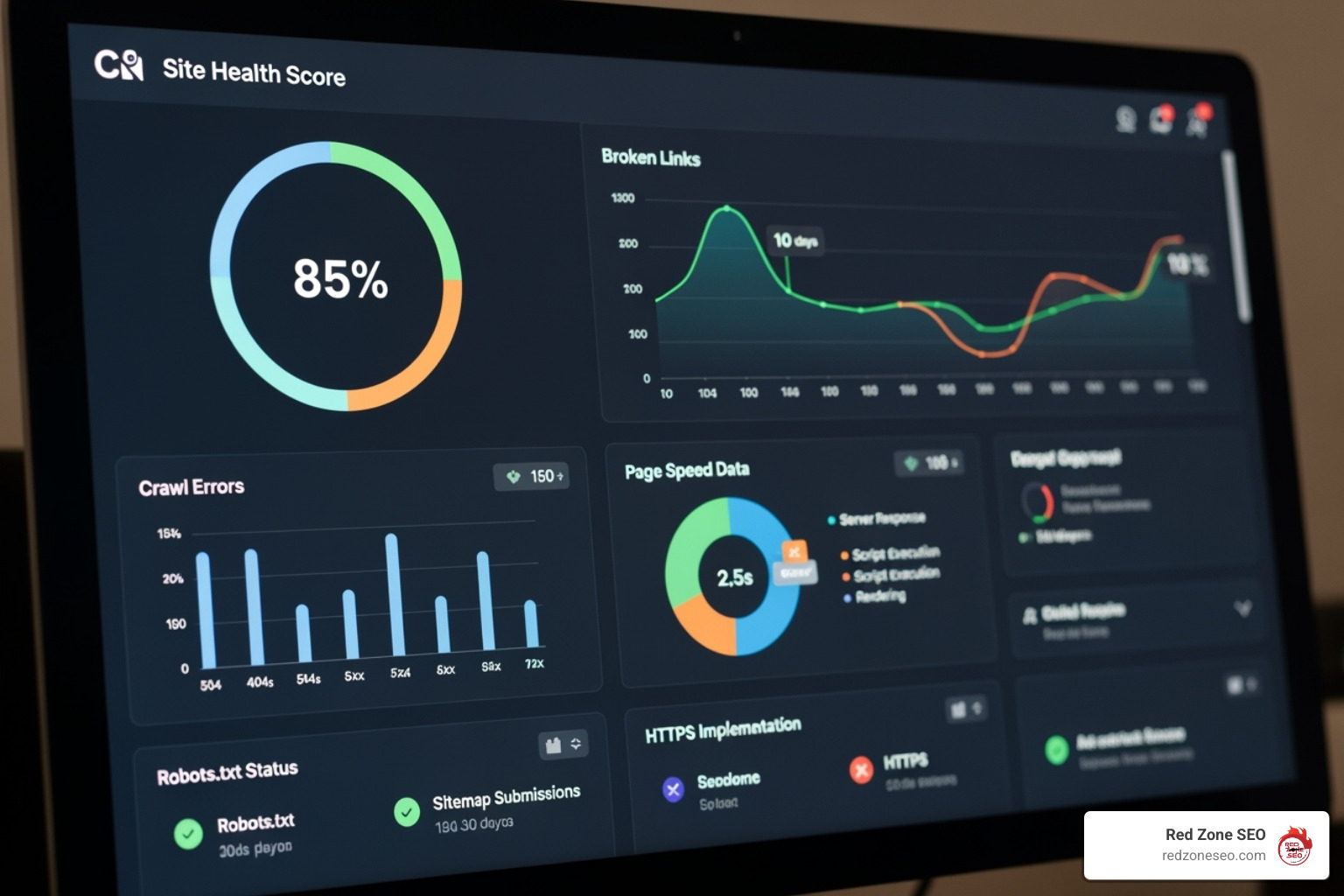
Before Google can rank your content, it must be able to find and understand it. A good audit tool simulates Google's crawler to find roadblocks. Key checks include:
- Robots.txt & XML Sitemaps: Your
robots.txt file is the first stop for search engine bots. A quality tool will check for syntax errors and ensure you aren't accidentally blocking important resources with a Disallow directive. It will also validate your XML sitemap, ensuring it's properly formatted, linked in your robots.txt, and doesn't contain broken links or non-canonical URLs. This gives search engines a clear map of your most important pages.
- Crawl Budget: Google allocates a finite amount of resources to crawl each site. A technical audit tool helps you optimize this budget by identifying issues that waste it. This includes finding and fixing inefficient redirect chains (where one URL redirects to another, which redirects again), flagging low-value pages (like those with thin content or excessive parameters) that can be blocked from crawling, and identifying large numbers of broken links that consume crawler time.
- HTTP Status Codes: The tool should provide a comprehensive report of all status codes found on your site. This is crucial for flagging 404 errors (broken pages) that lead to a poor user experience and 5xx server errors (server issues) that prevent both users and search engines from accessing your site. It should also differentiate between permanent (301) and temporary (302) redirects to ensure you're sending the right signals about page moves.
- Canonical Tags: To prevent duplicate content issues, the
rel="canonical" tag tells Google which version of a page is the definitive one. An audit tool verifies that these tags are implemented correctly, pointing to the right URLs and preventing common mistakes like pointing to a non-indexable page or having conflicting signals in your sitemap.
While Google Search Console provides this data, a dedicated tool offers clearer explanations, historical tracking, and more actionable recommendations.
Site speed is a critical ranking factor and essential for a good user experience. Your tool should analyze Core Web Vitals, Google's official metrics for page experience. It should break down each component:
- Largest Contentful Paint (LCP): Measures loading performance. A poor LCP score is often caused by slow server response times, render-blocking JavaScript/CSS, or large, unoptimized images.
- Interaction to Next Paint (INP): Measures interactivity and responsiveness. High INP is typically caused by heavy JavaScript execution that ties up the browser, preventing it from responding to user inputs like clicks or taps.
- Cumulative Layout Shift (CLS): Measures visual stability. A high CLS score occurs when elements on the page shift unexpectedly, often due to ads, images, or iframes loading without reserved space.
Your tool should also check for mobile-friendliness, which is non-negotiable since Google uses mobile-first indexing. It must check for mobile usability issues like small text or poorly spaced buttons. For modern sites, it's also vital that the tool can handle JavaScript rendering to see content that might otherwise be hidden from search engines. It should be able to differentiate between content available in the initial HTML (server-side rendered) and content that loads after the page is rendered in the browser (client-side rendered). Many tools integrate with PageSpeed Insights for comprehensive analysis.
On-Page and Content Analysis
Technical issues can undermine even the best content. An audit tool should act as a detective to uncover hidden problems:
- Duplicate Content: Identifies identical or very similar content across different URLs, which confuses search engines and dilutes ranking signals. This includes both exact duplicates and near-duplicates.
- Meta Tags: Flags missing meta descriptions, duplicate page titles, and titles that are too long or too short. These are missed opportunities for better click-through rates and clarity in search results.
- Thin Content: Finds pages with little to no unique value to visitors. These pages are unlikely to rank well and can sometimes be seen as a negative quality signal by search engines.
- Internal Linking: Maps your site's structure to find orphaned pages (pages with no internal links pointing to them) and suggest opportunities to strengthen connections. A good tool can help you visualize your site architecture and ensure link equity flows to your most important pages.
- Structured Data (Schema): Checks for the implementation and validity of schema markup. This code helps search engines understand your content's context (e.g., this is a recipe, this is a product, this is an event) and can earn you rich snippets in search results, making your listings more prominent. A solid technical foundation allows your Keyword Research and content efforts to achieve their full potential.
Choosing a technical SEO audit tool depends on your specific needs and budget. Some are all-in-one platforms, while others are specialized crawlers. Here’s a look at the leading options to help you find the right match.
Semrush: The All-in-One SEO Powerhouse
Semrush is a comprehensive SEO suite with a powerful Site Audit tool known for its user-friendly interface and extensive checks. It's ideal for businesses and agencies wanting an integrated solution.
- Strengths: Scans for 130+ technical and on-page issues, provides thematic reports (Crawlability, Performance, Internal Linking, etc.), and prioritizes issues into errors, warnings, and notices. Its progress tracking feature lets you compare audits over time to demonstrate improvement. It also includes specialized tools like a Log File Analyzer to help you understand how Googlebot is interacting with your site, which is invaluable for crawl budget optimization.
- Best For: Marketers and businesses who want an all-in-one tool for SEO and content marketing. It's recognized as the Best SEO audit tool from a premium SEO suite and is great for E-commerce Store SEO. You can Try It Free.
Ahrefs: The Master of Technical Deep Dives
Ahrefs is famous for its backlink data, but its Site Audit tool is a favorite among SEO professionals for its deep technical analysis and detailed reporting.
- Strengths: Identifies 170+ pre-configured issues with clear fix recommendations. It offers excellent data visualization, segmentation, and unique features like internal linking suggestions. Its powerful filtering system allows you to segment data by almost any metric, such as finding all non-indexable pages with organic traffic. Its 'Always-on Audits' provide continuous monitoring, alerting you to new issues as they arise.
- Best For: SEO professionals and agencies needing granular data and advanced technical insights. It's considered the Best SEO audit tool for technical auditing and is invaluable for in-depth analysis alongside Link Building Services. Explore with their Free SEO Audit Tool.
Screaming Frog SEO Spider: The SEO Professional's Go-To Crawler
Screaming Frog is a powerful and flexible desktop crawler beloved by technical SEOs. While its interface is utilitarian, its capabilities are best for customized, in-depth audits.
- Strengths: The free version crawls up to 500 URLs, making it incredibly powerful for smaller sites. It excels at JavaScript rendering, and its custom extraction feature allows you to scrape any data from a page's HTML using XPath, CSS Selectors, or Regex. It also integrates with APIs from Google Analytics, Search Console, and PageSpeed Insights, allowing you to pull all of this data into a single, comprehensive crawl report. You can even Connect to your favorite AI chatbot via API for automated analysis.
- Best For: SEOs who need granular control, deep customization, and the ability to perform complex, custom audits. It's often called the Best free SEO audit tool from a premium product due to the power of its free offering.
SE Ranking offers a robust Website Audit tool at a highly competitive price point, making it an excellent choice for small to medium-sized businesses and budget-conscious agencies.
- Strengths: Checks over 300 factors and provides a clear Health Score that tracks your site's technical health over time. A standout feature is the ability to run audits on competitors' websites, allowing you to benchmark your performance against theirs on key metrics like Core Web Vitals, page speed, and the number of indexed pages. It also offers white-label reports for agencies and fast, automated audit scheduling.
- Best For: Small businesses, freelancers, and agencies looking for a powerful, affordable solution that combines technical SEO with competitor analysis. It's named the Best value SEO audit tool and is a great fit for those focused on SEO for Small Business.
Selecting the right technical SEO audit tool isn't about picking the most expensive option; it's about matching a tool's capabilities to your specific needs, budget, and technical expertise. This framework will help you make an informed decision.
Before diving into features, assess your situation. What works for a large e-commerce site may be overkill for a small local business. Consider the following:
- Business Size and Role: Are you a freelancer, a small business owner, or part of a large agency? Agencies and in-house teams often need tools with collaboration features and white-label reporting (common in cloud suites), while a solopreneur might prioritize the deep customization and lower cost of a desktop crawler.
- Website Complexity: A small blog with 50 pages has different needs than a Shopify Store SEO project with thousands of product pages. Ensure the tool's crawl limits and features can handle your site's scale. For very large sites, a desktop crawler might be more cost-effective than a cloud tool with high crawl credit costs.
- Budget: Tools range from free to thousands per year. Determine if you need a standalone audit tool or a comprehensive SEO suite. While premium tools have a higher cost, they often provide greater value by bundling multiple functions.
- Ease of Use vs. Advanced Features: Do you need a user-friendly interface with guided instructions, or are you an SEO pro who craves granular control and custom configurations? Choose a tool that matches your team's technical skill level.
- Integrations and Reporting: Does the tool connect with Google Analytics, Google Search Console, or Looker Studio? Strong integration and customizable reporting options save time and provide deeper insights. For those needing specialized help, consider WordPress SEO Services.
Cloud-Based Suites vs. Desktop Crawlers
A key decision is whether to use a cloud-based SaaS tool or a desktop application.
- Cloud-Based Tools (e.g., Semrush, Ahrefs): These are web applications you access through your browser.
- Pros: Accessible from any device, easy collaboration, automated/scheduled crawls, data is stored for you, often part of a larger SEO suite.
- Cons: Typically a recurring subscription cost, crawl limits based on your plan, less flexibility for highly custom checks.
- Desktop Crawlers (e.g., Screaming Frog): These are software programs you install on your computer.
- Pros: Often a one-time license fee, no crawl limits (only constrained by your computer's memory), immense customization for crawling and data extraction, you own your data locally.
- Cons: Requires a powerful computer for large sites, not inherently collaborative, requires manual setup for crawls, you are responsible for storing and managing crawl data.
If your budget is tight, several excellent free tools provide foundational data for a technical audit. While they require more manual analysis, they are an essential part of any SEO's toolkit.
- Google Search Console (GSC): Non-negotiable. GSC is your direct line to Google, providing data on crawl errors, indexing status, Core Web Vitals, mobile usability, and security issues.
- Google Analytics: Offers invaluable insight into user behavior, helping you prioritize technical fixes on pages that matter most to your audience.
- PageSpeed Insights: Analyzes your site's performance on mobile and desktop and gives actionable recommendations to improve speed and Core Web Vitals scores.
- Chrome DevTools: The Lighthouse panel, built directly into the Chrome browser, can run on-demand audits for performance, accessibility, and SEO, providing a quick health check for any page.
- Looker Studio (formerly Google Data Studio): A powerful free tool for creating custom dashboards. Connect it to GSC and Analytics to visualize your data and track progress over time. Looker Studio is perfect for building comprehensive reports.
Frequently Asked Questions about Technical SEO Audits
Technical SEO can seem complex, but understanding the basics is key to a successful strategy. Here are answers to some of the most common questions we receive.
What is the role of technical SEO audits in a comprehensive SEO strategy?
Think of your SEO strategy as building a house. On-page SEO (content) is the interior design, and off-page SEO (backlinks) is the location and curb appeal. Technical SEO is the foundation. If the foundation is cracked, the rest doesn't matter. A technical SEO audit tool ensures that foundation is solid by:
- Enabling Crawling and Indexing: It ensures search engines can find and understand your content.
- Improving User Experience: It identifies issues like slow speeds or mobile errors that frustrate users and hurt rankings.
- Preventing Ranking Drops: Regular audits act as preventative maintenance, catching issues before they become disasters.
Technical SEO provides the bedrock upon which all other efforts, like SEO Strategies for Start Ups, are built.
What's the difference between a technical SEO audit and a general SEO audit?
A technical SEO audit is a specialized subset of a broader, more comprehensive SEO audit.
- A Technical SEO Audit focuses exclusively on the website's infrastructure. It answers the question: "Can search engines efficiently find, crawl, understand, and index my website?" It covers aspects like site speed, mobile-friendliness, crawlability, indexability, site architecture, and structured data.
- A Comprehensive SEO Audit includes the full technical audit but also examines two other core pillars: on-page SEO and off-page SEO. It analyzes content quality, keyword targeting, E-E-A-T signals, user engagement, backlink profile health, competitor analysis, and brand presence.
In short, the technical audit ensures your car's engine and chassis are in perfect working order. The comprehensive audit checks the engine, the paint job, the interior, and how it stacks up against other cars on the road.
How frequently should businesses conduct technical SEO audits?
The ideal frequency depends on your site's size and how often it changes, but a good rule of thumb is to conduct audits at regular intervals and after significant events.
- Quarterly: This is a great baseline for most businesses to catch issues and track progress.
- After Major Changes: Always run an audit after a website migration, redesign, or large content update.
- Continuously: Many premium technical SEO audit tool options offer scheduled weekly or monthly crawls for ongoing monitoring, which is the most proactive approach.
Understanding your potential SEO Audit Cost can help you budget for this essential process.
How do I prioritize the issues found in a technical SEO audit?
Prioritization is key to avoiding overwhelm. A simple and effective method is to use an impact vs. effort matrix. Categorize each issue based on:
- Impact: How significantly does this problem affect SEO performance, user experience, or conversions? (High, Medium, Low)
- Effort: How many resources (time, money, developer hours) are required to fix it? (High, Medium, Low)
This creates four clear priority buckets:
- High Impact, Low Effort (Quick Wins): Do these immediately. Examples include fixing broken internal links, optimizing title tags, or correcting a misconfigured
robots.txt file.
- High Impact, High Effort (Major Projects): These are crucial but require planning. Examples include a site-wide Core Web Vitals improvement project or a major site architecture overhaul.
- Low Impact, Low Effort (Fill-in Tasks): Address these when you have spare time. Examples include adding missing image alt tags on non-critical pages.
- Low Impact, High Effort (Re-evaluate Later): These are often not worth the investment. Put them on the back burner and reconsider if their impact ever increases.
Yes, you can perform a basic technical audit yourself. Free tools like Google Search Console and PageSpeed Insights provide a wealth of data. However, there is a learning curve. These tools require more manual interpretation to diagnose problems and determine the right solutions.
Paid technical SEO audit tool options streamline the process with automated issue detection, prioritization, and step-by-step fix instructions. For large or complex websites, or if you're facing significant ranking issues, partnering with an expert is often more efficient. An agency has the specialized tools and experience to diagnose and solve deep-rooted problems, which is critical for the long-term health of any SEO for Online Business.
Conclusion: Making Audits a Cornerstone of Your SEO Success
Your website's success begins with a flawless technical foundation. A technical SEO audit tool is not just another subscription; it's an essential health monitor that uncovers hidden issues and open ups growth opportunities.
The data is clear: with the average site having thousands of technical errors and most failing Core Web Vitals, a huge competitive advantage is available to those who are diligent. By making regular audits part of your strategy, you can get ahead of competitors struggling with slow speeds and crawl errors.
We've explored top tools like Semrush, Ahrefs, Screaming Frog, and SE Ranking. Each offers a unique approach, but all aim to help you build a website that search engines and users love. The key is to create a sustainable process of auditing and improving. This isn't a one-time fix; it's a commitment to ongoing excellence that future-proofs your site against algorithm changes.
At Red Zone SEO, we've seen how a data-driven strategy built on a solid technical base transforms businesses. We use the best tools and our deep expertise to turn technical challenges into measurable growth. Sustained success comes from treating technical SEO as a critical investment.
Ready to make technical health the cornerstone of your SEO success? Our team at Red Zone SEO specializes in comprehensive audits that drive real results. Find out how our Expert SEO Services in Las Vegas can lift your website's performance and secure your position at the top of the search results.