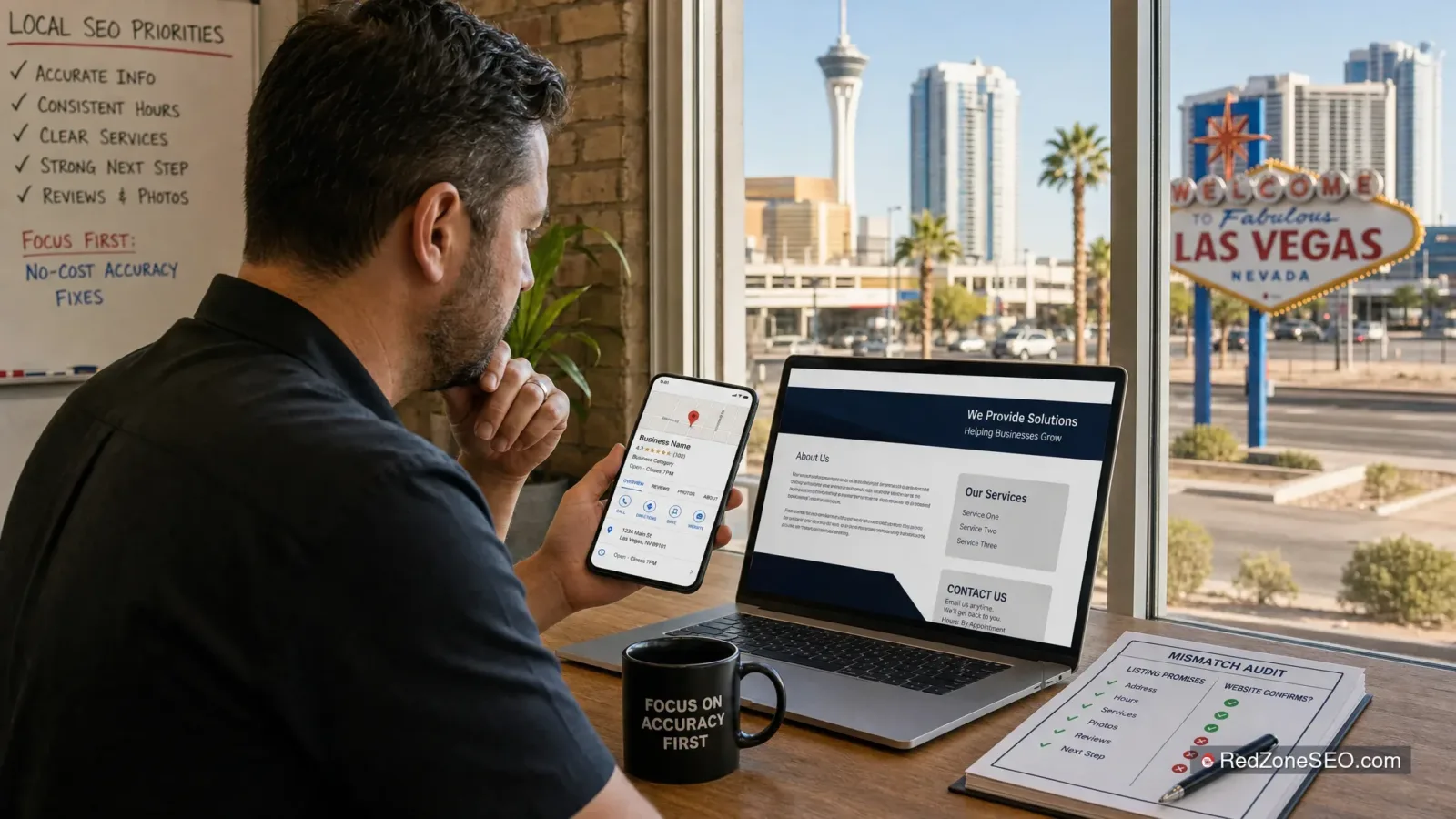
Showing up in Google Maps is an important local visibility win, but it is not the finish line. A Las Vegas customer can find your business profile, see a service, offer, phone number, or location that looks promising, then leave within seconds after clicking through to a website that does not confirm what the listing suggested.
This is a common local search conversion problem for businesses in Las Vegas, Henderson, and across Clark County. The Google Business Profile may be getting views and direction requests, yet the website receives weak engagement, few calls, or abandoned contact forms. In many cases, the issue is not simply traffic volume. It is a Google Business Profile website mismatch.
The practical goal is not to make every page say the same thing word for word. It is to ensure that the important information a person sees in Maps is accurate, easy to verify on the page they reach, and supported by a clear next action.
Local search visitors are usually looking for confirmation before they call, request a quote, book an appointment, or drive to a location. They may discover a business through a Google Maps result for a service near Summerlin, Downtown Las Vegas, Henderson, North Las Vegas, or another part of Clark County. Google shows them a business name, category, hours, address or service area, phone number, website link, photos, and sometimes services or updates.
That listing establishes expectations. The click to your website should reinforce them.
For example, imagine a homeowner searches for a service in Las Vegas and clicks a Maps listing that mentions a particular service. The linked site opens to a general homepage that does not mention that service, does not make the Las Vegas service area clear, and requires several taps to find a phone number. The visitor may not assume the business is wrong. More often, they simply choose another listing that makes the decision easier.
The same friction affects multi-location businesses. A customer looking for the Henderson location may click a Google Business Profile and land on a Las Vegas-only page, a corporate homepage, or a page with an unrelated address. Even if the organization serves both markets, the visitor has to work to determine whether the specific location is relevant.
This is why local SEO in Las Vegas has two connected jobs:
It is important not to confuse these jobs. Website consistency by itself does not guarantee better Maps rankings. Google Maps visibility depends on many factors, including relevance, distance, and prominence. However, a mismatch can create a clear trust and conversion problem after a customer finds you. It can also make it harder for search engines and users to understand which location, service, or contact details apply.
For a broader explanation of where local work fits within an overall marketing plan, read local SEO versus traditional SEO for Las Vegas businesses.
A person clicking from a Google Business Profile does not expect a duplicate of the Maps listing. They do expect the central facts to be recognizable and consistent. The more immediate the need, the less patience the visitor has for uncertainty.
At minimum, customers should be able to confirm your business name, primary phone number, and location information without digging through the website. This is often called business name, address, phone consistency, or NAP consistency.
Minor formatting differences are usually not the main concern. “Suite 200” and “Ste. 200,” for example, can describe the same location. The meaningful problem is when a Maps profile lists one number and the website prominently displays another, or when the listed address is for a former office.
If your business is service-area based and does not receive customers at an office, the profile and website should communicate that honestly. Do not add an address simply to appear more local, and do not imply walk-in service where none exists. Google’s guidelines for representing your business on Google are a useful reference for accurately presenting locations and service areas.
Matching service names matter because they reduce doubt. If the Google listing refers to “emergency repair,” but the landing page only describes “general services,” a visitor may not be sure that the urgent need is covered. If the profile displays a core service that was discontinued months ago, the customer may call with the wrong expectation.

Use the natural language your customers use, but keep the meaning consistent. A listing may use a shorter service label while the page explains the service in more detail. That is fine as long as the page confirms the service rather than changing the promise.
Hours are especially sensitive in Las Vegas, where customers may search outside traditional business hours. If Google indicates that you are open, but the site says something different, the visitor may assume the business information is unreliable. Review regular hours, holiday or special hours, appointment-only language, and after-hours availability wherever those details appear.
The same principle applies to offers. A Google Business Profile update, service description, or linked page should not imply a promotion that the website cannot support. Do not use misleading limited-time offers, outdated discounts, or broad availability claims to attract clicks. If an offer ends, update or remove it across the relevant places.
Location details should also be specific. A business serving Las Vegas and Henderson can say so, but a Henderson profile should not send visitors to a page that only establishes a Las Vegas address with no explanation of Henderson service or location coverage.
After a map click, the next action should be obvious on a phone. Depending on the business, that may be calling, requesting an estimate, scheduling an appointment, checking directions, or completing a short form. A Google Business Profile landing page that matches the listing but hides the phone number or uses a difficult form can still lose the lead.
Not every mismatch requires a redesign. Many are straightforward accuracy fixes. Start by looking for the issues most likely to interrupt a customer’s decision.
A Google Business Profile may link to an old website, a generic homepage, a temporary campaign page, or a page for another location. The destination should make sense for the listing. A single-location business can often use a strong homepage if it clearly confirms the location, primary services, and contact method. A multi-location business generally needs a dedicated page for each customer-facing location or market.
Sending a Las Vegas listing to a broad national homepage forces the visitor to search for local proof. Sending a Henderson listing to a location-specific Henderson page makes the path more direct.
Different tracking numbers can be useful for measurement, but they need to be implemented carefully. If the profile has one published number and the landing page shows a different number without a clear business reason, customers may hesitate. More seriously, an old or disconnected number can waste high-intent leads.
Check the visible phone number in the website header, footer, contact page, mobile click-to-call button, structured data, and location pages. Then compare it with the Google listing.
A common problem occurs after a staffing change, seasonal schedule update, relocation, or change to appointment-only service. The profile gets updated but the website footer does not. Or the website changes, while Google still tells customers the old schedule.
Use Google’s official Business Profile editing guidance when updating business information. Then verify the same facts on the site and any important location pages.
A business may appear in Maps for a service because its listing identifies that category, but the linked page does not explain whether the business provides that service in Las Vegas, Henderson, or the customer’s specific area. Another variation is a website that lists every possible service while the business only offers a few.
Accuracy is more valuable than trying to cover every phrase. Keep the Google Business Profile services and the website’s core service pages aligned with what the business actually offers.

Businesses that move offices or add locations often leave old information behind. A Clark County customer may see an address in Maps, click the site, and find a different address in the footer. A multi-location company may display all locations on every page but offer no clear way to identify the correct office.
Where a physical location is customer-facing, show its complete address, local phone number if applicable, hours, and directions or map access on the matching location page. Where the business travels to customers, explain service areas accurately without presenting a private or ineligible address as a storefront.
Many map clicks happen on mobile devices. A visitor should not need to pinch, zoom, dismiss a pop-up, or scroll past large banners just to see whether you serve Las Vegas, provide the relevant service, or have an available way to contact you.
Test the actual experience on a phone, not only in a desktop browser. Click the website field from the live Google Business Profile, then try to call, navigate, or submit the intended inquiry.
A practical audit does not require expensive tools to begin. Set aside time to review the profile as a customer would, ideally on a mobile device while signed out of a business management account. Then compare the information side by side.
| Check | Google Business Profile | Website Landing Page | What to Fix if It Does Not Match |
|---|---|---|---|
| Business name | Uses the real-world business name | Shows the same core business identity | Remove outdated names, duplicate branding, or unnecessary keyword additions. |
| Primary phone number | Current number is listed | Number is visible and tappable on mobile | Replace disconnected or old numbers and review header, footer, and contact details. |
| Address or service area | Accurately reflects the customer-facing location or service area | Confirms the relevant Las Vegas, Henderson, or Clark County coverage | Correct old addresses and send each location listing to the right page. |
| Hours | Regular and special hours are current | Hours and appointment rules are easy to find | Update both sources at the same time and remove conflicting statements. |
| Services | Core services are accurate | Services are confirmed with useful details | Remove discontinued services and clarify service-area limitations. |
| Offers or key message | Any visible promotion or update is current | Terms and availability are supported | Update expired promotions; never leave customers to discover a different offer after clicking. |
| Next action | Website button leads to the intended page | Call, form, booking, or directions path works on mobile | Reduce unnecessary steps and repair broken forms, buttons, or links. |
Once the factual comparison is complete, test the action path. Start at the listing, click through to the website, and ask the following:
Record problems before changing anything. This makes it easier to prioritize and prevents a common mistake: spending money on broad website work before correcting a wrong phone number, outdated hours, or broken location link.
For technical consistency, businesses with appropriate website support can also review LocalBusiness structured data. Google explains the available fields in its local business structured data documentation. Structured data can help clarify information for search engines, but it does not replace accurate visible content or a correctly maintained Business Profile.
Budget-conscious businesses should separate urgent accuracy repairs from larger optimization projects. The first priority is preventing a ready-to-contact customer from getting incorrect information.
These updates can protect existing Las Vegas Google Maps leads without requiring a large content buildout.
If the listing sends visitors to a page that does not confirm the location or service, improve that page before investing heavily in new blog content or broad link-building work. A useful location page should clearly identify the location or service area, the relevant services, current contact details, and a direct action path.
It does not need to be filled with repeated city names. It needs to answer the questions a local customer has after a Maps click.
Multi-location businesses need a controlled system. Each Google Business Profile should use the landing page that corresponds to that profile’s real location or local service context. Each page should have its own accurate address or service-area explanation, hours, phone information, and location-specific contact options where applicable.
Avoid cloning the same page and only swapping city names. Instead, provide meaningful location details while keeping core branding and service information consistent.

Once accuracy and conversion basics are in place, ongoing work can focus on stronger local relevance, content, technical SEO, and other appropriate efforts. See these guides on how Las Vegas businesses can improve local SEO rankings and effective local SEO strategies for Las Vegas visibility for related priorities.
Many problems affect both local SEO and conversion, but the distinction helps determine the right repair.
These problems make it difficult to maintain a clear, accurate local business presence:
These problems occur after the customer reaches the site, even when listing information is accurate:
A conversion issue does not necessarily mean the Google Business Profile is wrong. Likewise, a perfectly designed page cannot make up for a listing that sends customers to the wrong number or location. A useful audit identifies which category is causing the most immediate loss, then addresses it in order.
It mainly creates a trust and conversion problem after someone clicks from Maps to your website. Conflicting local information can also make your business presence less clear to search engines and users. It should not be treated as a guaranteed Maps ranking lever. Correcting it is still important because it helps customers validate that they have reached the right business.
Review the business name, primary phone number, address or legitimate service area, hours, core services, location details, and current offers. The website does not need to copy the listing exactly, but it should not contradict it. Customers should be able to quickly confirm the information that motivated their click.
A homepage can work for a single-location Las Vegas business if it immediately confirms the local identity, service, and contact path. A dedicated location page is generally better when you have multiple locations, separate Las Vegas and Henderson profiles, or a homepage that is too broad to answer location-specific questions. The best destination is the page that most directly matches what the profile represents.
You can update your website as soon as you have access to it, and you can submit edits to your Google Business Profile through its management tools. The key operational step is making a single correction plan and checking every important place the information appears. Do not assume updating one source fixes the others.
Give each legitimate customer-facing location a dedicated, accurate landing page. Connect the matching Google Business Profile to that page. Keep shared brand and service information consistent, while making each page clear about the applicable address, phone number, hours, staff access, and local service coverage. This reduces customer confusion and gives each location a more relevant conversion path.
If your business appears in Google Maps but the website is not producing the calls, form submissions, or booked inquiries you expect, do not begin by assuming you need a costly redesign or a larger ad budget. First identify whether customers are seeing one message in Google and another after the click.
Red Zone SEO can provide a practical local SEO review that compares your Google Business Profile with the page it sends customers to, identifies the highest-impact inconsistencies, and outlines a realistic Las Vegas growth plan. The review can help distinguish urgent accuracy repairs from larger website conversion work, so you can prioritize the fixes that protect local leads first.
Request a practical SEO review or call (702) 489-0881 to diagnose the listing-to-website issues before more potential customers leave for a clearer local option.