Want to improve your ecommerce site structure seo contextual links? A logical structure and smart internal linking are essential for any online store. They help to:
Think of your website as a physical store. If it's disorganized, customers will leave. The same is true online; a poorly structured ecommerce site can lose a significant amount of organic traffic and potential sales. This is where a clear site structure and internal links become critical. They guide both users and search engine crawlers, making your site easier to steer while signaling which pages are most important.
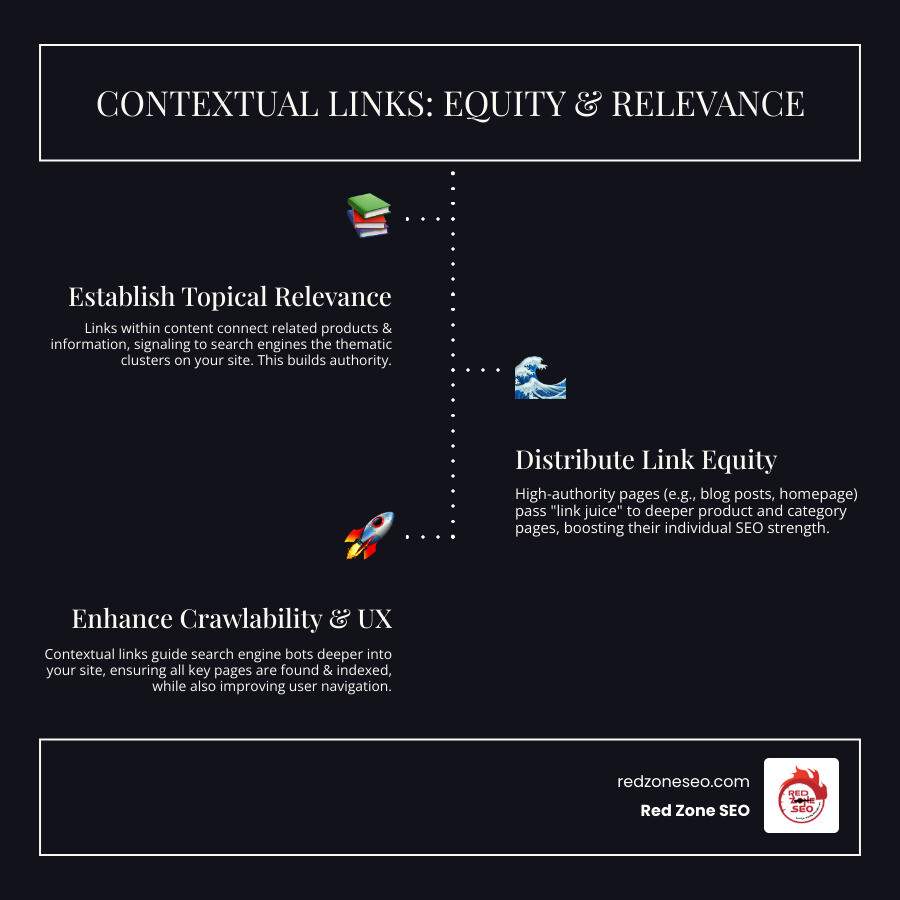
Contextual links are a key part of this strategy. These are links placed directly within your content, such as a product description or blog post. They connect related ideas and products, creating a more helpful and organized experience. This helps Google understand the relationships between your pages, which can provide a serious boost to your search rankings.
Basic ecommerce site structure seo contextual links terms:
Imagine your ecommerce website as a well-organized library. Each page is a book that needs to be in the right section, with clear signs (your links) to guide visitors. Without this thoughtful organization, both human visitors and search engine bots can get lost, leading to frustration and lost business opportunities.

At Red Zone SEO, we believe a well-designed site hierarchy is the backbone of any thriving online store. We advocate for a shallow, pyramid-like structure where your most important pages are at the top and everything else branches out logically. For example, a user journey should be intuitive: Homepage > Men's Clothing > Shirts > Men's Graphic Tee. A widely accepted industry best practice is the "3-click rule," which suggests any page on your site should be accessible within three clicks from the homepage. While not a rigid SEO mandate, it's a crucial usability guideline. If users have to click endlessly to find a product, their frustration grows, and they are more likely to leave. This is a strategic must-have for great ecommerce site structure seo contextual links.
A shallow structure allows customers to find products quickly, creating a seamless experience. Search engines also favor this efficiency, as it allows them to crawl and index your entire site more effectively. If users must click too many times, they might "pogo-stick"—bounce back to the search results—signaling to Google that your site wasn't helpful. A logical hierarchy also ensures that "link equity" (PageRank) flows from authoritative pages like your homepage to your product and category pages, boosting their visibility. This streamlined structure can also help you earn sitelinks in SERPs, making your business stand out in a mobile-first indexing world.
No one wants to play hide-and-seek with products on a website. A crystal-clear site navigation allows users to effortlessly find products, browse categories, and find related items. This ease of use is a direct driver of sales and conversions. A logical structure builds user confidence and reduces friction in the buying journey.
Poor navigation is a major deterrent for online shoppers. For instance, studies show that 37% of users cite poor navigation as a reason for abandonment. A bad user experience has lasting consequences, as 88% of users are less likely to return after a bad UX. At Red Zone SEO, we've seen how a well-structured site builds trust, reduces bounce rates, and leads to higher conversion rates. Features like faceted navigation (product filters) can dramatically improve the user experience by allowing customers to narrow down vast catalogs. However, they must be handled carefully from an SEO perspective to avoid creating thousands of low-value, duplicate pages that can harm your site's performance.
Search engines like Google rely on signals to understand your site's content and importance. Google's web crawler, Googlebot, steers your site by following internal links. A logical structure, supported by robust internal linking, ensures Googlebot can efficiently crawl and index all your important pages. This process helps optimize your "crawl budget"—the finite resources Google allocates to crawling your site. A clean structure prevents Googlebot from wasting this budget on unimportant pages (like filtered results) and ensures it spends time indexing your valuable product and category pages.
Internal links also establish clear relationships between your pages, creating a semantic map of your site. When a "Men's Running Shoes" category page links to individual shoe product pages, Google understands the connection. The more internal links a page receives from other important pages, the more significant Google perceives it to be. Conversely, "orphan pages"—those with no internal links pointing to them—are often invisible to search engines. These pages might be old landing pages or products that were removed from a category but not deleted. They represent wasted content and missed indexing opportunities. Our strategies at Red Zone SEO ensure no page is left behind, making your entire product catalog visible and accessible.
Beyond standard navigation menus, contextual links are a powerful tool for helping both search engines and customers understand your content. These are hyperlinks woven naturally into the text of your product descriptions, blog posts, or category page introductions.
Navigational links are like the large signs in a grocery store, providing general guidance. Contextual links are like a helpful clerk pointing you to a specific product while you're reading about a related topic. They are dynamic and matched to the surrounding text, which allows you to build topical authority by showing how ideas and products are semantically connected. For example, a blog post on "The Best Hiking Boots for Summer" can link directly to specific "waterproof hiking boots" or "lightweight hiking socks." This helps the customer and sends a clear signal to Google that these pages are topically related, which is incredibly valuable for SEO.

Contextual links are a win-win, benefiting both SEO and user experience. For SEO, they send strong ranking signals to Google. When an authoritative blog post links to a specific product page, it shares some of its "link equity," which can boost that product's visibility in search results. From a user's perspective, these links are very helpful. A link in an article about a new gaming console could take a reader to "compatible gaming headsets" or a "console setup guide." This anticipates user needs, guides them to related items for cross-selling, and smooths out the buying process, potentially increasing the average order value.
Contextual links are the threads that tie your ecommerce site structure seo contextual links strategy together. They help create "virtual silos" or "topic clusters" by grouping related content, which reinforces the relevance of your categories and subcategories. This model involves creating a central, authoritative "pillar page" on a broad topic (e.g., a comprehensive guide to coffee brewing) and surrounding it with "cluster pages" that cover related sub-topics in detail (e.g., blog posts or category pages for "French presses," "pour-over kits," and "espresso machines"). By linking from the pillar to the clusters and back, you signal to Google that you are an expert on the entire topic, boosting the authority of all related pages.
These links are especially powerful for connecting informational content (like blogs and guides) to your transactional pages (products and categories), bridging the gap between research and purchase. However, it's about balance. Insights from Google suggest that category pages shouldn't be overloaded with text, as it can confuse the page's primary intent. A category page's main job is to showcase products. Adding a few concise, helpful paragraphs with contextual links to subcategories or buying guides is effective. Turning it into a massive article can send mixed signals to search engines about whether the page is for reading or for buying. At Red Zone SEO, we focus on placing strategic content that informs users without diluting the page's commercial purpose.
Contextual links act as express lanes for search engine crawlers. By embedding links within content, you ensure that even "deep" pages, like specific product variants not featured in the main navigation, are found and indexed by Google. This effectively "flattens" your site's architecture from a crawling perspective. A product page that is four clicks from the homepage can be reached in a single click if it's linked from a popular blog post, making it seem more important to Google.
Furthermore, contextual links are brilliant for distributing "PageRank" (Google's measure of a page's importance) across your site. Your homepage and cornerstone content naturally accumulate link equity from external backlinks. By strategically placing contextual links from these powerful pages to your product and category pages, you pass on that authority. This is a deliberate strategy to boost the organic ranking of crucial transactional pages that might otherwise struggle to gain authority on their own.
Think of your internal links as pathways guiding visitors and search engines through your online store. Building this framework is a strategic art that requires careful planning. We start by identifying your cornerstone content—authoritative, in-depth pieces central to your brand—and your high-priority product or category pages. These pages deserve the most internal links to signal their importance and make them easy to find. Every part of your site, from product descriptions and blog posts to category pages, offers opportunities for smart internal linking.

Anchor text, the clickable text in a link, is incredibly important. It tells users and search engines what to expect on the linked page. The golden rule is to make anchor text descriptive, relevant, and natural. Avoid vague phrases like "Click here." Instead, use descriptive words. For example, link to your shoe section with text like "explore our collection of durable hiking boots."
While using relevant keywords in anchor text is smart, avoid keyword stuffing. Google understands context, and a natural variety of anchor texts pointing to the same page is often more beneficial than repeating one exact phrase. A healthy anchor text profile includes a mix of types:
alt text as the anchor text. Always write descriptive alt text.This natural approach helps Google better understand your page's topic. For more information, Google offers its own helpful guide on writing good anchor text.
Where you place links is as important as the words you use. Within product descriptions, link to related accessories (e.g., from a camera page to compatible lenses), complementary products (e.g., from a shampoo page to the matching conditioner), or buying guides that help users make a decision. On category pages, use introductory text to link to specific subcategories or cornerstone blog posts. Blog posts are goldmines for contextual links; use them to link directly to any products or categories you mention, turning readers into customers.
Don't forget your high-performing pages. By linking from these authoritative pages to newer products or pages that need an SEO boost, you can effectively share valuable 'link equity' across your site. Finally, if you have user-generated content (UGC) like reviews or Q&A sections, look for natural linking opportunities, ensuring they are moderated and relevant.
Contextual links work best as part of a complete internal linking ecosystem. Here’s how they integrate with other key link types to create a robust ecommerce site structure seo contextual links framework:
Navigational Menus (Primary & Secondary): These are your main guides, providing the fundamental site structure. They should be logical, consistent, and reflect your most important categories, making it easy for users to find top-level pages from anywhere on the site.
Breadcrumb Links: These act as a secondary navigation aid, showing users their location in the site hierarchy (e.g., 'Home > Laptops > Gaming Laptops'). They improve user orientation, reduce bounce rates, and help search engines understand your site structure. When implemented with breadcrumb schema, they can also improve your appearance in search results.
Faceted Navigation: These are the product filters (size, color, brand) that are essential for user experience on large ecommerce sites. However, they can create massive duplicate content issues for SEO by generating unique URLs for every filter combination. This must be managed carefully with techniques like rel="canonical" tags pointing to the main category page, nofollow attributes on filter links, or using AJAX to load results without creating new, indexable URLs.
HTML Sitemaps: Usually found in the footer, an HTML sitemap provides a clear, hierarchical list of your site's pages. It's a user-friendly directory and serves as a backup for search engine crawlers to find pages they might have missed.
Footer Links: These typically link to essential but non-primary pages like 'About Us,' 'Contact,' 'Shipping Policy,' and key categories. They ensure these important pages are accessible from anywhere on the site.
Related Product Modules: Sections like 'Customers also bought' or 'You might also like' are powerful internal linking tools. They connect relevant products, improve the user journey, and help search engines find more of your product pages, which is especially useful for deep-level product variants.
Even with the best intentions, it's easy to make mistakes in your internal linking strategy. Steering clear of these common pitfalls is as vital as implementing best practices.
First, avoid over-optimization. Cramming keywords into every anchor text can appear spammy to Google and may even lead to penalties. Also, be wary of link dilution; too many links on a single page reduces the authority passed by each one. Quality over quantity is key. Other common issues include:
Above all, ignoring user experience for perceived SEO gains is a recipe for disaster. A positive user experience often translates to positive SEO results.
Some of the trickiest linking mistakes are technical and can silently undermine your ecommerce site structure seo contextual links efforts.
robots.txt disallows, or nofollow attributes to avoid wasting crawl budget.nofollow: Using nofollow on internal links is a common mistake that prevents authority from flowing to other important pages on your site, effectively trapping that page's value and creating dead ends in your site's link graph.<a> tags with href attributes to ensure crawlers can follow them. Relying on JavaScript onClick events for navigation can make pages invisible to search engines. You can check how Google renders your page with its URL Inspection Tool to check rendered HTML.Beyond technical issues, content and user experience mistakes can also derail your linking strategy.
A powerful internal linking structure is not a "set it and forget it" project. It requires ongoing maintenance. A regular audit is essential to find and fix issues before they harm your SEO.
Mastering internal linking is key to a strong ecommerce site structure seo contextual links strategy. Here are some of the most common questions we hear:
There is no single magic number. While an old Google guideline mentioned keeping links to a "reasonable number" (often interpreted as under 100), modern SEO focuses on user value. A page overloaded with irrelevant links can feel cluttered and also dilutes the "link equity" passed by each link. The more links on a page, the less authority each one passes.
The best practice is to prioritize relevance and user experience. Only add a link if it genuinely helps the user or provides valuable context. A long, comprehensive guide might naturally have many helpful links, while a simple product page might only have a few. Furthermore, the location matters; links within the main body content are generally considered more valuable than a long list of links in a footer.
This is a crucial distinction for a solid linking strategy.
Navigational links are part of your site's fixed architecture. They include your main menu, sidebar categories, breadcrumbs (e.g., Home > Apparel > Shirts), and footer links. Their primary job is to provide a consistent structure and help users steer the entire site.
Contextual links are embedded naturally within the body of your content, like in a paragraph of a blog post or a product description. For example, a link on the phrase "French press coffee maker" within an article would be a contextual link. They appear organically within the flow of information and are highly specific to the topic being discussed.
Both link types are vital, but contextual links provide stronger, more specific topical signals to search engines because the surrounding text gives them powerful context, reinforcing the semantic relationship between the source content and the destination page.
Identifying under-linked pages is a critical optimization task. Here are a few key strategies to find these opportunities:
Use a site crawler: SEO spider tools like Screaming Frog or Sitebulb can crawl your website just like a search engine. They can identify "orphan pages" (pages with zero internal links) and "low-linked pages." These pages are often invisible to search engines and need to be linked from relevant pages on your site.
Check Google Search Console's "Links" report: This report provides direct feedback from Google. Under the "Internal links" section, you can see which of your pages have the most and fewest internal links. This helps you spot important pages that Google may see as being under-linked.
Identify high-value pages with low link counts: Combine business intelligence with SEO data. Make a list of your most important pages (e.g., high-converting products, key categories, cornerstone content). Then, use a crawler to check their internal link counts. If a vital page has few incoming links, it's a prime candidate to receive more ecommerce site structure seo contextual links from other relevant, high-authority pages.
nofollow attribute on internal links?As a general rule, no. You should almost never use nofollow on internal links. The nofollow attribute tells Google not to pass any PageRank through that link. Using it internally effectively traps link equity on a page and prevents it from flowing to other important pages on your site. It can also prevent Google from finding the linked page. The only rare exceptions might be for links to non-essential pages you don't want indexed, like login pages, or as part of a complex strategy to manage crawl budget on sites with massive faceted navigation, but even then, other methods are often preferred.
This depends on the size and dynamism of your site. For a large ecommerce store that is constantly adding new products and content, a quarterly audit is a good practice. For smaller, more static sites, a semi-annual audit may be sufficient. However, you should always perform a full internal link audit after any major site change, such as a website migration, a URL structure change, or a major redesign, to catch and fix any issues that were introduced.
In the dynamic world of e-commerce, your site's structure and internal linking are not just technical details; they are fundamental pillars of your online success. A thoughtfully organized website, improved by strategic ecommerce site structure seo contextual links, creates a seamless experience for customers and provides a clear roadmap for search engines.

Think of it as spinning a strong, logical web across your site. Each strand is a link connecting different parts of your store. The core ideas are simple: structure is the foundation, and a clear hierarchy makes your site easy to steer. Contextual links build authority and relevance, passing value where it matters most. This strategy offers a dual benefit, boosting both SEO performance and user experience, which leads to higher rankings, more traffic, and increased conversions.
Finally, continuous improvement is key. The digital landscape is always evolving, so regular audits and adjustments to your linking strategy are essential for sustained growth. At Red Zone SEO, we specialize in data-driven SEO solutions that deliver measurable results. We understand the unique challenges and opportunities of e-commerce and have deep expertise in crafting robust site structures and effective internal linking strategies that can transform your online presence.
Don't let potential customers get lost in a confusing digital store. Let's work together to build a website that is a model of clarity and efficiency. Take the next step in mastering your site's SEO with our expert strategies and watch your website evolve into a powerful, revenue-generating machine.
The cost of seo for website is a key question for any business aiming to thrive online. But before diving into numbers, understand why Search Engine Optimization (SEO) is so vital for your website's success.
SEO is the process of improving your website so it shows up higher in search engine results like Google.
Consider this: over 93% of online experiences begin with a search engine. If your business isn't visible on the first page, you're missing out on roughly 70% of potential clicks. High rankings don't just drive traffic; they build trust and authority with users. SEO drives targeted organic traffic—visitors actively searching for your products or services—which leads to more leads, sales, and sustainable business growth. When the vast majority of consumers turn to the internet for answers, SEO isn't just an option—it's a necessity for standing out and reaching customers ready to buy.
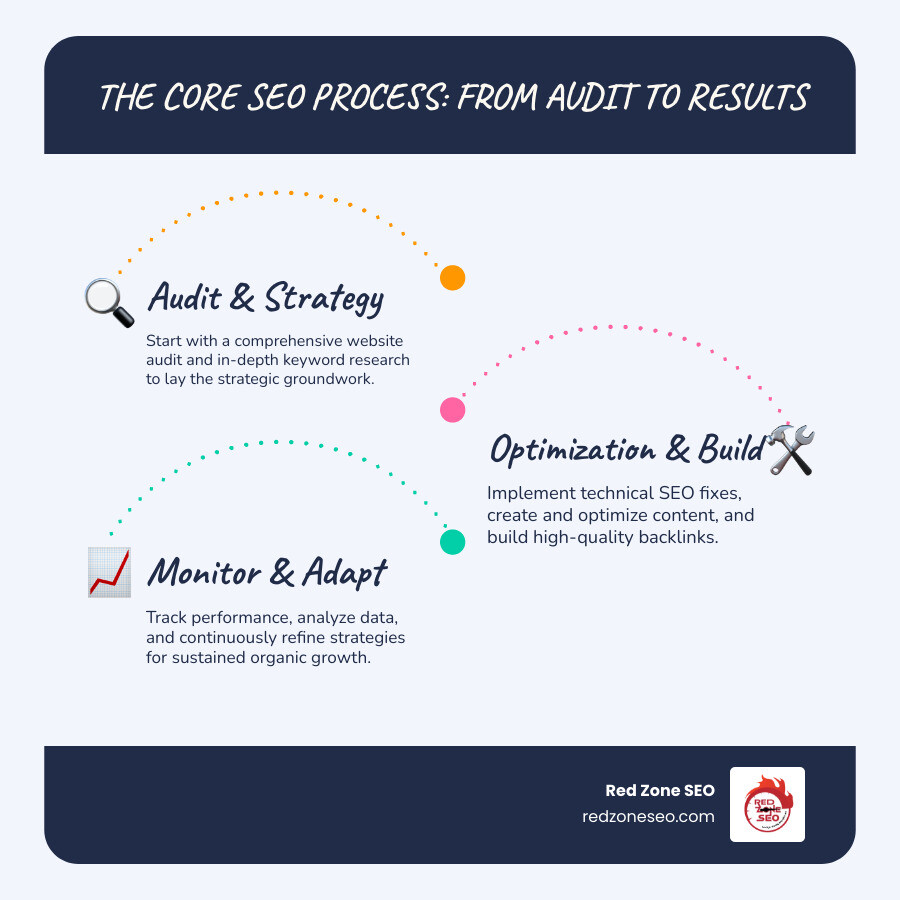
Find more about cost of seo for website:
Understanding the various pricing models for SEO services is the first step to figuring out the ideal cost of seo for website for your business. There's no one-size-fits-all answer, as different models suit different needs and goals. At Red Zone SEO, we believe in clear, transparent agreements custom to your objectives, which you can learn more about on our How It Works page. Let's explore the common models you'll encounter.
The monthly retainer is the most popular and effective model for sustainable SEO results. You pay a consistent fee each month for a long-term partnership, allowing an agency to continuously monitor, optimize, and adapt your strategy. It's ideal for businesses seeking steady, long-term growth.
Project-based pricing is best for a clearly defined, one-time SEO need, such as a website migration, a comprehensive technical audit, or a specific content campaign. You pay a fixed fee for a specific deliverable.
Hourly rates are suitable for businesses needing expert advice on an ad-hoc basis. This is perfect for strategy sessions, technical troubleshooting, or training your in-house team.
In this model, payment is tied directly to results like rankings or leads. While it sounds appealing, it's a risky approach that is less common among reputable agencies.
When clients ask about the cost of seo for website services, it's like asking, "how much does a car cost?" The answer depends on your goals, competition, and the scope of work. SEO pricing varies dramatically, but understanding industry benchmarks helps set realistic expectations.

Geography plays a significant role in SEO pricing, reflecting local economies and market competition.
Small businesses often focus on SEO for Small Business strategies, particularly local SEO, which can be more affordable. A local bakery, for example, competes with nearby shops, not every bakery in the country. This smaller competitive landscape means campaigns centered on Google Business Profile management, local citations, and community-focused content generally cost less than national efforts.
While some automated services cost $300-$500 monthly, they often lack strategic oversight. To see meaningful results, Search Engine Journal recommends a minimum spend of $500 per month. In our experience, businesses investing between $1,500 and $5,000 monthly see more substantial growth. Our Local SEO Packages are designed to drive foot traffic and local leads.
When you invest in professional SEO, you're getting a comprehensive strategy. Understanding the components helps you evaluate the cost of seo for website investment.
When considering the cost of seo for website, it's crucial to understand that there's no single price. Your final investment will be a custom figure, shaped by a variety of factors unique to your business.
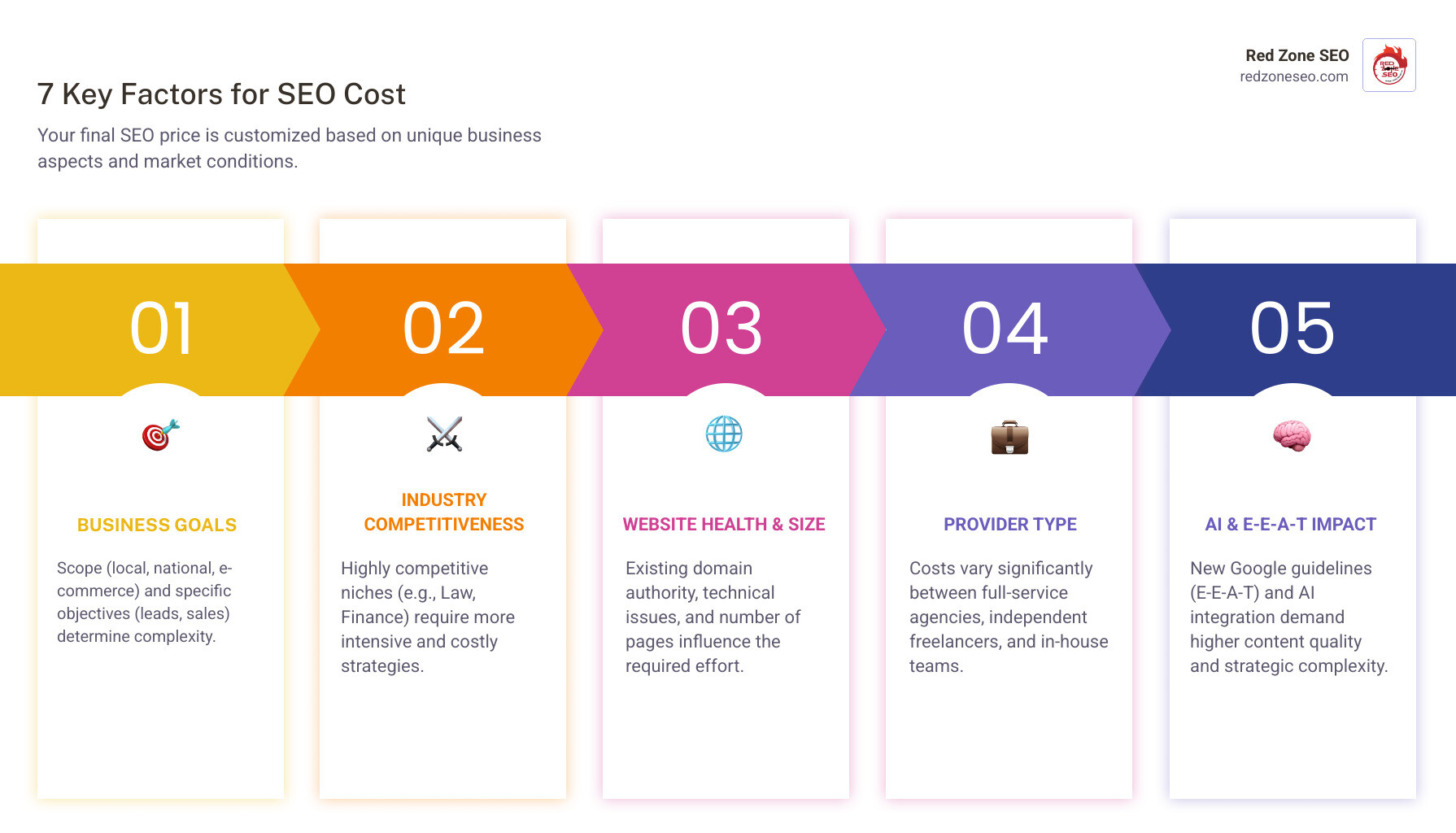
At Red Zone SEO, we tailor our solutions because a one-size-fits-all approach simply doesn't work. Let's explore the key factors that influence your SEO budget.
Your objectives fundamentally shape the scope and cost. A local business in Henderson, NV, requires a different strategy than a national e-commerce brand. An aggressive growth campaign will demand more resources—and a higher investment—than a strategy focused on maintaining current rankings. Whether you need lead generation, brand awareness, or sales growth, your goals define the work required. For instance, our Affordable SEO Las Vegas services are customized to specific, ambitious local goals.
The level of competition in your industry is a major cost determinant. Highly competitive niches like law, finance, and healthcare require a more robust and sustained SEO effort to stand out. For example, a local plumber has a defined geographic competitor set. In contrast, a national SaaS company competes with global players, requiring a much larger investment in content that establishes thought leadership and a backlink strategy that can penetrate high-authority publications. Ranking for high-volume keywords in a saturated market demands a significant investment in superior content and authoritative backlinks, as you are competing against businesses that have been investing in SEO for years. An analysis of expensive Google keywords shows the intensity in certain sectors, which directly correlates to organic competition.
Your website's starting point plays a huge role. A brand-new site requires more foundational work than an established one with existing authority. A site with technical issues (like slow speed or poor structure), a history of Google penalties, or a toxic backlink profile will need significant upfront work before growth-focused efforts can begin. A large e-commerce site with thousands of product pages has far more complexity in terms of crawl budget management and internal linking than a five-page brochure site. The sheer volume of pages to optimize, crawl, and index directly impacts the hours required. Similarly, recovering from a Google penalty involves a meticulous process of identifying the cause, disavowing toxic links, and submitting a reconsideration request, all of which is intensive, specialized work that adds to the initial cost. A comprehensive SEO Audit Cost analysis is the first step to identifying these issues and scoping the necessary remediation.
Who performs the work directly impacts the cost. Agencies are typically the most expensive option but offer a team of specialists, comprehensive services, and robust tools. Freelancers can be more affordable but may have limited capacity or expertise. An in-house team provides direct control, but the true cost includes salaries (an average SEO specialist earns over $70,000 annually, per Glassdoor data), benefits, and software, often exceeding the cost of an agency.
The digital landscape is constantly evolving. The rise of generative AI in search and Google's emphasis on E-E-A-T (Experience, Expertise, Authoritativeness, Trustworthiness) have increased strategic complexity. SEO now requires a deeper focus on high-quality content that demonstrates real-world experience, as detailed in Google’s E-E-A-T guidelines. This demands more time, research, and collaboration with subject matter experts, naturally influencing the cost of creating effective, future-proof strategies.
Many businesses view the cost of seo for website as just another bill. We encourage a shift in perspective: think of SEO not as an expense, but as a crucial investment in a long-term asset. Unlike paid ads that stop when you stop paying, SEO builds a foundation that continuously attracts visitors and leads, delivering compounding returns over time. It's why SEO consistently ranks as a top marketing channel for Return on Investment (ROI). Our SEO Services Las Vegas are built on this principle of investing for sustainable growth.
The real magic of SEO is in the measurable results it generates. We calculate ROI by looking at what truly impacts your bottom line: the value of your organic traffic (what it would cost via paid ads), the quality of leads, conversion rates, and the Customer Lifetime Value (LTV). The results speak for themselves: a remarkable 92% of businesses report being satisfied with their SEO ROI, highlighting its power as a primary revenue driver.
While managing the cost of seo for website is important, offers that seem too good to be true usually are. "Cheap" SEO is a dangerous gamble that can harm your online reputation and lead to costly penalties.

Watch out for these red flags:
At Red Zone SEO, we strictly follow ethical, "white-hat" practices to build sustainable results and protect your investment.
Navigating the cost of seo for website and selecting the right provider can feel overwhelming. However, with a strategic approach, you can find a partner who understands your goals and helps you achieve a real return on your investment.
Setting a realistic budget is a thoughtful process tied to your business objectives.
Choosing the right SEO partner is as important as setting the budget. Here are crucial questions to ask any potential provider:
Be wary of vague answers, proprietary secrets, or promises of guaranteed results. At Red Zone SEO, we pride ourselves on transparency and data-driven strategies, ensuring your cost of seo for website is a smart, secure investment.
SEO is a marathon, not a sprint. While minor improvements can appear sooner, most businesses see significant, lasting results—such as improved rankings, increased organic traffic, and more leads—within 4 to 12 months. The exact timeline depends on several factors:
Patience and consistent effort are key, but a data-driven strategy will yield powerful, long-term results.
While you can attempt DIY SEO using online resources, the term "free" is misleading. The real cost of seo for website success in this scenario is your time, which is a significant investment. Mastering the complexities of SEO—from technical optimization to content strategy and link building—is a steep learning curve.
Effective SEO also requires professional tools (like Ahrefs or Semrush), which have substantial monthly subscription fees. Furthermore, mistakes made due to inexperience can harm your website's rankings or even lead to Google penalties. For most businesses, the opportunity cost and risks of DIY SEO make investing in professional services a more efficient and cost-effective choice.
Not necessarily, but there is a strong correlation between price and the quality of service you receive. A higher cost of seo for website services often means you are investing in:
Extremely low-cost providers often cut corners, use outdated or unethical "black-hat" tactics, and lack the resources to deliver meaningful results. The goal is to find the best value—a partner whose price reflects the expertise and resources needed to achieve your business goals. Studies show clients who invest more in SEO tend to report higher satisfaction, suggesting the investment correlates with tangible outcomes.
We've covered a lot of ground on the cost of seo for website services. The key takeaway is that this isn't an expense—it's a critical investment in your business's future. Like planting a tree, a smart SEO strategy builds a lasting asset that consistently attracts customers, boosts visibility, and earns trust for years to come.
Focusing on ROI and long-term value is far more important than chasing the lowest price. We've highlighted the dangers of "cheap" SEO and the red flags that signal risky shortcuts that can damage your brand. Your success hinges on partnering with a skilled, trustworthy provider who prioritizes ethical, effective strategies.
At Red Zone SEO, our philosophy is built on providing data-driven, proven SEO solutions that deliver measurable results. We pride ourselves on transparency, ethical practices, and strategies customized to your unique business needs. Whether you're a local business in Florida or a growing enterprise in Nevada, we're here to help.
Don't let SEO pricing feel overwhelming. See it as your opportunity to secure and grow your digital future. Let's chat about your goals and build a clear, transparent plan to drive the results that matter to your bottom line.
Ready to explore what that looks like for you?
View our transparent SEO pricing
Is your website struggling to rank on Google, even with great content? The hidden problem might be your site's technical setup. Technical SEO is the foundation of your digital presence; if it's weak, even the best content and design will falter. With over 3.5 billion Google searches daily and most users staying on the first page, you can't afford to be invisible.
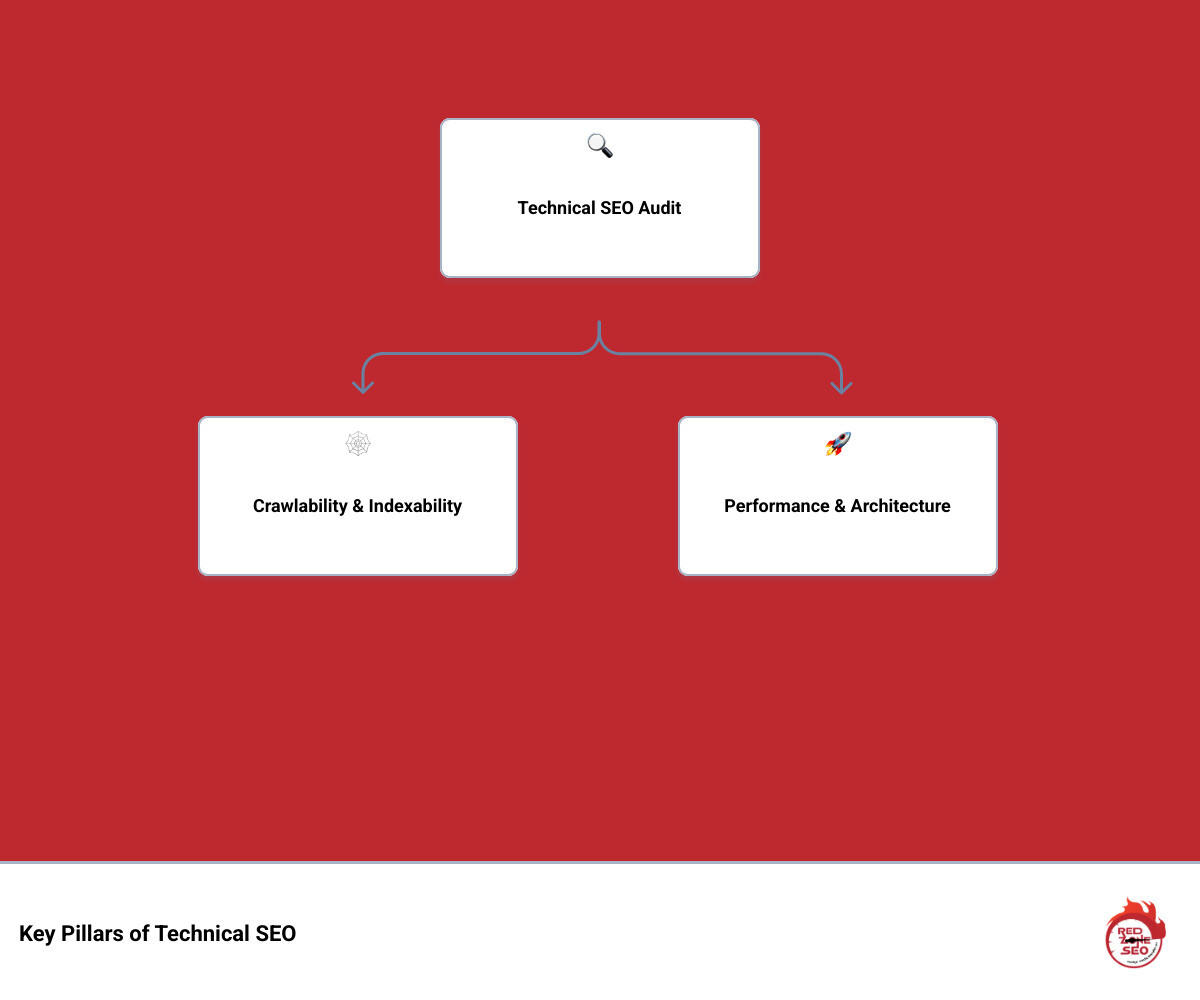
Learning how to conduct a technical seo audit is crucial for identifying and fixing the backend issues that prevent your site from ranking. This process involves a deep dive into your site's health, covering key areas like:
This comprehensive guide from Red Zone SEO will walk you through each step. You’ll learn to spot and fix the technical barriers holding your site back, paving the way for SEO success.
Before diving into how to conduct a technical SEO audit, you need the right tools. A well-equipped toolkit is crucial for identifying issues accurately and efficiently. A smart mix of free and paid tools will give you the comprehensive data needed for a thorough analysis. Here are the essentials:
Google Search Console (GSC): Your direct line to Google. GSC is indispensable for understanding how Google sees your site. Go beyond a surface-level check:
Google Analytics (GA): While not a pure technical tool, GA provides vital user behavior data. Analyze Organic traffic landing pages. A sudden drop in traffic to a specific page or group of pages could correlate with a technical issue you uncover. Check Landing page performance and cross-reference slow or high-bounce-rate pages with your technical findings.
Site Crawlers: These tools simulate search engine bots, crawling your site to find technical errors. While we use our proprietary site audit tools at Red Zone SEO, industry standards are excellent choices:
noindex or canonical.Page Speed Tools: Speed is a critical ranking factor. Use a combination of tools for a complete picture:
Rich Results & Schema Testers: To earn eye-catching rich results, your structured data must be flawless. Use Google’s Rich Results Test to validate your markup and check for eligibility for specific SERP features. The Schema Markup Validator is more comprehensive for debugging the syntax of your structured data, even if it's not for a Google-supported rich result.
Browser Developer Tools: Built into browsers like Chrome and Firefox (access with F12 or right-click > Inspect), these are powerful free tools for on-the-fly debugging. Use the Elements tab to inspect the rendered HTML, the Console to spot JavaScript errors, and the Network tab to analyze load times and identify large files.
With your toolkit ready, it's time to ensure search engines can find, crawl, and understand your content. This step focuses on the foundational blueprint of your website, guiding both bots and users. For more on our strategic approach, you can learn about our SEO process.
Crawlability is a search engine's ability to access your website's content. If Google can't crawl a page, it can't rank it.
yourdomain.com/robots.txt. Ensure you aren't accidentally blocking important resources like CSS or JavaScript files, as this can prevent Google from rendering your pages correctly. A common mistake is a Disallow: / directive left over from development. Your robots.txt should also link to your XML sitemap using the Sitemap: directive. For details, see robots.txt guidelines.Indexability is whether Google adds a crawled page to its index. A page can be crawlable but not indexed due to quality issues or specific directives.
site:yourdomain.com Search: Use this Google search to get a rough estimate of how many of your pages are indexed. A large discrepancy between this number and the number of pages in your sitemap can signal a problem.noindex, nofollow) tell search engines how to treat a page. A noindex tag prevents indexing, while nofollow prevents the bot from following links on the page. The X-Robots-Tag is an HTTP header equivalent, useful for blocking non-HTML files like PDFs or images from being indexed. Check these carefully during your audit.rel="canonical" tag specifies the preferred version of a page, preventing duplicate content issues. Ensure they are implemented correctly on pages with similar content (e.g., product variations, pages with UTM parameters). Every indexable page should have a self-referencing canonical tag.A logical site architecture helps search engines understand page relationships and improves user experience.
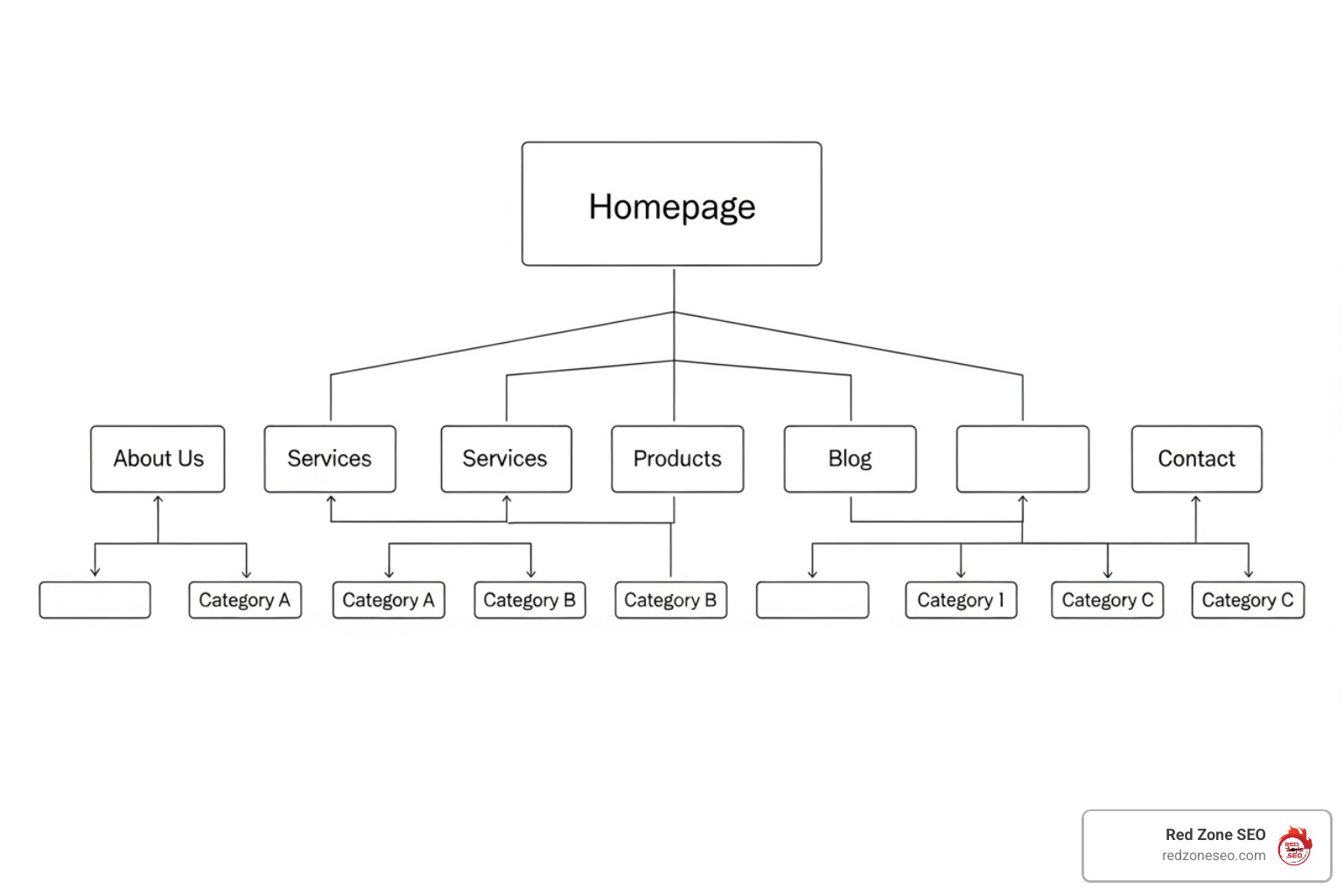
example.com/technical-seo-audit). Avoid long, messy URLs with excessive parameters (?id=123&session=xyz). If parameters are unavoidable, use the URL Parameters tool in GSC or canonical tags to handle them.Users expect a fast, seamless experience on any device, and Google's ranking algorithms reflect this. The Page Experience Update made it clear: a positive user experience is essential for SEO success.
A slow website hurts user satisfaction and rankings. When you learn how to conduct a technical SEO audit, speed must be a top priority.

Google uses Core Web Vitals (CWV) to measure user experience. You can learn more about them here: Core Web Vitals explained. The key metrics are:
To improve your site speed, focus on these key areas:
rel="preload" to tell the browser to fetch critical resources (like a key font file or CSS stylesheet) earlier than it normally would.With over 60% of web traffic on mobile and Google using mobile-first indexing, your site must be flawless on mobile devices. Google primarily evaluates your mobile site to determine rankings.
Use a responsive design so your site automatically adjusts to any screen size. You can check your site's status with Google's Mobile-Friendly Test and monitor for site-wide issues in the Mobile Usability report in Google Search Console. Pay close attention to common errors reported by GSC, such as:
Also, avoid intrusive interstitials (pop-ups) that cover the main content and harm the mobile experience, as Google may penalize sites that use them.
With the fundamentals covered, it's time for advanced optimizations. These tweaks help your site communicate more effectively with search engines, improve security, and reach a global audience. This is a key part of learning how to conduct a technical seo audit like a professional.
Structured data (or Schema Markup) is code that translates your content for search engines, helping them understand its context. While not a direct ranking factor, it helps you earn rich results—improved, eye-catching listings in search results like star ratings, FAQs, and product details.
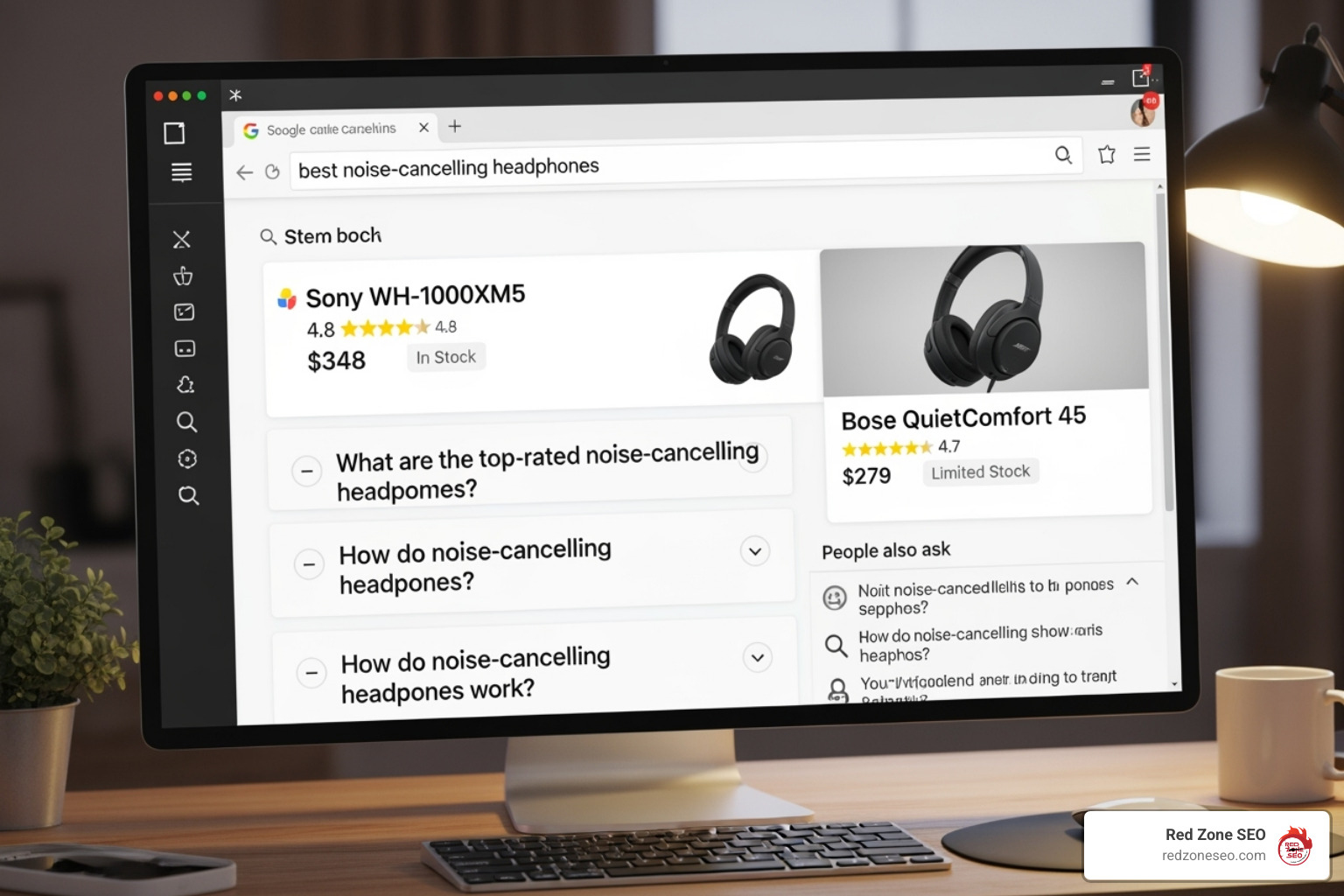
These rich results can significantly increase your click-through rate. First, identify relevant schema types for your content from Schema.org. Common valuable types include Article, Product, FAQPage, HowTo, LocalBusiness, and BreadcrumbList. Implement the code using JSON-LD, which is Google's recommended format as it's easier to deploy and manage separately from the HTML. After implementation, use Google's Rich Results Test to validate your code and check for errors or warnings. You can also monitor performance and errors for specific schema types in Google Search Console.
Modern websites rely on JavaScript for dynamic features, but it can be challenging for search crawlers. Google can render JavaScript, but this happens in a second wave of indexing, which can be delayed. If critical content or links are only visible after rendering, their indexing can be slowed or missed entirely.
onclick events instead of standard HTML <a href> tags).HTTPS is essential for all websites. It encrypts data between the user's browser and your server, protecting user privacy and building trust. HTTPS is a confirmed Google ranking signal.
If you target audiences in different countries or languages, international SEO is crucial. The hreflang tag is an HTML attribute that tells Google about different language or regional versions of a page. This helps serve the correct version to the right user and prevents duplicate content issues.
Correct implementation is key. Common errors include using incorrect language/country codes (e.g., en-uk instead of the correct en-gb) or failing to include return links (if Page A links to Page B, Page B must link back to Page A). A correct implementation in the HTML <head> for a page targeting users in the US and Germany would look like this:
<link rel="alternate" hreflang="en-us" href="https://example.com/page" />
<link rel="alternate" hreflang="de-de" href="https://example.com/de/page" />
<link rel="alternate" hreflang="x-default" href="https://example.com/page" />
For your site structure, you can use country-code domains (ccTLDs like example.de), subdirectories (example.com/de/), or subdomains (de.example.com).
An audit's value lies in turning findings into impactful changes. This step is about analyzing your data, prioritizing tasks, and creating a clear action plan to generate measurable results.
During your audit, you likely uncovered a variety of issues. The table below summarizes common problems, their impact, and how to fix them.
| Common Technical SEO Issues | Impact | How to Fix Them |
|---|---|---|
| Duplicate Content | Confuses search engines, dilutes link equity, can lead to lower rankings. | Implement 301 redirects for preferred versions. Use canonical tags for similar content. |
| Thin Content | Offers little value to users/search engines, wasting crawl budget. | Consolidate similar pages, expand content with unique value, or noindex if irrelevant. |
| Broken Links (Internal & External) | Poor user experience, lost link equity, wasted crawl budget. | Use site crawlers to find 404 errors. Update or remove the links. |
| Redirect Chains & Loops | Wasted crawl budget, slower page load, diminished link equity. | Audit redirects to ensure a single 301 redirect instead of a chain. Fix loops. |
| Incorrect Redirects (302 vs. 301) | 302s (temporary) don't pass link equity like 301s (permanent). | Use 301 redirects for content that has moved permanently. Use 302s only for truly temporary moves. |
| 404 Errors (Not Found) | User frustration, lost link equity from inbound links. | For important pages, 301 redirect to a relevant live page. Update internal links pointing to them. |
| Soft 404s | A page that says "Not Found" but returns a 200 (OK) status code. | Configure the server to return a proper 404 status code for pages that don't exist. |
| 5xx Server Errors | Prevents crawling and indexing, indicates server-side problems. | Requires immediate attention from your hosting provider or development team. |
| Missing/Duplicate Meta Tags | Hurts CTR and on-page SEO. Confuses search engines. | Write unique, compelling titles and descriptions for every important page. |
| Orphaned Pages | Unfindable by users and search engines as they have no internal links. | Add internal links from relevant, authoritative pages. |
Auditing a site with thousands or millions of pages requires a strategic approach. Key considerations include:
robots.txt strategically to block low-value sections (e.g., filtered navigation URLs) and a clean sitemap to guide Googlebot to your most important pages.noindex directives, and parameter handling rules in Google Search Console to manage the crawl and indexing of these URLs.Not all issues are created equal. Use a prioritization matrix to classify fixes by Impact vs. Effort. For example, fixing a robots.txt file that's blocking your entire site is High Impact, Low Effort. Re-architecting your entire URL structure is High Impact, High Effort.
Create detailed tickets for your development team for each task, outlining the issue, specific URLs affected, the recommended solution, and the priority level. Assign ownership and set deadlines to ensure accountability. Understanding the investment required is important, and you can find more information about our approach to SEO audit costs on our site.
Technical SEO is an ongoing process. After implementing fixes, track your changes. Use annotations in Google Analytics to mark deployment dates. Monitor GSC for resolved issues in the Coverage report and improvements in the Core Web Vitals report. Compare crawl data before and after to verify success. Schedule regular follow-up audits (e.g., annually for a deep dive, quarterly for health checks) to catch new problems. Documenting your improvements and their impact on traffic and rankings is key to proving the value of your work.
These three audits cover different aspects of your SEO strategy, but they work together.
A comprehensive SEO Audit from a provider like Red Zone SEO will cover all three areas for a holistic view of your performance.
The ideal frequency depends on your site's size and complexity, but here's a general guideline:
Yes, you can definitely perform a basic technical audit yourself using this guide and the tools mentioned. Checking for broken links, running a speed test, or reviewing your robots.txt file are accessible tasks that can uncover common problems.
However, diagnosing and fixing complex issues—like JavaScript rendering problems, server errors, or deep architectural flaws on a large website—often requires specialized expertise. For platforms like WordPress, which have their own technical quirks, our specialized WordPress SEO Services can help steer these challenges.
Knowing your limits is key. Start with the basics, and don't hesitate to bring in an expert when you encounter issues beyond your comfort zone. Even a basic understanding of how to conduct a technical seo audit will make you a more informed site owner.
We've covered the essential steps of how to conduct a technical SEO audit, from gathering tools and checking crawlability to optimizing for speed and tackling advanced elements. The goal is to transform your audit findings into a clear action plan that strengthens your website's foundation.
Think of your website as a high-performance car. Great content and design are the sleek body, but technical SEO is the finely-tuned engine that powers it. Without a healthy technical foundation, even the best content and backlinks will struggle to deliver results. A technically sound site is non-negotiable for ranking well in 2025.
Technical SEO is not a one-time task but an ongoing process of monitoring and improvement. By applying these principles, you are empowered to maintain your site's health and ensure it's always ready to perform at its best.
For businesses in Las Vegas, Henderson NV, Austin, Florida, and beyond, Red Zone SEO provides the data-driven solutions needed to tune your website for both search engines and users. We focus on measurable results and proven strategies to build your success on a rock-solid foundation.
Ready to outrank the competition? Take the first step with a professional audit. Find our Las Vegas SEO services and let's build your pathway to online success.
An SEO content strategy is a planned approach to creating and optimizing content to rank high in search engines and attract your target audience. A complete strategy involves understanding your audience and goals, performing keyword research, creating high-quality content, handling on-page and technical optimization, building links, and continuously measuring performance to improve.
With a staggering 93% of all online experiences starting with a search engine, this isn't just a statistic—it's your biggest opportunity. If your business isn't visible when people search, it's missing out on countless potential customers.
An SEO content strategy is your roadmap to getting found. It connects you with people who need what you offer, turning online searches into real business. It might sound complex, but we'll break it down into simple, actionable steps.
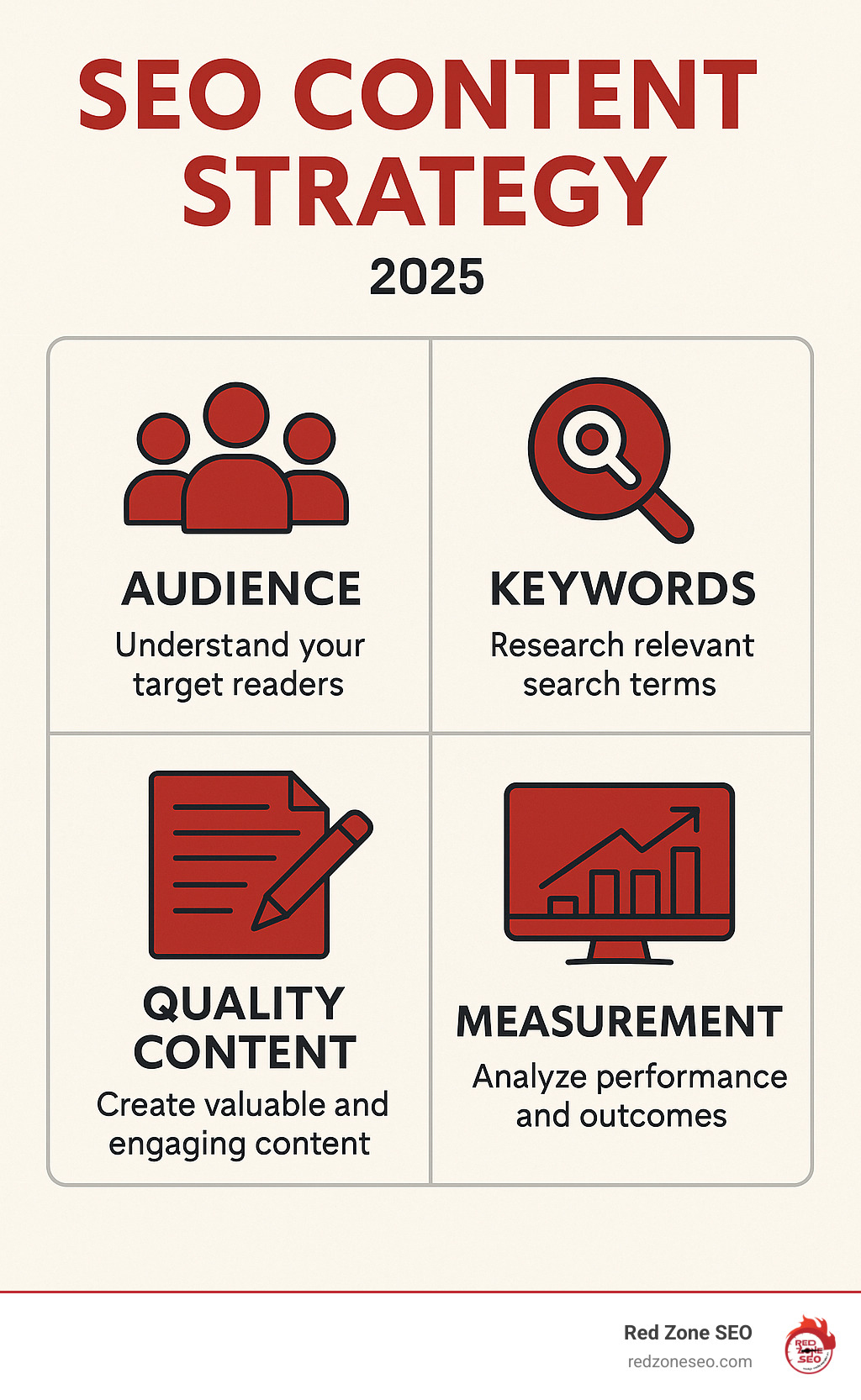
Quick seo content strategies definitions:
Is your business a hidden gem online? A great website that isn't bringing in customers needs an effective SEO content strategy. Think of it as the engine that drives organic traffic, boosts search engine visibility, and transforms your brand into a trusted authority. If your content isn't optimized for search, your business remains a secret. We're here to help you get found.
SEO content isn't just about clicks; it's about building trust and establishing expertise. When your content consistently answers questions and solves problems, search engines like Google reward you with higher rankings. This cycle leads to more visibility, engagement, and sustainable growth. Google's algorithms are always evolving, prioritizing "helpful, reliable, and people-first content," which is the foundation of long-term digital marketing success.
More info about SEO for Online Business
SEO content is created for a dual purpose: to provide immense value to your audience and to rank well in search engines. It's not about stuffing keywords into an article. It's about delivering genuine help while ensuring search engine crawlers can find and understand that value.
SEO content comes in many forms:
For every piece, we focus on smart keyword integration, user-friendly formatting, and strategic linking. The best pages are written for the user first, not just the search engine. This holistic approach ensures your content is appreciated by both your audience and search engines.
More info about Content Marketing for Small Businesses.
An SEO content strategy is an absolute must-have. Here's why:
While some focus on quick-win tactics, we believe dedicating resources to creating valuable content yields far greater, more sustainable benefits. Prioritize your audience, and Google will reward you—it's as simple as that!
Before creating content, you need a solid blueprint. A successful seo content strategy begins with thoughtful planning and research. We start by digging into your business goals, ideal customers, competitors, and existing content. This foundational work allows us to set clear Key Performance Indicators (KPIs) and ensure every piece of content serves a purpose, guiding your audience through their buyer's journey.
First, we must get clear on two questions: Who are we trying to reach, and what do we want them to do? Your business goals—whether increasing organic traffic by 20%, generating 50 qualified leads per month, or boosting online sales by 15%—shape the type of content we create and the metrics we use to define success.

Next, we develop a detailed 'customer avatar' or 'persona.' This involves understanding your ideal customer's pain points, goals, demographics, and online behavior. We analyze your current customers, survey your audience, research your competitors' audience, and assess your unique offerings to pinpoint who benefits most from your services. By understanding your niche and crafting detailed personas, we create personalized content that truly resonates and solves your audience's specific problems, making them feel seen and understood.
target audience is the core of our strategy.
More info about SEO Strategies for Startups.
Understanding the competitive landscape is not optional; it's essential for carving out your space. We identify your direct and indirect SEO competitors—those who rank for the keywords you're targeting, even if they don't offer the same products or services. Our analysis involves:
This intelligence allows us to build a strategy that is not only informed by your own goals but is also designed to outperform the competition.
Once we know who we're talking to, we find out how they search. Modern keyword research is about understanding context and the reason behind a search. It's not about cramming keywords into your content; it's about becoming the best answer to your audience's questions.
We use advanced tools like Ahrefs, SEMrush, and AnswerThePublic to find relevant topics, not just isolated words. We explore broad Head Terms (e.g., 'digital marketing') and specific Long-Tail Keywords (e.g., 'digital marketing for small businesses in Austin'). Long-tail keywords often have lower competition, higher conversion rates, and make up the vast majority of all Google searches. We analyze Search Volume (how many people are searching) and Keyword Difficulty (how hard it is to rank) to find 'low-hanging fruit' you can rank for quickly while building toward more competitive terms.
Our goal is to build topic clusters: a central 'pillar page' on a broad topic (e.g., "SEO Content Strategy") linked to several 'cluster' pages that cover specific sub-topics in greater detail (e.g., "How to Do Keyword Research," "On-Page SEO Checklist"). This structure signals deep expertise to search engines, improves internal linking, and keeps visitors engaged on your site longer.
Keywords are the bridge between your audience's questions and your content's answers.
More info about Keyword Research.
Matching your content to the reason someone is searching is the most crucial piece of the keyword puzzle. If your content doesn't align with user intent, it won't rank well, and visitors will leave immediately. We break down searcher intent into four main types:
| Intent Type | User Goal | Example Query | Ideal Content Type |
|---|---|---|---|
| Informational | To learn something, find an answer | "What is SEO content?" | Blog posts, guides, tutorials, "how-to" articles, FAQs, definitions. |
| Navigational | To find a specific website or page | "Red Zone SEO contact" | Homepage, "Contact Us" page, "About Us" page, specific product/service pages. |
| Commercial | To research before making a purchase | "Best email marketing tools for small business" | Product reviews, comparison articles, "best of" lists, buying guides, case studies. |
| Transactional | To complete an action (e.g., buy, sign up) | "Buy running shoes online" | E-commerce product pages, service pages with clear CTAs, sign-up forms, booking pages. |
Aligning your content with these intents is vital. A user searching for "best running shoes" wants reviews and comparisons (Commercial), not a history of footwear (Informational). A perfect match between what the user wants and what your content provides makes users happy and sends strong positive signals to search engines, forming the foundation of a successful content piece.
types of searcher intent are the foundation of effective content creation.
With our blueprint ready, it's time to build. This stage is about crafting content that ranks well, engages your audience, and provides real value. We focus on creating helpful, reliable, and people-first content, as Google increasingly prioritizes user experience and quality.
In a world saturated with information, quality stands out. Google's algorithms reward content demonstrating Experience, Expertise, Authoritativeness, and Trustworthiness (E-E-A-T). While not a direct ranking factor, E-E-A-T is a crucial framework for creating content that satisfies users and, by extension, search engines.
We also prioritize originality and information gain, introducing new concepts, unique data, or fresh perspectives to differentiate your content from the thousands of similar articles online. While AI tools can assist with brainstorming and outlining, we believe the best results come from human authors who can provide this unique value. Relying solely on AI can lead to generic, uninspired content that Google's helpful content system is designed to de-rank. Our human-first approach ensures authenticity, depth, and a competitive edge.
E-E-A-T guidelines are our north star for content quality.
Great content needs to be perfectly optimized so search engines can understand its topic and relevance. On-page SEO is the practice of optimizing individual pages to rank higher and earn more relevant traffic.

Here are the critical elements we optimize for every single page:
yourdomain.com/seo-content-strategies instead of yourdomain.com/p=123).More info about Content Optimization can help you refine these elements.
Technical SEO ensures your website's foundation is solid, making it easy for search engines to crawl, index, and understand your content. Without a strong technical base, even the best content can fail to rank.
robots.txt files, creating and submitting XML sitemaps, and fixing crawl errors reported in Google Search Console.Ignoring these technical aspects is like building a skyscraper on a foundation of sand. Your content won't go far without a high-performing technical foundation.
More info about WordPress SEO Services and how we handle these technical details.
Great content needs pathways to bring in visitors. Strategic linking builds these digital roads, both within your website (internal links) and from the wider web (external links or backlinks). This crucial step builds your site's authority, shares valuable "link equity," and boosts your content's ranking in search results, amplifying its reach and impact.
Internal links connect one page on your website to another on the same site. They are a simple but incredibly powerful tool that you have complete control over. We use them strategically to:
Internal Linking Best Practices We Follow:
More info about SEO for Small Business and how we implement effective internal linking.
External links, or backlinks, are links from other websites to yours. They act as digital endorsements or "votes of confidence" and are one of Google's most important ranking factors. Earning high-quality backlinks is a cornerstone of our seo content strategies.
How do you earn these valuable links?
The golden rule for backlinks is quality always trumps quantity. A single link from a highly authoritative, relevant site like a major industry publication is far more valuable than hundreds of low-quality links from spammy directories. Our focus is on earning links that build your site's long-term authority and reputation, while actively avoiding and disavowing toxic links that could harm your rankings.
More info about Link Building Services and how we can help you build a robust backlink profile.
SEO isn't a "set it and forget it" task. Think of your website as a garden that needs continuous care to thrive. The digital world is always changing—competitors publish new content, search engine algorithms evolve, and user behavior shifts. Your seo content strategies must be a continuous cycle of research, creation, sharing, and measurement. This data-driven "long game" is how we ensure sustainable, long-term growth.
Over time, even the best content can experience "content decay," where rankings and traffic drop as information becomes outdated. Regular maintenance is essential to keep your content fresh, accurate, and powerful. A systematic content audit is the key.

Our maintenance plan involves a quarterly content audit where we:
This systematic process ensures your website's authority is concentrated on your best, most effective content, signaling to Google that your site is a well-maintained and trustworthy resource.
More info about SEO Audit and how we can help you keep your content in top shape.
As the saying goes, "If you can't measure it, you can't improve it." We use a mix of tools and key metrics to track performance, find opportunities, and demonstrate the return on your investment (ROI).
Key metrics we track include:
We use tools like Google Search Console, Google Analytics, and Bing Webmaster Tools to gather this data. By constantly analyzing performance, we can make informed, data-driven decisions to fine-tune your strategy and double down on what delivers the best results.
In crowded industries, basic SEO may not be enough. To dominate your niche, we employ advanced strategies:
These sophisticated techniques are what we specialize in to help our clients succeed in the most highly competitive markets.
More info about Ecommerce Store SEO and how we tackle competitive online markets.
It's natural to have questions about seo content strategies. Diving into SEO can feel like learning a new language, with its own jargon and concepts. Here are some of the most common questions we get, answered with our expert insights.
SEO is a marathon, not a sprint. While minor technical changes can be indexed and show effects quickly, impactful results from a content strategy take time to build. Generally, you can expect to see initial positive signals, like ranking improvements and an increase in search impressions, within 4 to 6 months. However, achieving a significant impact on business goals (like a substantial increase in organic traffic, leads, and sales) typically takes 6 to 12 months, and sometimes longer in highly competitive industries.
This timeline depends on factors like market competition, your budget and resources, the consistency of your content creation and promotion efforts, and your website's existing authority and technical health. SEO is a long-term investment, but the payoff is sustainable, high-quality organic traffic that acts as a business asset for years to come.
While AI tools are powerful assistants for brainstorming and outlining, the answer is no, you should not rely solely on AI to write your SEO content. Here's why:
At Red Zone SEO, all content is written and edited by real people. We believe the best results come from human authors who can lend genuine experience and expertise. AI is a tool to complement our workflow, not replace it.
This is a great question, and the answer is that both are crucial components of a balanced and effective seo content strategies. They work hand-in-hand for optimal growth.
Creating New Content is essential for expansion. It allows you to target new keywords, address different stages of the customer journey, reach new audiences, and build your topical authority in new areas.
Updating Old Content (a "content refresh") is one of the most efficient and high-impact SEO activities you can perform. Existing content often has some authority, rankings, and backlinks. By updating it with fresh information, improved readability, new data, and better on-page SEO, you can regain lost rankings and boost performance, often with far less effort than ranking a brand-new page from scratch. It's often considered low-hanging fruit for quick traffic gains.
A smart strategy allocates resources to both. We recommend regular content audits to identify high-potential refresh opportunities while maintaining a consistent schedule for publishing new, high-quality content to continuously expand your online footprint.
There is no single "ideal" length for an SEO article. The best answer is: your content should be as long as it needs to be to comprehensively cover the topic and satisfy the user's search intent.
We've covered the essential roadmap for digital success, from blueprinting your approach and crafting high-impact content to amplifying your reach and measuring results. An effective SEO content strategy is not a one-time task but a continuous cycle of research, creation, amplification, and measurement. The digital landscape is always evolving, and staying ahead means adapting and consistently providing genuine value.
This commitment to quality and continuous improvement, driven by data-driven decisions, is what paves the way for long-term growth. It's how you attract more customers and establish your business as a trusted authority in your industry.
That's where we at Red Zone SEO come in. We specialize in providing data-driven, proven SEO solutions designed to deliver measurable results. We take the guesswork out of SEO, helping you attract the right customers and achieve your business goals. Whether you're based in Austin, expanding across Florida, or building your brand in Henderson NV, Nevada, or Las Vegas, we're ready to help you simplify SEO and rise through the ranks.
Ready to transform your online presence? Let's get started.
Learn how our proven SEO process works.
Local SEO is never “one-price-fits-all.” A neighborhood coffee shop and a multi-location law firm face very different battles for visibility—and their budgets should reflect that reality.
Quick monthly ranges you can actually use:
Why the spread? Three variables matter most:
If 93 % of online journeys begin with a search engine, showing up in those results is no longer optional; it’s survival. In the next sections you’ll learn how pricing is structured, what each tier includes, and how to decide which level is the right investment for your company.
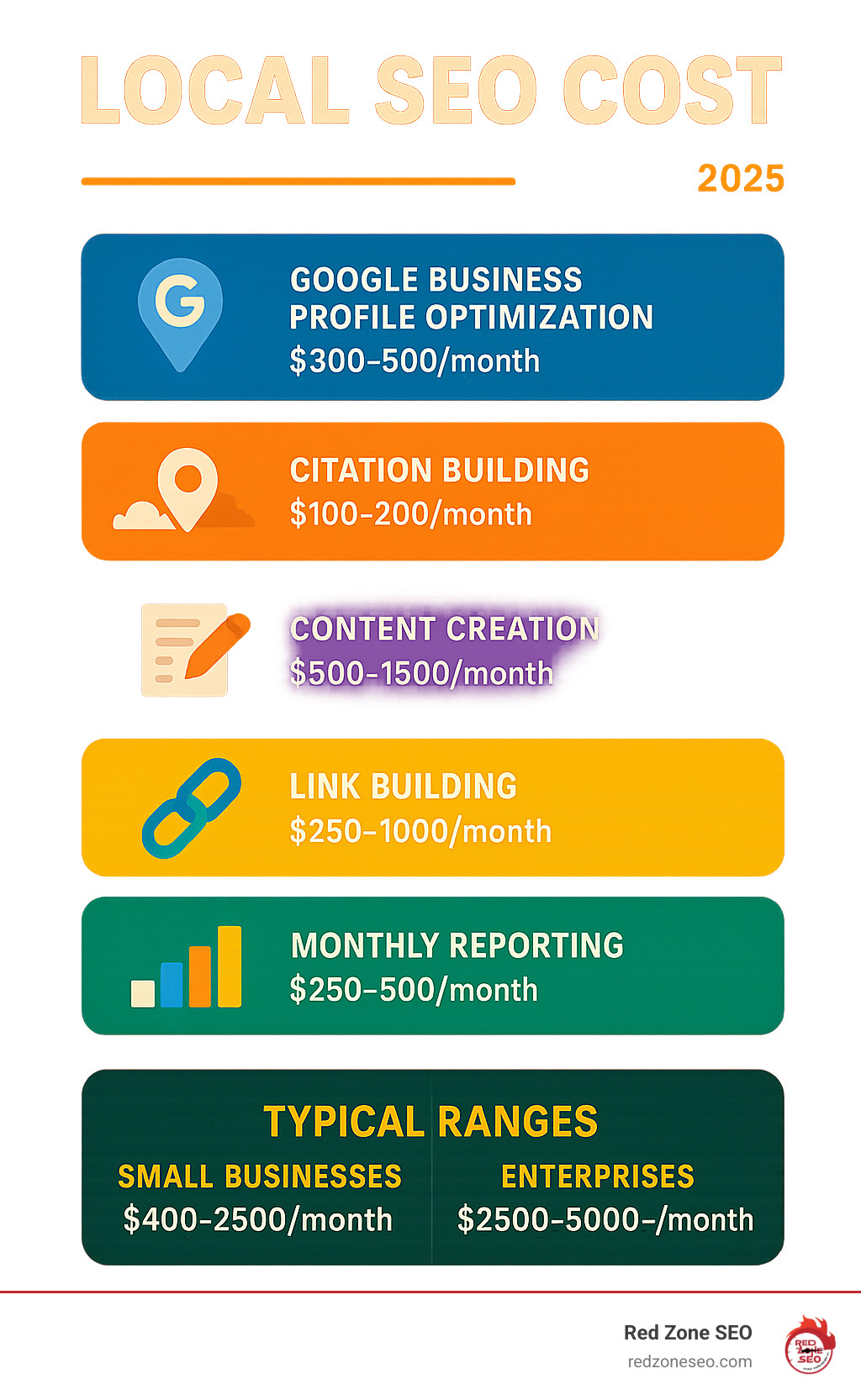
Must-know terms:
• local seo packages
• seo audit cost
Local SEO is the practice of positioning your business in front of nearby customers the exact moment they search phrases like \"roof repair near me\" or \"best tacos Austin.\" Unlike traditional SEO\u2014which can target anyone in any city\u2014local SEO focuses on geo-signals that push you into Google's Local Pack (the map with three listings) and on Google Maps.
Key benefits in one glance:
LocalBusiness schema markup provides search engines with structured data about your NAP, hours, and services, which can lead to rich results in search.The local search environment has evolved dramatically. Google processes over 8.5 billion searches daily, with \"near me\" searches growing by 500% over the past few years. Mobile searches for \"where to buy\" plus \"near me\" have increased by over 200% in recent years.
Consumer behaviour patterns show that:
These statistics underscore why local SEO isn't just helpful\u2014it's essential for survival in today's digital marketplace.
Different industries face unique local SEO challenges:
Healthcare & Medical: Must comply with HIPAA regulations while building trust through reviews and local content. Medical practices often compete in highly saturated markets where reputation management becomes crucial.
Legal Services: Face intense competition in major metros. Personal injury and family law firms often invest heavily in local SEO due to high case values and lifetime customer worth.
Home Services: Plumbers, electricians, and contractors benefit enormously from emergency-related searches. These businesses often see immediate ROI from local SEO investments.
Restaurants & Food Service: Heavily dependent on reviews, photos, and accurate hours. Menu updates, seasonal promotions, and event hosting require constant GBP management.
Retail & E-commerce: Must balance online and offline presence, often requiring location-specific inventory management and local pickup options.
Ready-to-buy searchers convert at dramatically higher rates than social scrollers. A plumbing company ranking in the top three for \"emergency plumber Las Vegas\" can book jobs within minutes\u2014often earning five or more dollars for every dollar invested in optimisation. Because listings, content, and links keep working long after they're built, the ROI compounds month after month.
The revenue impact extends beyond immediate conversions. Strong local SEO presence:
Businesses that invest in comprehensive local SEO strategies typically see 20-30% increases in local organic traffic within the first six months, with continued growth as their digital footprint strengthens.

Industry Competition
High-stakes niches—personal injury law, cosmetic surgery, luxury real estate—require exponential content and link budgets compared with a local pet groomer. CPC data in Google Ads is a quick proxy: higher CPC → harder to rank → higher SEO spend.
Number of Locations
One bakery in Henderson, NV is simpler than a chain of ten across Nevada and Florida. Each location needs its own GBP, citations, unique page copy, and review stream.
Scope of Work
Some firms only need a one-time clean-up; others need ongoing content, schema fixes, and digital PR. The more disciplines involved—technical, creative, outreach—the steeper the quote.
Current Website Condition
A modern, mobile-responsive site with clean code requires less technical work than a 2015 WordPress theme with broken plugins. Sites with existing penalties, duplicate content, or technical debt need extensive remediation before local SEO tactics can be effective.
Competitive Landscape Analysis
Markets with established players who've invested heavily in SEO require more aggressive strategies. A new restaurant competing against chains with national SEO budgets faces different challenges than one in an underserved area.
Business Goals and Timeline
Companies needing rapid results for seasonal businesses or grand openings require intensive, front-loaded campaigns. Businesses with longer timelines can spread investments more evenly, often reducing monthly costs.
Some industries face particular challenges that drive costs higher:
Oversaturated Markets:
Moderately Competitive:
Lower Competition:
Businesses with multiple locations face exponentially more complex challenges:
2-5 Locations: Manageable with systematic approach, typically 1.5-2x single location cost per additional location.
6-20 Locations: Requires dedicated management systems, often 1.2-1.5x cost per additional location due to economies of scale.
20+ Locations: Enterprise-level complexity requiring custom solutions, dedicated account management, and sophisticated reporting systems.
Each additional location requires:
Website technical factors significantly impact pricing:
Simple Sites (WordPress, Squarespace): Basic technical SEO needs, standard pricing applies.
E-commerce Platforms: Require product schema, inventory management integration, and complex site architecture optimisation.
Custom Applications: May need specialized technical expertise, API integrations, and custom tracking solutions.
Legacy Systems: Often require complete overhauls or workarounds that increase project complexity and cost.
Three common ways agencies bill for local SEO:
Use retainers for long-term market share, projects for specific fixes, and hourly rates for specialised advice.

Data says 88 % of companies are happy with their local SEO returns; 40 % see 5× or better ROI. Why? Assets like citations, links, and content keep earning clicks long after you create them—unlike ads that stop the moment you pause spending.
$199-per-month deals often rely on spun content, spam links, or fake reviews. The short-term bump can lead to long-term penalties that cost thousands to fix. Stick with providers who follow Google’s EEAT guidelines and explain their tactics in plain English.
Most firms notice meaningful gains in 3–6 months; highly competitive metros may need 9–12. Early wins usually appear in GBP views and calls before organic rankings surge.
Local SEO isn’t a cost to fear—it’s an asset that can compound just like any other smart investment. Determine where your business stands, match a service tier to your competitive reality, and partner with a provider that uses transparent, white-hat tactics.
At Red Zone SEO we specialise in data-driven local campaigns for businesses in Austin, Las Vegas, Henderson, and beyond. Ready to claim more map placements and foot traffic? View our transparent pricing or request a custom plan today: Red Zone SEO Pricing.
Your local customers are already searching. Let’s make sure they find you first.
Search engines are smart, but they can’t read minds. On-page SEO is the art and science of giving Google—and your human visitors—the exact cues they need to understand, trust, and engage with your content. It covers every tweak you can make directly on a web page: the keywords you choose, the HTML tags you write, the images you compress, even how quickly the page loads on a phone in downtown Austin or a laptop in Las Vegas.
Why does that matter? Because search algorithms reward clarity and user satisfaction. When your pages deliver precise answers in a fast, accessible format, you earn higher rankings, richer snippets, and more clicks. At the same time, visitors enjoy a seamless experience that nudges them toward subscribing, booking a call, or buying a product.
Put differently, on-page SEO is your business’s digital storefront. Clean signage, well-organized aisles, and speedy checkout lines make people stay longer and spend more. Best of all, you control these elements entirely—no waiting on backlinks or ad budgets—so improvements can start paying dividends in weeks rather than months.
Great content is the nucleus around which every other ranking factor orbits. It's the reason search engines exist. Without high-quality, relevant content, all other SEO efforts are futile. This comprehensive checklist breaks down the critical content elements to ensure every page you publish is a powerful asset for attracting and engaging your audience.
Before writing a single word, you must understand the \\"why\\" behind a search query. This is search intent. Aligning your content with intent is the most critical step in on-page SEO. Google's primary goal is to satisfy the user's need, so if your page doesn't match the dominant intent for a keyword, it's unlikely to rank.
There are four main types of search intent:
Your Keyword Research Process:
Meta tags are your content's first impression in the search results. A compelling title and description can dramatically increase your click-through rate (CTR), sending strong positive signals to Google.
On-Page SEO Checklist That Wins More Clicks | Redzone SEO.og:title, og:description, og:image) and Twitter Card markup. These tags control how your content appears when shared on social media and messaging apps. A compelling og:image (ideally 1200x630 pixels) is especially crucial for grabbing attention and driving social traffic, which can lead to more organic backlinks.A well-structured page is easy for both humans to read and search engine bots to understand. Headings (H1, H2, H3, etc.) create a logical hierarchy for your content.
A clear structure improves user experience by making content digestible, which can increase dwell time and reduce bounce rates\u2014both important user engagement signals for SEO.
Google's E-E-A-T guidelines (Experience, Expertise, Authoritativeness, Trustworthiness) are the blueprint for creating content that ranks. It's no longer enough to just include keywords; you must prove your content is credible and valuable.
Readability is Paramount:
Images break up text, increase engagement, and can even rank in Google Images, driving additional traffic. But they must be optimized to help, not hinder, your SEO.
IMG_7891.jpg to something descriptive and keyword-rich, like on-page-seo-checklist-image-optimization.jpg. Use hyphens to separate words.alt=\"A marketer checking off an item on an on-page SEO checklist on a tablet.\"Architecture matters. A clean site structure, logical URLs, and smart connections help search engines\u2014and users\u2014steer your site and understand how your pages relate to one another.
A clean URL is readable, memorable, and provides a clear signal about the page's content.
-), not underscores (_) or spaces. Example: /on-page-seo-checklist./services/on-page-seo/). This helps users and search engines understand the site hierarchy.?id=123&cat=456. Use static, keyword-rich URLs instead.Links create the web of your website, guiding users and search engine crawlers from one page to another, distributing authority, and signaling importance. A smart linking strategy is a cornerstone of on-page SEO.
Internal Linking Best Practices:
Internal links connect one page on your domain to another. They are crucial for:
Actionable Tips:
External Linking Best Practices:
External links point from your website to a page on a different domain. While it might seem counterintuitive to send users away, linking out to credible, authoritative sources is a sign of a high-quality page.
rel=\"nofollow\" for links you don't want to pass authority to (like user-generated comments) and rel=\"sponsored\" for any paid or affiliate links to comply with Google's guidelines.Schema markup (or structured data) is a semantic vocabulary of tags you can add to your HTML to help search engines better understand and contextualize your content. Think of it as a translator that tells Google not just what your page says, but what it is.
The direct benefit isn't necessarily a ranking boost, but the potential for rich snippets in the SERPs. These are improved search results that can include star ratings, review counts, event dates, FAQ dropdowns, and more. Rich snippets make your listing stand out, which can dramatically increase your click-through rate (CTR).
Common Types of Schema to Implement:
How to Get Started:
You don't need to be a developer to implement schema. Tools like Google's Structured Data Markup Helper can generate the code for you. Alternatively, most modern SEO plugins for WordPress, like Yoast SEO or Rank Math, have built-in features that make adding common schema types as easy as filling out a few fields.
Fast, mobile-friendly pages are the price of entry in modern search.
Quick wins:
Check your progress in Google PageSpeed Insights or the Core Web Vitals report in Search Console.
robots.txt simple—never block CSS or JS files.noindex strategically (e.g., admin pages, duplicate thank-you pages).Keep these technical gears turning smoothly and your high-quality content will always be findable.
Optimization is a process, not a project. Data-driven tweaks made every month compound over time.
| Purpose | Tool | Why It Matters |
|---|---|---|
| Crawl & index health | Google Search Console | Spot errors, view keywords, submit sitemaps |
| Visitor behavior | Google Analytics | See bounce rate, dwell time, and conversions |
| Speed checks | Google PageSpeed Insights | Prioritize fixes for Core Web Vitals |
Set up email alerts in Search Console so you never miss a critical issue.
Even a 2 percent bump in click-through rate on a high-volume keyword can translate to hundreds of extra visits—and customers—each month.
Most sites notice small lifts within 4–8 weeks after major on-page fixes, and more meaningful movement in 2–4 months. New domains or highly competitive keywords may need six months of steady effort. Technical improvements like faster load times often register quickest.
You need all three working together, but on-page is the simplest place to start because you control it fully.
Yes. If you can write clear sentences, resize an image, and follow a checklist, you can cover the basics. WordPress plugins such as RankMath or Yoast make the process even easier. When your site grows large or your industry is fiercely competitive, partnering with specialists like Redzone SEO can save time and accelerate results.
You now have a streamlined, headache-free on-page SEO checklist that covers content, structure, technical performance, and ongoing optimization—all in under 4,000 words.
Every improvement you make today works around the clock tomorrow. Unlike paid ads that disappear when the budget stops, a well-optimized page keeps attracting prospects for years.
Ready to skip the trial-and-error phase? Work with Redzone SEO for a data-driven strategy crafted by experts who serve businesses in Austin, Florida, Henderson, Las Vegas, and across Nevada. From deep-dive technical audits to content production and local citation management, our team handles the heavy lifting so you can stay focused on running your company.
Take the first step now—optimize one page using this checklist and watch how quickly the wins start stacking up. Your future leads (and your future self) will thank you.
When business owners start researching SEO, the first question is almost always: \u201cHow much will this cost?\u201d This is a natural and crucial inquiry, yet the answer is rarely simple. Because every website operates within a unique market, serves a distinct audience, and has specific growth goals, there is no universal, one-size-fits-all price list for effective SEO. Instead, SEO pricing works much like commissioning a custom-built home\u2014your final investment reflects the intricate details of the project, the quality of the "materials" (like content and links), and the unparalleled expertise of the "builder" (your SEO agency).
At Red Zone SEO, we understand the need for clarity and transparency. That's why we carefully break down our seo packages pricing into clear, easy-to-compare ranges. This approach empowers you to confidently decide which option not only fits your budget but also delivers the tangible, measurable results your business needs to thrive online. Throughout this comprehensive guide, you\u2019ll gain invaluable insights into what typical SEO packages include, understand the various factors that cause the numbers to vary significantly, and learn how to make a strategic investment for sustainable, long-term digital growth. Our aim is to explain the costs, helping you see SEO not as an expense, but as a powerful, compounding asset for your business.
You\u2019ll see the keyword \u201cseo packages pricing\u201d sprinkled naturally throughout this article. That\u2019s on purpose\u2014keywords help both readers and search engines understand what a page is about.
Navigating the landscape of seo packages pricing requires an understanding of current market averages. Recent, authoritative studies from industry leaders like Ahrefs and Credo provide a clear consensus on where the market is heading in 2025, offering valuable benchmarks for businesses considering an SEO investment.
A monthly retainer is the most common and often the most effective model for sustained SEO growth. This recurring investment funds continuous, proactive efforts across various critical areas: technical fixes that ensure your site is crawlable and user-friendly, consistent content development to attract and engage your target audience, and strategic link outreach to build authority. These are essential, ongoing tasks that require consistent attention; their momentum is easily lost if they\u2019re started and stopped intermittently. A retainer ensures a dedicated team is always working to improve your online visibility, adapt to algorithm changes, and outmaneuver competitors.
Hourly hiring works best for very specific, one-off consulting needs or for mentoring an existing in-house team. For instance, you might hire an SEO expert hourly for a deep dive into a specific technical issue, a strategic planning session, or to train your marketing staff on advanced SEO techniques. However, it is generally not suitable for hands-on, continuous execution of a full SEO strategy, as costs can quickly escalate without a defined scope and ongoing management.
A project fee is perfect when you have one clear, defined objective with a finite scope, such as launching a new site or fixing a specific technical issue. However, it's crucial to remember that SEO gains, while significant from a project, will inevitably plateau without ongoing work. Viewing SEO as an investment\u2014a continuous process that yields compounding returns\u2014rather than a one-time expense, sets clearer expectations and paves the way for sustainable, long-term results and market dominance.
Choosing the right SEO pricing model is a critical decision, much like selecting a gym membership: what keeps one person motivated and achieving results might not suit another's needs or budget. Understanding the nuances of each model is key to finding the best fit for your business and its specific goals.

Typical cost: $1,000 \u2013 $5,000+ per month
This is the most prevalent and often recommended model for businesses seeking consistent, long-term growth. With a monthly retainer, you secure a dedicated team that continuously works on your SEO strategy. The pros are significant: you benefit from continuous growth as the agency adapts to algorithm changes and competitor moves, you have a dedicated team consistently monitoring and optimizing your site, and you enjoy predictable spend, which greatly aids in budgeting and financial planning. This model allows for a holistic approach, covering technical SEO, content creation, link building, and ongoing analysis. The primary con is that it requires a multi-month commitment, typically 6-12 months, because SEO results don't happen overnight; they compound over time.
Ideal for businesses with specific, well-defined SEO needs, project-based pricing is perfect for tasks like comprehensive SEO audits, complex site migrations, or optimizing a small, targeted batch of high-value pages. The main advantage is a clear scope of work and one-time pricing, typically ranging from $2,500 \u2013 $30,000 depending on the complexity and breadth of the project. This model offers transparency and a defined deliverable. However, the cons include limited flexibility if your goals shift mid-project, and the fact that once the project is complete, the ongoing benefits of SEO (like adapting to new search trends or maintaining competitive edge) will cease without further engagement.
Hourly consulting is a flexible option, great for companies that possess in-house marketing or development talent but occasionally need expert guidance or a second opinion. You can expect rates of $100 \u2013 $300/hour. The primary pro is that you pay only for the exact time and expertise you need, making it cost-effective for very specific, limited engagements such as a quick technical review, a brainstorming session, or training your team. The significant con, however, is that it's easy to exceed your budget if tasks aren\u2019t tightly managed or if the scope creeps beyond the initial agreement. It's not designed for comprehensive, ongoing SEO execution.
This model, while appealing in theory, is less common and often more complex. Payment hinges on agreed-upon results, such as a percentage of increased revenue (e.g., 5-20% revenue share) or milestone bonuses for achieving specific ranking or traffic goals. The main pro is strong alignment between the client and the agency's objectives. However, contracts are notoriously complex to define and track, and this model can sometimes tempt providers to chase short-term wins that might not be sustainable or even ethical. It is absolutely crucial to ensure that all tactics remain white-hat (ethical, Google-approved methods) to avoid severe penalties from search engines that could devastate your online presence.
Which model is best for your business and its seo packages pricing needs? If your primary objective is consistent lead flow, compounding organic traffic, and long-term brand authority, a monthly retainer almost always wins. If you have a single, acute pain point\u2014say, a looming website migration or a need for a one-time technical audit\u2014then a project-based or hourly engagement may be a smarter, more targeted approach.
SEO isn\u2019t a commodity you can simply pick off a shelf; its pricing is highly customized because the service itself is custom to unique business needs. Several core variables significantly influence the quote you receive for seo packages pricing, reflecting the complexity and effort required to achieve your specific goals.
The breadth and depth of the SEO work directly correlate with its cost. A simple 10-page brochure website, primarily serving as an online business card, requires far less optimization effort than a sprawling 5,000-product e-commerce store with complex inventory, multiple categories, and dynamic content. The more pages that need optimization, the more fresh, high-quality content that needs to be created, or the more aggressive your link-building targets are (e.g., aiming for top rankings in highly competitive niches), the higher the investment will be. Your business goals also play a crucial role: are you looking for modest traffic growth, or do you aim to dominate your market and significantly increase revenue through organic channels? Aggressive growth targets necessitate a more intensive, resource-heavy SEO strategy.
The scale and nature of your business profoundly impact seo packages pricing:
Some industries are inherently more competitive in search results than others. Keywords in sectors like legal services, insurance, finance, or highly lucrative e-commerce niches are fiercely fought over because the customer lifetime value is exceptionally high. Ranking for these terms takes a significantly heavier investment in high-quality, authoritative content, stronger and more numerous backlinks from reputable sources, and often a larger, more experienced team to execute the strategy. The more competitive your industry, the more resources will be needed to break through the noise and achieve prominent rankings.
The expertise and geographical location of your chosen SEO agency are major cost determinants. A proven, US-based team with a long track record of success, deep case studies, and specialized knowledge will naturally price their seo packages pricing higher than a brand-new overseas freelancer or a less experienced agency. This premium, however, is often justified. The expertise gap can be the critical difference between achieving steady, sustainable growth and falling victim to an algorithm penalty due to outdated or black-hat tactics. Remember this crucial adage: cheap SEO that relies on shortcuts or inexperienced execution usually costs far more to fix later, both in terms of financial outlay and lost market opportunity.
A trustworthy SEO package should always spell out exactly what you receive for your investment\u2014leaving no room for guessing and ensuring there are no hidden fees. While specific deliverables may vary based on the chosen seo packages pricing model and your business needs, a comprehensive package from a reputable agency will typically include the following core components:

This is the bedrock of any successful SEO strategy, ensuring your website is healthy, crawlable, and user-friendly for both search engines and visitors:
This component focuses on optimizing the content and structure of individual web pages to rank higher and attract relevant traffic:
Off-page SEO builds your website's authority and reputation across the internet, primarily through backlinks:
Transparency and data-driven decision-making are hallmarks of effective SEO:
Understanding seo packages pricing is only half the battle; effectively budgeting for it and, more importantly, measuring its return on investment (ROI) is crucial for long-term success. SEO, unlike many other marketing channels, pays compound interest. It's an appreciating asset, but like any significant investment, it requires a well-thought-out plan and consistent tracking.
Many successful companies earmark a significant portion of their total revenue for marketing efforts, often around 10%. Within that marketing pie, carving out roughly 13% specifically for SEO provides enough runway to see a tangible impact. For small to medium-sized businesses (SMBs), this often translates to a minimum investment of $1,500\u2013$5,000/mo. This range is typically the sweet spot that allows for consistent, meaningful work to be done, providing enough time (usually 4\u20136 months) for initial results to become visible and for the strategy to gain momentum. Below this threshold, the efforts might be too fragmented or insufficient to compete effectively. For enterprise-level campaigns, the investment can scale significantly, often reaching $10k\u2013$100k/mo or more. This higher investment is justified by the immense potential upside: even a small percentage increase in organic traffic or conversion rates for a large enterprise can translate into millions in additional revenue, making the ROI exceptionally compelling.
Measuring the ROI of SEO is not always as straightforward as paid advertising, but it is absolutely trackable and essential for demonstrating value. Here are the key metrics to focus on:
When you consistently compare your rising organic revenue and lead generation to your steady SEO expenses, you'll frequently observe ROI multiples that significantly outperform other marketing channels like PPC and social media ads, often within the first year of a dedicated SEO program. This long-term, compounding return is why smart businesses view SEO as a strategic asset rather than a mere operational cost.
As businesses explore their options for improving online visibility, several common questions arise regarding seo packages pricing and the nature of SEO services. Here, we address some of the most frequent inquiries to help you make an informed decision.
While one-time projects (like an audit or a migration) have their place, SEO is not a "set it and forget it" endeavor. The digital landscape is constantly evolving. Google alone releases thousands of algorithm tweaks and updates annually, some minor, some significant. Simultaneously, your competitors are not standing still; they are publishing new content, building links, and refining their own strategies weekly. A monthly SEO package ensures your site remains updated, protected from algorithm shifts, and continuously growing in this dynamic environment. It's much like routine gym sessions that keep you fit and healthy long after a single workout; consistent effort yields compounding results. A monthly retainer allows for ongoing monitoring, adaptation, and proactive strategy adjustments, which are essential for maintaining and improving search rankings over time.
The rise of Artificial Intelligence (AI) has certainly impacted the SEO industry, but it hasn't necessarily made effective SEO cheaper. Tools powered by AI can accelerate certain aspects of SEO, such as conducting keyword research more efficiently, analyzing vast datasets for trends, or drafting initial content outlines. However, these tools still require significant human expertise to be truly effective. To satisfy Google\u2019s increasingly sophisticated EEAT (Expertise, Experience, Authoritativeness, Trustworthiness) guidelines, content needs unique insights, nuanced understanding, and a human touch that AI alone cannot provide. Agencies now charge for the blend of AI efficiency and strategic human oversight. This means leveraging AI to streamline repetitive tasks, allowing human experts to focus on high-level strategy, creativity, and ensuring the quality and trustworthiness of the output. Therefore, while AI improves productivity, it doesn't eliminate the need for skilled professionals; rather, it shifts their focus, ensuring you receive high-quality, impactful SEO, not just low-quality robot copy.
Selecting the optimal SEO package requires a systematic approach to align your business needs with the right service provider. Here's a step-by-step guide:
Need local expertise in Austin, Florida, Henderson NV, or Las Vegas? Red Zone SEO has boots on the ground in each market, ensuring our strategies are not only globally informed but also precisely match local search trends and competitive landscapes, providing a distinct advantage for businesses targeting these regions.
In the dynamic world of digital marketing, solid SEO isn\u2019t merely a cost line item on a balance sheet; it's a strategic, appreciating asset that compounds its value over time. Whether you opt for a compact local SEO plan designed to dominate your immediate geographic market or a comprehensive enterprise retainer aimed at national or international visibility, the fundamental goal remains identical: to drive more qualified traffic to your website, convert more visitors into valuable leads or customers, and ultimately, generate more sustainable revenue for your business.
Understanding seo packages pricing is the first step towards making an informed decision that aligns with your business objectives and budget. At Red Zone SEO, we pride ourselves on delivering data-driven strategies that are not only effective but also transparent in their execution and measurable in their results. We believe in fostering long-term partnerships built on trust and mutual success, focusing on tangible growth that impacts your bottom line. Don't let the perceived complexity of SEO pricing deter you from open uping your business's full online potential. Ready to explore which seo packages pricing option best fits your unique goals and propels your business forward? We invite you to View Our SEO Pricing Packages and let\u2019s start building long-term success together, changing your online presence into a powerful engine for growth.
"How much should a technical SEO audit cost?" stumps even seasoned marketers because the term "audit" is used for wildly different services. Some vendors rely on a free crawler and email you a 50-page error list. Others spend dozens of expert hours reverse-engineering how Googlebot experiences your site and then map fixes to revenue goals.
The confusion stems from the fact that technical SEO audits can range from basic automated scans to comprehensive enterprise-level analyses. Understanding what you're actually paying for is crucial to making an informed decision that aligns with your business needs and budget.
Quick reference for realistic price ranges:
The spread exists because the depth of work differs dramatically. A $500 audit might catch broken links and missing meta descriptions; a $5,000 audit uncovers hidden rendering issues that block 40% of your catalog from Google. More importantly, higher-tier audits provide strategic context, prioritized recommendations, and implementation roadmaps that can directly impact your bottom line.
The market reality is that most businesses underestimate the complexity of modern technical SEO. With Google's emphasis on Core Web Vitals, mobile-first indexing, and sophisticated crawling algorithms, what constituted a "complete" audit five years ago barely scratches the surface today. In Red Zone SEO's experience, 91% of companies see a positive ROI once they match audit depth to business size.
Why should you care? Because the first organic result captures roughly 30% of search clicks, and technical issues are often the invisible barriers keeping you from those top positions. If technical flaws keep you off page one, you're donating customers to competitors each day. The cost of inaction often far exceeds the investment in a proper audit.
Consider this: if your e-commerce site generates $100,000 monthly in organic revenue, and technical issues are suppressing your rankings by just 20%, you're losing $20,000 per month. In this context, even a $10,000 comprehensive audit pays for itself in weeks, not months.
Great for a first glance. You’ll see broken links, missing meta descriptions and maybe a speed score. What you won’t get is context, prioritization, or instructions that a developer can follow.
This is the sweet spot for most local companies and online stores with fewer than 10 k pages. Expect:
Large catalogs, multiple subdomains, or international sites need deeper work:
The rule of thumb: complexity, scale and risk drive cost. Fixing pagination on 100 pages is simple; auditing dynamic faceted navigation on 100 k SKUs requires far more firepower.

Site Size & Complexity
Scope of Analysis
Provider Model
Tool Costs
Enterprise licenses for DeepCrawl, Ahrefs or WebPageTest run into thousands per year. Agencies amortize these fees across clients, which is why DIY audits often miss what pro tools surface.
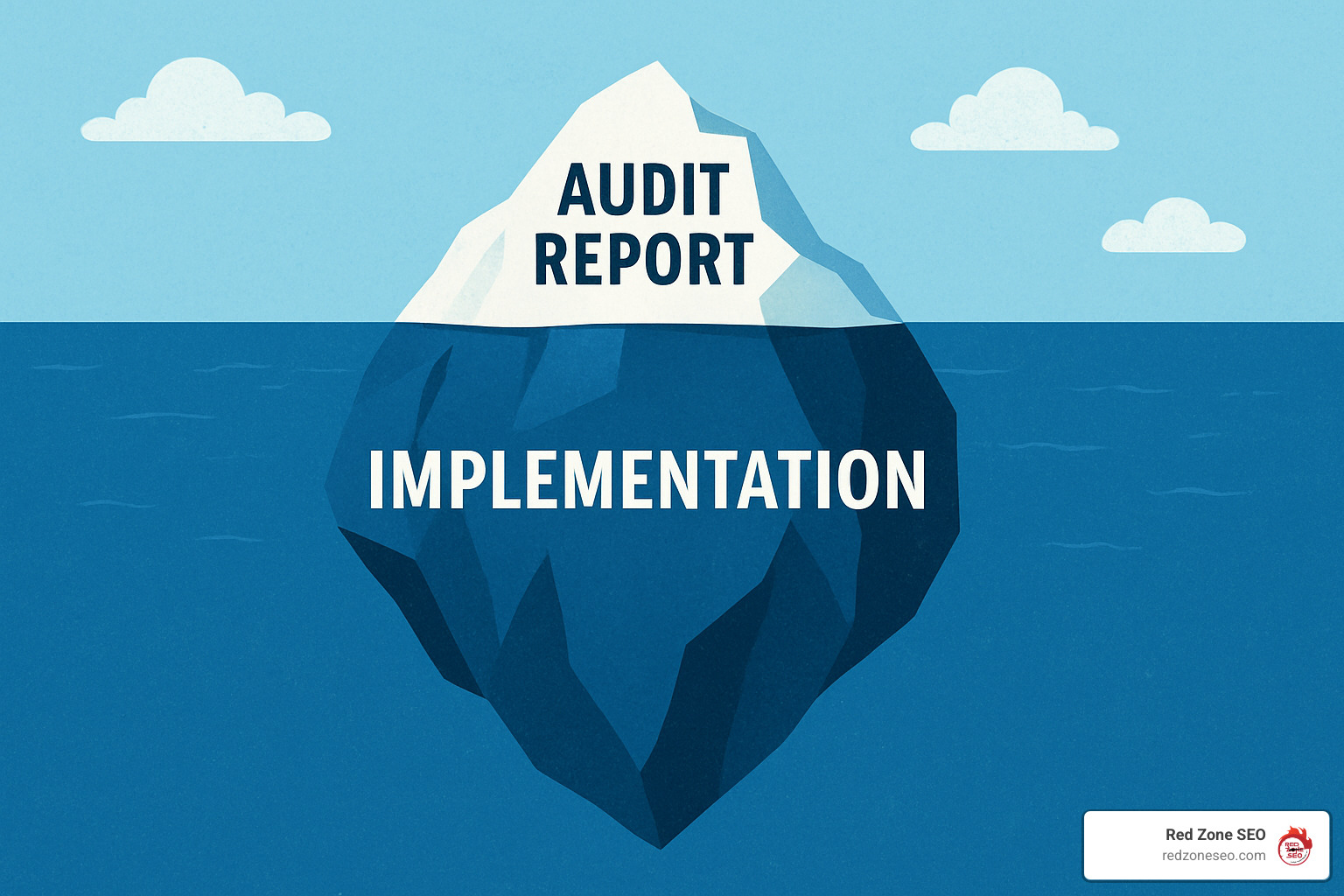
The PDF you receive is only the beginning. Implementation - developers fixing code, writers improving meta data, designers refining mobile UX - usually costs two to five times the audit itself. Budgeting for execution avoids the common pitfall of a great report gathering digital dust.
Ongoing maintenance also matters. Algorithm updates, site redesigns and new product launches can re-introduce technical debt. Quarterly health checks prevent small hiccups from turning into ranking drops.
Is it worth it? In most engagements Red Zone SEO manages, technical clean-up delivers:
Early detection is cheaper than emergency triage after a Google core update.
Quality takes time; rush jobs often skip critical tests like log-file sampling or Core Web Vitals validation.
Technical SEO is the plumbing of digital marketing - unseen but mission-critical. Asking how much should a technical SEO audit cost is really asking how much clarity and growth you want.
Expect to invest more as complexity grows, but also expect compounding returns. A clean, fast, crawlable site keeps paying dividends long after ad budgets end.
Red Zone SEO delivers data-driven audits from our teams in Austin, Las Vegas, Henderson NV and across Florida, customized to your tech stack and revenue targets. Ready to explain your site’s foundation? Explore how we work at https://redzoneseo.com/how-it-works/ and start your growth journey today.
BACKGROUND
Silvernest Furnishings is a U.S.-based, mid-market e-commerce retailer that sells roughly 85,000 SKUs of custom furniture and décor. Prior to the audit they averaged 1.9 million organic sessions per month and $16 million in annual revenue from Google Search alone. In Q3 of last year traffic slid 34 percent after a core update, wiping out approximately $800,000 in monthly sales.
PROJECT SCOPE
• 85k product URLs across two domains and four language subfolders
• React + Node.js tech stack with heavy client-side rendering
• Complex faceted navigation (color, size, fabric, price)
• International shipping rules that created thousands of thin pages
WHAT WE DID
KEY FINDINGS
• 43 percent of product URLs were generated only after client-side JavaScript executed, but Googlebot never rendered them because of timeouts.
• The faceted navigation created 1.1 million crawlable URLs, yet only 7 percent had unique inventory. Crawl budget was being squandered.
• Canonical tags conflicted with pagination parameters on 18,400 category pages, leading to indexation bloat.
• Largest Contentful Paint (LCP) averaged 6.1 seconds on mobile — double Google’s recommended threshold.
• hreflang mis-application triggered 28,000 duplication warnings in Search Console.
RECOMMENDATIONS
RESULTS (Six-Month Window)
• Organic sessions +52 percent (net new 990,000 visits/month)
• Revenue directly attributed to organic traffic +$3.2 million
• Crawl requests reduced 38 percent while indexed pages dropped 71 percent (bloat removed)
• Average LCP now 2.9 seconds on mobile; CLS improved from 0.34 to 0.09
• International impressions up 61 percent due to correct hreflang implementation
WHY IT MATTERS
This case study highlights that a $14,000 enterprise-level audit paired with $32,000 in development work delivered a 10× return within half a year. The lesson? When scale, JS frameworks and international SEO collide, only a deep-technical audit can surface the hidden performance drains that generic scans miss.
Is a technical audit still necessary if I just redesigned my website?
Absolutely. Most redesigns focus on aesthetics and marketing copy. Even seasoned dev teams inadvertently introduce new redirect chains, render-blocking scripts or broken structured-data markup. An audit after launch is insurance that your shiny new site is also search-engine friendly.
Can’t I just run Screaming Frog myself and save money?
You can — and should—run your own crawler to catch obvious 404s or missing meta tags. The value gap arises when issues require interpretation: why is Googlebot spending 40 percent of its crawl budget on parameter junk? Why are rendered HTML snapshots missing key content? Tools surface symptoms; experts diagnose root causes and tie them to business KPIs.
How long does it take before I see results after fixes?
For small-to-mid sites, positive movement often appears in 4-6 weeks once fixes roll out and Google recrawls affected URLs. Enterprise ecosystems with millions of pages can take 2-3 months for full re-indexation. Speed of implementation is the single biggest variable.
Why do enterprise audits cost so much more?
Scale, risk and tooling. Parsing 50 million server logs or validating 12 language versions across subdirectories requires compute power and niche software that sub-$1,000 audits do not include. Add collaboration with devops, product and legal teams and the billable hours multiply.
Is an audit a one-time expense or ongoing engagement?
Think of a comprehensive audit as a full medical work-up. After you get healthy, quarterly check-ups (mini-audits) keep you in shape — especially when algorithm updates drop. Many providers bundle annual monitoring retainers at reduced rates once the heavy lift is complete.
What should a good audit deliverable look like?
Expect more than a 300-row spreadsheet. A modern report should include: executive summary, prioritized issue list, severity scoring, visual examples, recommended fixes with effort estimates, and impact projections. Video walkthroughs and direct Q&A sessions are hallmarks of top-tier providers.
Do Core Web Vitals really justify paying thousands for an audit?
If organic traffic produces meaningful revenue, then yes. Retail data shows every 100 ms shaved off mobile LCP improves conversion rate 2-4 percent. On a $5 million store that’s real money. Core Web Vitals are now part of Google’s ranking system, so performance pays twice — with better rank and higher on-page conversions.
How do I calculate ROI before green-lighting an audit?
Take current organic revenue × the traffic-lift percentage other sites in your niche gained after similar clean-ups (usually 15-40 percent). Subtract estimated implementation cost. If the delta is higher than the audit price, your business case is clear.
Should I choose an agency, freelancer or SaaS platform?
• Freelancers excel at focused audits on smaller sites for budget-conscious owners.
• Agencies bring cross-disciplinary talent (dev, data, UX) suited for complex ecosystems.
• SaaS platforms automate monitoring but rarely deliver bespoke analysis.
Align the pick with site size, internal resources and how much hand-holding you need.
What are the hidden costs people overlook?
Implementation manpower (engineering hours), potential downtime for large code pushes, and opportunity cost if fixes bottleneck behind other priorities. Budget 2–5× the audit fee for execution to avoid half-finished roadmaps languishing in Jira.
THE ALLURE OF DIY
Modern crawlers like Screaming Frog, Sitebulb and the free tier of Ahrefs make it feel as though anyone can knock out a technical assessment over a weekend. For micro-sites (<100 URLs) that’s often true. You’ll find 404s, duplicate titles and even basic Core Web Vitals scores without spending a dollar on consultants.
WHERE DIY HITS THE WALL
ECONOMIC BREAK-EVEN
If your site earns less than $5,000/month through organic search, a paid audit may outstrip short-term ROI. On the flip side, any business clearing six figures annually from Google traffic risks far costlier losses by ignoring unseen technical debt. One 20-percent ranking drop can erase years of audit savings.
THE HYBRID MODEL
Many companies achieve the best of both worlds by:
• Running quarterly in-house crawls for low-hanging fixes.
• Commissioning a deep professional audit every 12–18 months or after major site launches.
• Maintaining a retainer for ad-hoc questions so small issues never snowball.
CHECKLIST: KNOW WHEN TO UPGRADE
✓ Your CMS switched to a JS front-end.
✓ You’re expanding into new language markets.
✓ Organic growth plateaued despite content additions.
✓ Core Web Vitals warnings persist after basic optimizations.
✓ You observe sharp traffic drops after algorithm updates.
BOTTOM LINE
DIY audits are perfect diagnostic tools for straightforward websites with limited revenue exposure. But as scale, revenue stakes and technical complexity rise, the marginal cost of professional expertise quickly flips from liability to profit center.
Search-engine traffic is the fuel that lets young companies punch far above their weight. While paid ads disappear when the credit card stops, an optimized page can generate qualified visitors for years. According to Search engine optimization research, 68 % of all online journeys begin with a search query, and 93 % of marketers say SEO delivers measurable lift.
For founders balancing burn rate against growth, those numbers matter. Organic acquisition costs are roughly 40 % lower than paid channels, and long-term ROI often exceeds 300 %. In other words, every article you publish today is an appreciating asset that compounds rather than depreciates.
The competitive landscape has shifted dramatically in favor of nimble start-ups. Traditional enterprises often struggle with legacy technical debt, slow approval processes, and risk-averse content strategies. Meanwhile, start-ups can implement modern SEO best practices from day one, publish authentic expert content quickly, and pivot based on real user data.
Consider the success stories: Canva dominated design-related searches before Adobe could react. Slack captured "team communication" keywords while Microsoft was still focused on enterprise sales. HubSpot built an inbound marketing empire by consistently answering the questions their prospects were actually asking.
The window of opportunity is narrowing as more founders recognize SEO's potential. Early movers in emerging niches can establish topical authority before well-funded competitors enter the space. This first-mover advantage compounds over time—each month of delay means facing stronger competition and higher content production costs.
Key take-aways for start-ups:
Done right, SEO becomes a self-funding engine that frees you from the constant cycle of ad spend. The rest of this guide shows how to build that engine step by step.
"SEO is dead." Search engines evolve, but they are very much alive. Even with AI chat tools exploding in popularity, Google still processes 3.5 billion searches every day. Those answers come from websites—which means the crawl-and-rank model endures. In fact, AI tools like ChatGPT and Claude often cite and link to authoritative web content, creating new opportunities for well-optimized sites to gain visibility.
"It's too expensive." Basic tools such as Google Search Console, Google Analytics, and answer-driven content cost little more than time. A solid 2,000-word article from a freelance writer often costs less than a single day of PPC spend. Compare this to paid advertising where costs continue indefinitely—a $500 article can generate traffic for years.
"Results take forever." It's true that competitive terms can take a year. Yet most start-ups see movement on low-competition, high-intent keywords within 60–90 days, especially when technical SEO is dialed-in and content is laser-focused. The key is setting realistic expectations and celebrating incremental wins.
"We need to focus on product first." This creates a false dichotomy. SEO research actually informs product development by revealing how prospects describe their problems, what features they prioritize, and which competitors they consider. Many successful start-ups use keyword research to validate product-market fit and refine their messaging.
"Our industry is too niche." Niche markets often present the best SEO opportunities. Lower competition means faster results, and highly specific content can achieve remarkable conversion rates. A start-up serving "inventory management for craft breweries" faces far less competition than one targeting "business software."
Most start-ups operate with constraints that actually favor SEO over other channels:
Foundational work—site speed, indexing, clean URL structure—should begin the moment a staging site exists. This technical groundwork requires minimal ongoing maintenance but prevents major headaches later.
Deeper content sprints make sense after you confirm product-market fit so that every page speaks the language prospects actually use. However, don't wait for perfect clarity—start with broad educational content and refine based on user behavior data.
The ideal timeline looks like this:
Set one or two business-level KPIs per quarter:
Map those goals to AARRR pirate metrics so you can see exactly how search visibility drives revenue, not just traffic. Track leading indicators (keyword rankings, click-through rates) alongside lagging indicators (conversions, revenue) to maintain momentum during slower periods.
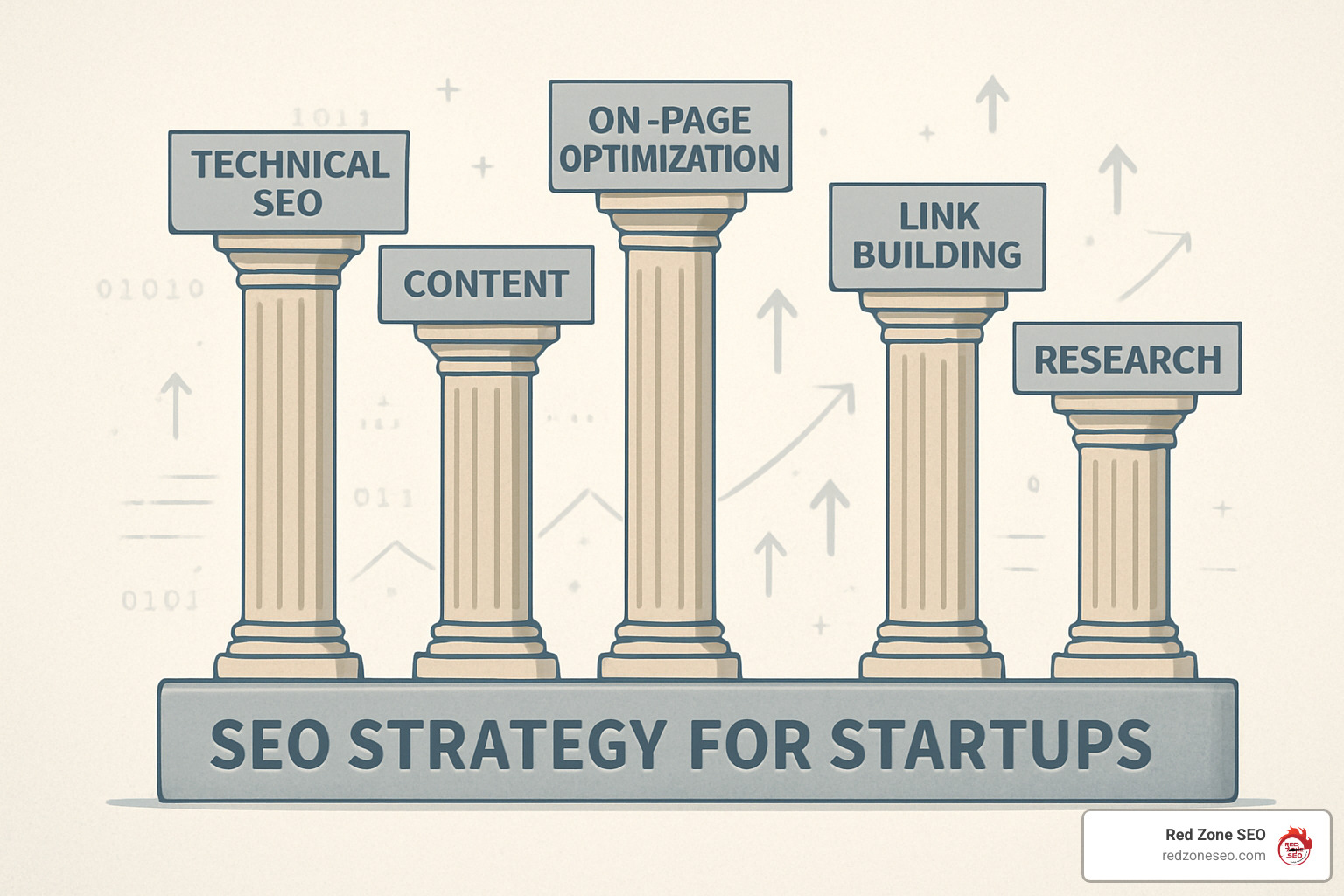
Effective keyword research goes far beyond plugging terms into tools. Start-ups need to understand the complete customer journey and identify opportunities competitors have missed.
Customer Interview Framework:
Competitive Intelligence:
Keyword Findy Process:
Advanced Research Techniques:
Learn more in our SEO Audit services.
On-page optimization has evolved beyond keyword stuffing to focus on user experience and semantic relevance. Modern search engines understand context, so your optimization should feel natural while clearly communicating topical focus.
Essential On-Page Elements:
/project-management-remote-teams/ not /p1234/Content Structure Best Practices:
User Experience Optimization:
A complete checklist lives in our WordPress SEO services.
Technical SEO forms the foundation that allows your content to perform. Start-ups have an advantage here—they can implement best practices from day one rather than fixing legacy issues.
Core Web Vitals Optimization:
Mobile-First Requirements:
Site Architecture:
Advanced Technical Considerations:
Content remains the primary way search engines understand your expertise and value proposition. Start-ups can compete with larger companies by creating more focused, authentic, and actionable content.
Content Strategy Framework:
Content Types That Work for Start-ups:
Content Production Process:
Explore our Content Marketing for Small Businesses to scale production without losing quality.
Link building for start-ups requires creativity and relationship-building rather than large budgets. Focus on earning links through genuine value creation and industry participation.
Sustainable Link Building Strategies:
Relationship-Based Approaches:
Measuring Link Building Success:
Need help? Our SEO Audit services flag risky links and surface white-hat opportunities.
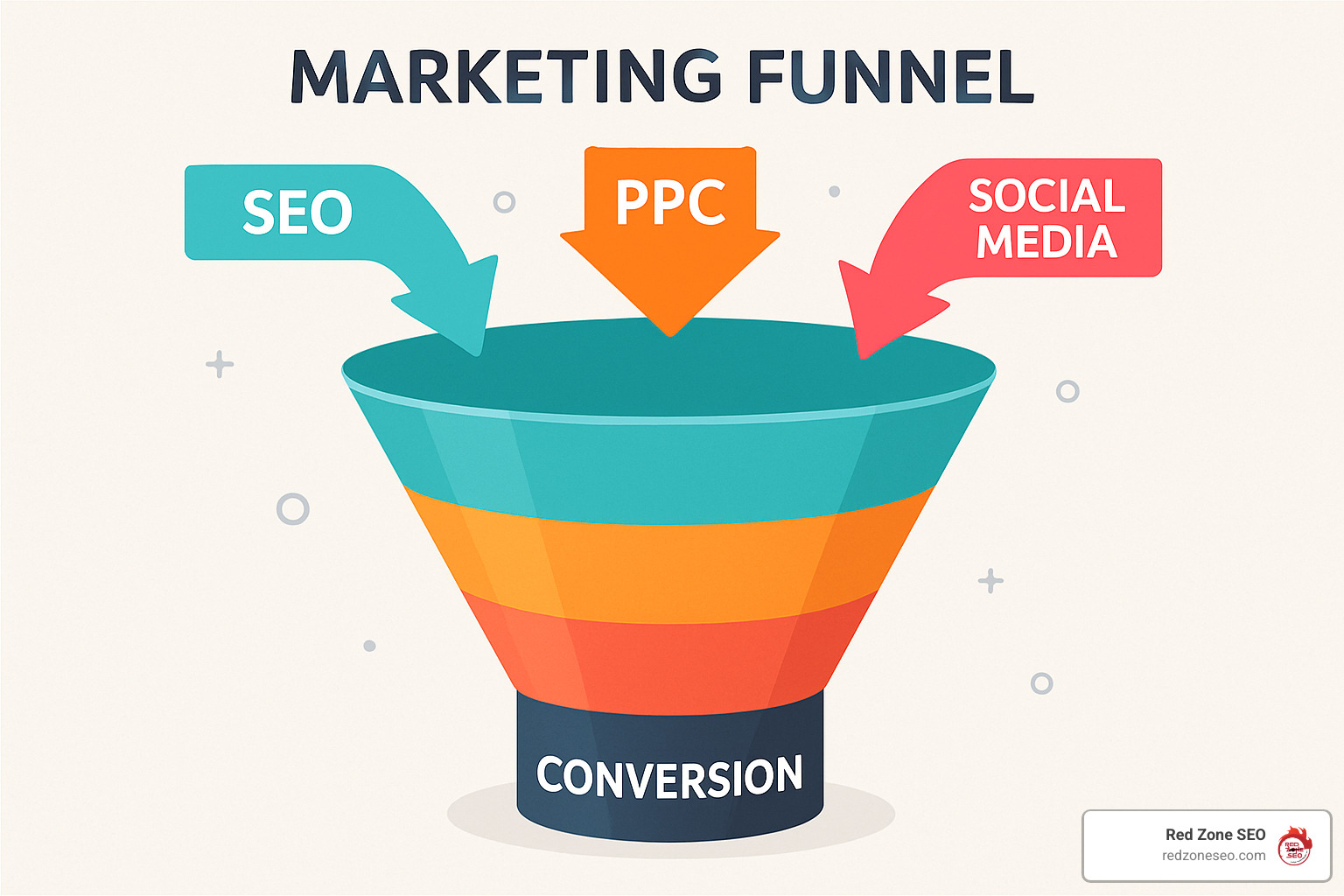
/de/, /es/ ) with hreflang tags once 10 %+ traffic comes from non-English locales.Our Digital Marketing Agency Las Vegas services support each stage, from dashboard setup to global expansion.
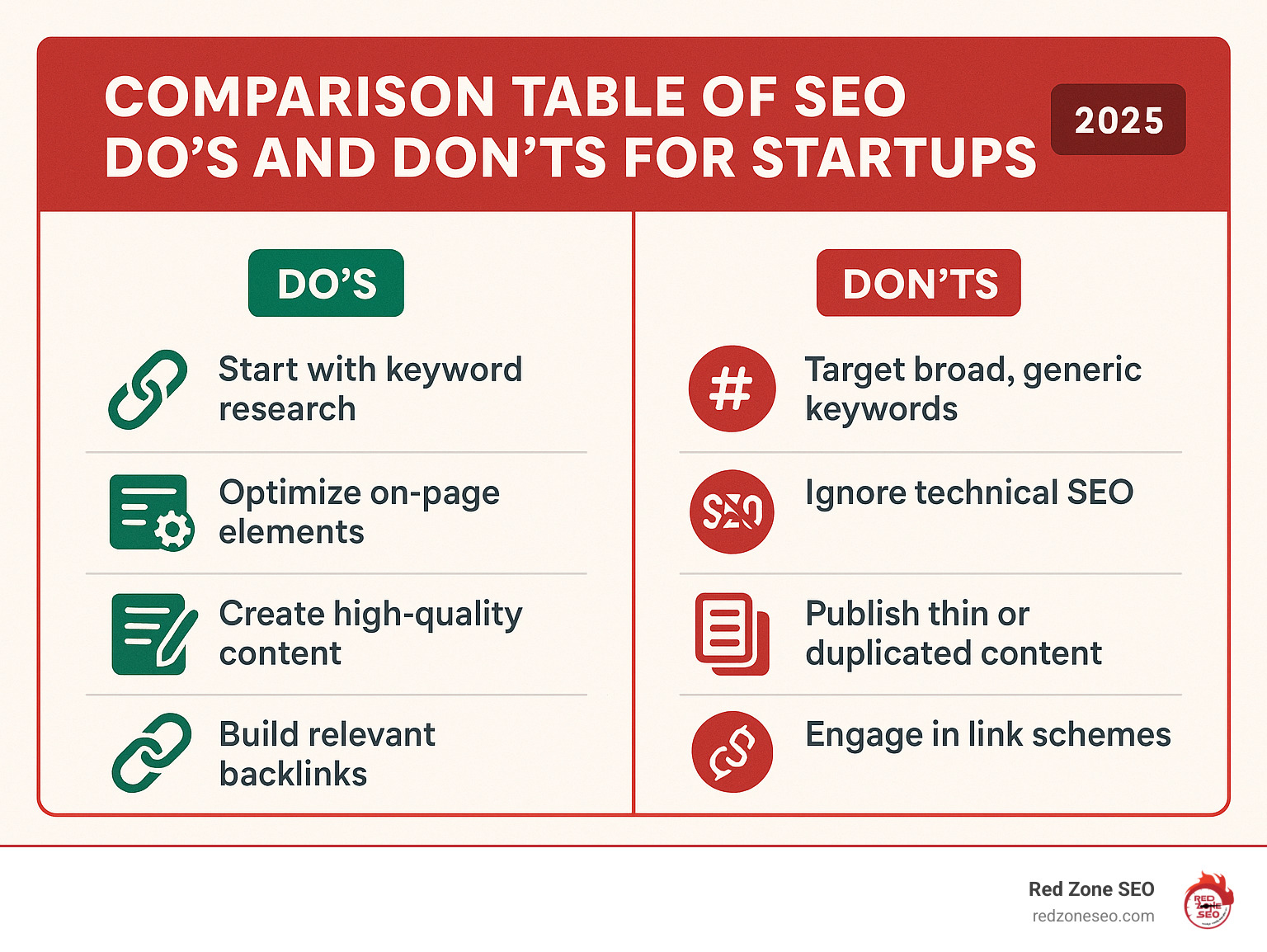
| ✅ Do | 🚫 Don’t |
|---|---|
| Lay technical foundations early (speed, mobile, SSL). | Ignore site speed and hope content compensates. |
| Target narrow, high-intent keywords first. | Chase vanity terms you’ll never rank for. |
| Publish expert content consistently. | Post ten articles, then go silent for months. |
| Build relationships that naturally earn links. | Buy backlinks or use automated link farms. |
| Track conversions, not just traffic. | Celebrate traffic spikes that never translate to revenue. |
| Refresh top-performing pages twice a year. | “Set and forget” content once it’s live. |
| Use PPC data to refine organic targets. | Treat SEO and paid as siloed channels. |
Follow the left column religiously and you’ll avoid 90 % of the mistakes we see in audits.
Most start-ups observe keyword movement and small traffic lifts in 3 – 4 months. Meaningful revenue impact tends to arrive between months 6 and 12, provided you publish regularly and keep technical health in check. However, the timeline varies significantly based on competition level, content quality, and technical implementation.
Early indicators of success include:
The right spend level is the one that lets you create quality content every month without starving other growth functions. Consider starting with a smaller budget and scaling based on results. Many successful start-ups begin with founder-led content creation and gradually invest more as they see ROI.
Absolutely—especially research, on-page fixes, and initial content. Bring in specialists when you hit technical walls, need scale, or must outrank entrenched incumbents quickly. Founders often have unique insights into customer problems and industry trends that create compelling, authentic content.
Founder advantages in SEO:
Start-ups can compete effectively by:
This depends on your budget, timeline, and internal capabilities. Agencies provide immediate expertise and established processes, while in-house teams offer deeper product knowledge and long-term commitment. Many start-ups begin with agency support and gradually build internal capabilities.
Track both leading and lagging indicators:
Set up proper attribution in Google Analytics to understand the customer journey and SEO's role in conversions. SEO often assists conversions that other channels get credit for.
For cost-conscious options, explore our Affordable SEO Las Vegas packages.
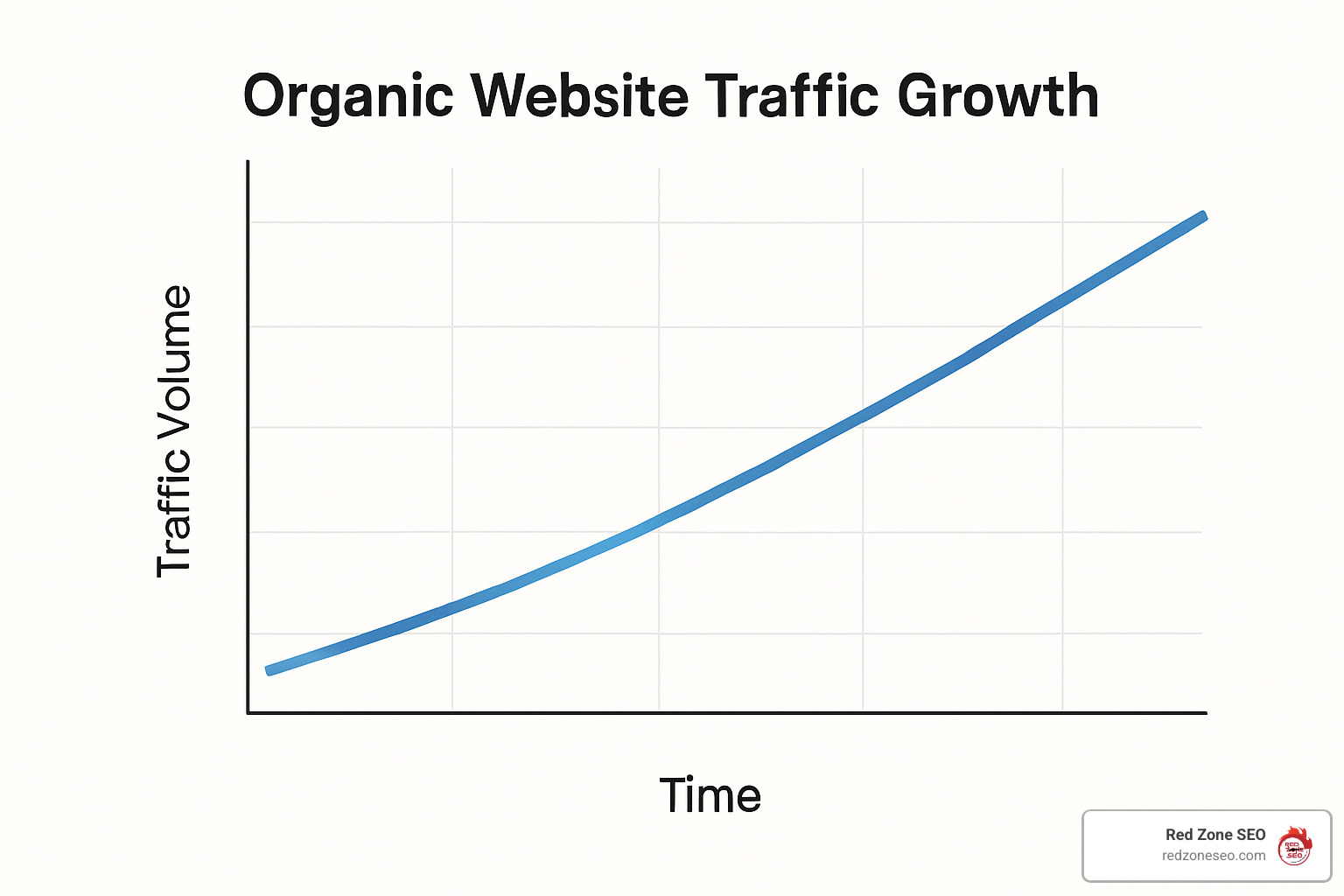
Start-up success is rarely about the loudest ad—it’s about showing up exactly when a prospect searches for a solution. By following the five-pillar framework—research, on-page, technical, content, and authority—you turn your website into a round-the-clock sales rep that gets smarter every quarter.
Remember: perfect is the enemy of live. Publish the first authoritative post today, measure, iterate, and watch compounding gains follow. Ready for a partner who lives and breathes search? Find how our proven process works and let’s build the growth engine your investors—and future customers—expect.
Your audience is already searching. Make sure they find you.
Shopify store SEO is the process of optimizing your Shopify website to rank higher in search engines like Google, driving more organic traffic and sales to your business. With over 4.5 million Shopify stores worldwide competing for attention, proper SEO isn't optional—it's essential for survival.
Quick Answer: Essential Shopify SEO Steps
The good news? Shopify handles many SEO basics automatically. It generates sitemaps, provides SSL certificates, and creates mobile-friendly themes. But that's just the starting point.
The reality is stark: only the top 10% of properly optimized Shopify stores get found by customers on Google. The rest get buried in search results, missing out on the 51% of shoppers who research products on Google before buying.
This guide will walk you through every step needed to get your Shopify store ranking higher and driving more sales. No technical jargon, no overwhelming theory—just practical steps that work.
Whether you're launching a new store or trying to improve an existing one, you'll learn how to leverage Shopify's built-in SEO features while addressing its limitations. We'll cover everything from technical setup to content strategy, giving you a complete roadmap to SEO success.

Getting your Shopify store SEO right means understanding that search engines evaluate your site on three main factors: technical performance, content relevance, and user experience. Unlike traditional websites, ecommerce stores face unique challenges like duplicate content from product variants, complex site structures, and the need to balance SEO with conversion optimization.
The key is focusing on what actually moves the needle. Based on our experience at Red Zone SEO, we've seen that stores prioritizing collection pages over individual products often see better results. Why? Collection pages typically capture higher search volumes and can rank for broader terms that individual products can't compete for.
Technical SEO forms the foundation of your Shopify store's search performance. Google's mobile-first indexing means your mobile version is now the primary version evaluated for rankings. Fortunately, Shopify handles several technical elements automatically:
However, Google's Core Web Vitals have become increasingly important ranking factors. Your store needs to meet these benchmarks:
Shopify's recent platform updates have improved cart loading times by up to 50%, but you still need to optimize your specific store for speed.
Before diving into optimization, ensure these fundamentals are in place:
Free Shopify trial stores are crawled but not permanently indexed. You need a paid plan for proper SEO performance.

Technical SEO might seem daunting, but Shopify's built-in features handle most of the heavy lifting. The platform automatically generates clean, SEO-friendly URLs, creates XML sitemaps, and implements SSL certificates. However, there are still critical technical elements you need to address manually.
Duplicate content is one of the biggest technical challenges for Shopify stores. The platform can create multiple URLs for the same product, such as:
/products/product-name/collections/category/products/product-name/collections/category/products/product-name?variant=123This happens because products can be accessed through different collections and with various parameters. Research shows that duplicate content makes up a significant portion of web content, making it crucial to address.
Here's how to fix it:
1. Canonical URL Strategy
Shopify automatically sets canonical tags, but you should verify they're pointing to your preferred URLs. Edit your product-grid-item.liquid file to ensure collection pages link directly to canonical /products/ URLs.
2. Handle URL Parameters
For product variants, decide whether to:
3. Set Up 301 Redirects
When you delete products or change URLs, always set up 301 redirects in your Shopify admin under "URL Redirects" to maintain link equity.
Structured data helps search engines understand your content and can lead to rich snippets in search results. Pages with schema markup can see up to a 30% increase in click-through rates.
Shopify automatically includes basic Product schema, but you can improve it with:
Product Schema Improvements:
Additional Schema Types:
You can implement schema manually or use Shopify Schema app plugins for easier management.
With 58% of website traffic coming from mobile devices, mobile optimization is non-negotiable. Google's mobile-first indexing means your mobile version determines your rankings.
Essential Mobile Optimizations:
Test your mobile performance using Google's Mobile-Friendly Test and PageSpeed Insights tools. Address any issues flagged by these tools promptly.
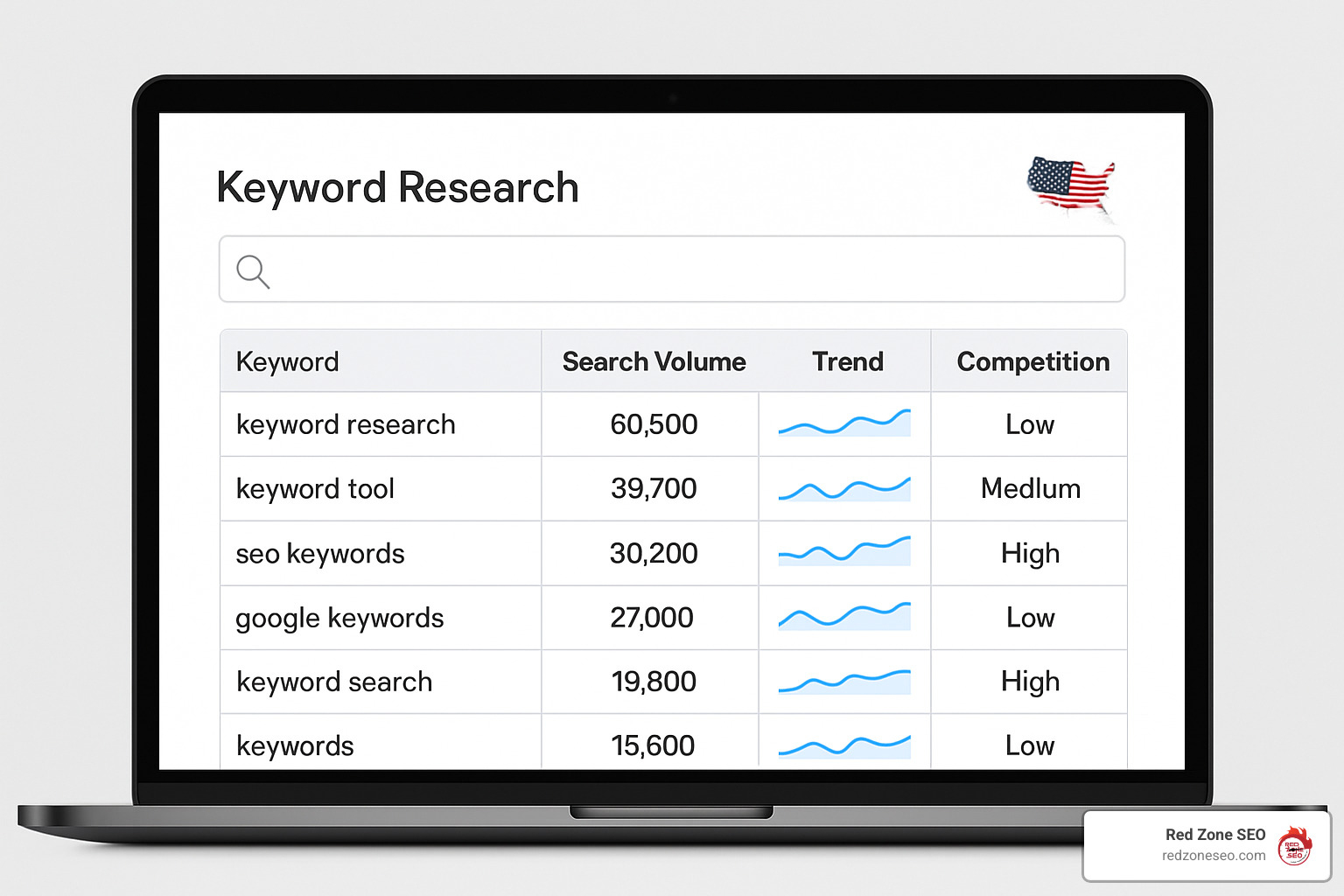
Effective keyword research for ecommerce differs from traditional SEO. You need to understand the buyer's journey and match keywords to the right intent. Someone searching for "best running shoes" is in research mode, while "buy Nike Air Max size 10" shows purchase intent.
1. Start with Seed Keywords
Begin with broad terms related to your products. For a fitness equipment store, seeds might include:
2. Expand with Keyword Tools
Use tools like Ahrefs, Ubersuggest, or even free options like Google Keyword Planner to find variations and long-tail keywords. Look for terms with:
3. Map Keywords to Content Types
4. Analyze Search Intent
Group keywords by intent:
Product pages are your money makers, so they need to work hard for both users and search engines. Here's how to optimize them:
Title Tag Optimization
Keep titles under 60 characters and include:
Example: "Nike Air Max 270 Running Shoes - Lightweight & Comfortable | YourStore"
Meta Description Strategy
Write compelling descriptions under 160 characters that:
Product Description Best Practices
Write at least 250 words of unique content that:
Image Optimization
Latest research on title tags shows that including your primary keyword near the beginning of the title tag can improve rankings, but avoid keyword stuffing.
URL Structure Guidelines:
/products/wireless-bluetooth-headphonesMeta Tag Optimization:
Power Words for Ecommerce:
Include these conversion-boosting words when appropriate:
A well-structured site helps both users and search engines steer your store efficiently. Think of your site architecture as a pyramid: homepage at the top, collections in the middle, and products at the bottom.
Logical Hierarchy Design:
Navigation Best Practices:
Collection Page Optimization:
Collections often drive more traffic than individual products because they target broader keywords. Optimize them by:
Most Shopify blogs are underused despite their SEO potential. A well-executed blog strategy can:
Content Strategy Framework:
Shopify Blog SEO Tips:
For detailed content marketing strategies, check out our guide on Content Marketing for Small Businesses.
Internal linking distributes page authority throughout your site and helps search engines understand your content relationships.
Strategic Internal Linking:
Avoiding Orphan Pages:
Run regular audits to find pages with no internal links. These "orphan pages" are harder for search engines to find and rank.
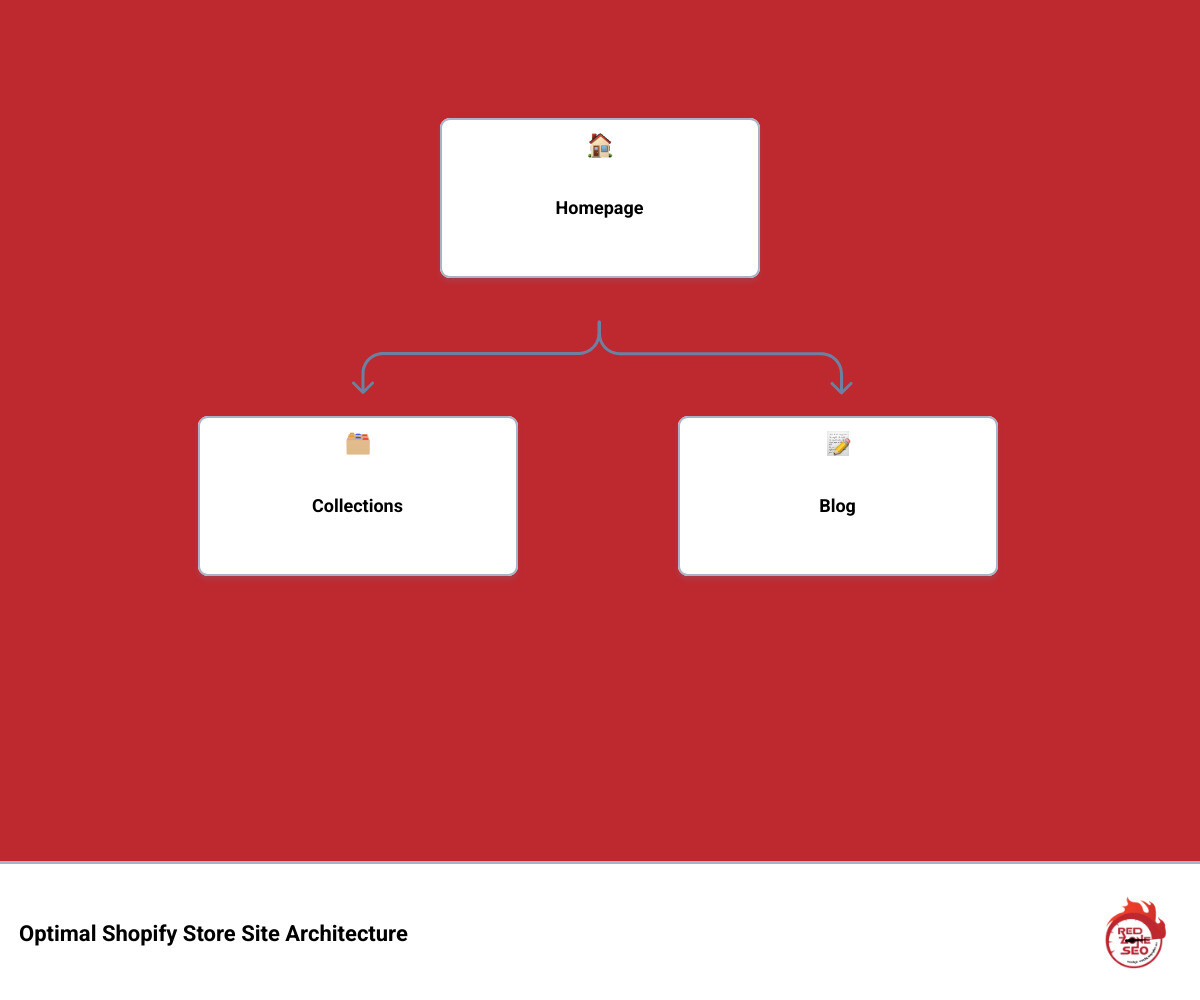
Site speed directly impacts both SEO rankings and conversion rates. Research shows that 53% of mobile users abandon websites that don't load within 3 seconds. Shopify recommends pages load in under 3 seconds to maximize conversions and SEO performance.
Images account for approximately 46% of the average web page size, making them the biggest opportunity for speed improvements.
Image Optimization Steps:
Choose the Right Format
Resize Before Upload
Compress Effectively
Implement Lazy Loading
Alt Text Best Practices:
Every app you install adds code to your store, potentially slowing it down. Regular app audits are essential.
App Optimization Strategy:
Critical CSS and JavaScript:

While on-page optimization is crucial, off-page SEO—particularly link building—remains a major ranking factor. Quality backlinks signal to search engines that your site is trustworthy and authoritative.
Ecommerce-Specific Link Building Strategies:
Supplier and Manufacturer Links
Resource Page Link Building
Digital PR and HARO
Guest Posting
Broken Link Building
Link Building Best Practices:
Essential SEO Metrics to Monitor:
Organic Traffic Growth
Keyword Rankings
Conversion Metrics
Technical Health
Tools for Tracking:
While we generally recommend limiting apps, some can genuinely help with SEO:
Recommended SEO Apps:
Free Tools Worth Using:
Remember: apps should solve specific problems, not create new ones. Every app adds code and potential conflicts.
The biggest mistake is neglecting duplicate content issues. Many store owners don't realize that Shopify can create multiple URLs for the same product, diluting SEO authority. Always ensure your internal links point to canonical URLs and set up proper redirects when changing product URLs.
Site speed is the second biggest mistake. Loading heavy, unoptimized images and installing too many apps can slow your store significantly. Since 53% of mobile users abandon slow sites, speed optimization is crucial for both SEO and conversions.
Yes, but indirectly. Tags and collections themselves don't directly impact rankings, but they improve site navigation and user experience, which are ranking factors. Well-organized collections help users find products faster, reducing bounce rates and increasing time on site—both positive signals to search engines.
Collections also help with internal linking structure, distributing page authority throughout your site. The key is creating logical, user-friendly organization rather than stuffing keywords into tag names.
We recommend quarterly comprehensive audits, with monthly check-ins on key metrics. Your audit should include:
Monthly Reviews:
Quarterly Audits:
Annual Reviews:
Set up automated alerts in Google Search Console to catch critical issues immediately.
Shopify store SEO success comes down to consistent execution of proven strategies. While Shopify handles many technical basics automatically, achieving top rankings requires strategic optimization across technical, on-page, and off-page elements.
The key takeaways from this guide:
SEO is a long-term investment. While you might see incremental improvements in a matter of weeks, significant, compounding results typically take three to six months of consistent effort. The businesses that succeed are those that treat SEO as an ongoing strategy rather than a quick fix.
At Red Zone SEO, we’ve helped countless Shopify stores achieve dramatic improvements in organic traffic and revenue through data-driven SEO strategies. Our approach combines technical expertise with practical business understanding, ensuring your SEO efforts translate into measurable results.
Whether you’re just starting out or looking to take your existing store to the next level, the strategies in this guide will help you build a strong foundation for long-term Shopify SEO success.
Ready to accelerate your Shopify store’s growth? Learn more about our proven process and how we can help your business thrive at How It Works.
The path to higher visibility isn’t always easy, but with the right strategy and consistent execution, your Shopify store can earn the rankings, traffic, and revenue it deserves. Start implementing these strategies today, and watch your organic traffic—and sales—grow.