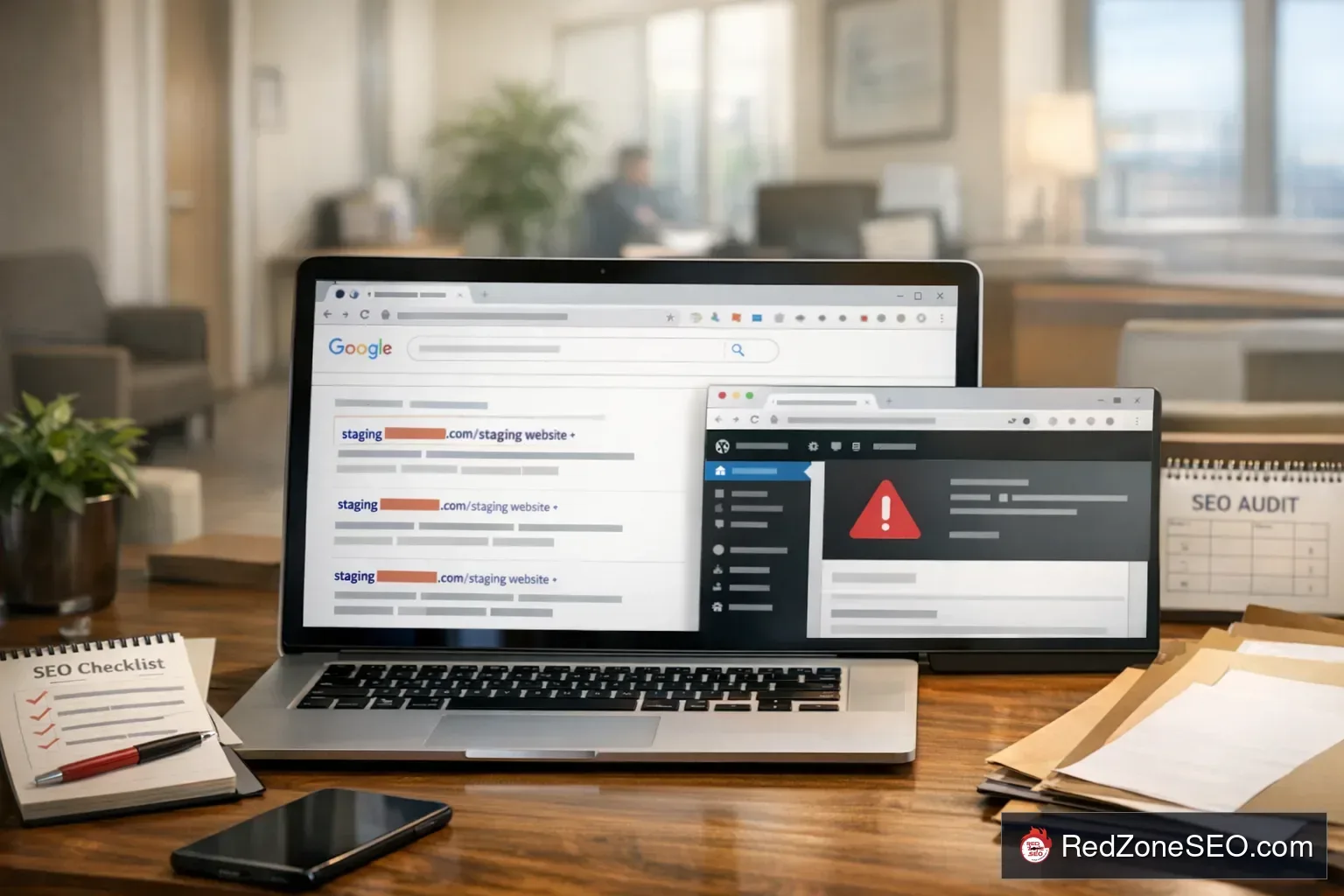
If your website traffic drops fast, your phone goes quiet, and branded or service pages seem harder to find in search, one possible cause is simple but serious: a staging site indexed Google instead of your real website. This happens more often than many Clark County business owners expect, especially on WordPress sites during redesigns, migrations, or rushed updates.
A staging or development version is supposed to stay hidden while changes are being tested. But if Google can crawl it, and if the right protections are missing, the wrong version of your site can start appearing in search. In some cases, Google indexed staging site URLs while the live site loses visibility. In others, both versions remain crawlable, creating duplicate content, canonical confusion, and a messy recovery.
This article explains what to check first, what not to do, and how to fix a development site showing in Google without making the problem worse. The goal is practical: help small businesses, local companies, and multi-location businesses in Clark County understand the issue and take the next right step.
Google does not usually find a staging site by accident. There is almost always a technical path that exposed it.
On WordPress, this can happen during theme changes, plugin replacements, host migrations, or full site rebuilds. A local business in Henderson might approve a redesigned site on a temporary URL, expecting it to stay private. If nobody adds noindex, removes sitemap exposure, and blocks crawling correctly, Google may treat that temporary version as a real site.
That is where index confusion starts. Google sees two versions with similar content, similar service pages, similar location pages, and in some cases nearly identical title tags. Then it has to choose what to index and rank.
WordPress makes publishing easy, but it also makes cloning easy. Many staging tools copy almost everything:
If the copied setup is not adjusted for staging, Google may index the duplicate. That is one reason many businesses eventually need WordPress SEO services after a redesign or migration. The site may look fine to a business owner, but indexing signals underneath can be broken.
For a Clark County company trying to rank for service terms tied to Las Vegas, Henderson, or nearby areas, that confusion can interrupt visibility right when local search demand matters most.
When a google indexed staging site, the issue is not just cosmetic. It can affect rankings, lead flow, and how trustworthy your business appears in search.
If the staging site has the same or similar content as the live site, Google may show those temporary URLs instead of your real ones. That means users click pages that were never meant for the public. They may see test content, broken styling, unfinished forms, outdated messaging, or missing conversion elements.
When Google splits indexing between two versions, the signals you want attached to the live domain can become diluted. Internal linking signals, canonical hints, crawl budget, and page selection can all become less clear.
For example, if your real page is built to target a service phrase such as “seo services henderson,” but Google sees a duplicate staging page with a conflicting canonical or sitemap entry, the live page may not be the version Google prefers.
An indexed staging site can absolutely create duplicate content issues in the practical sense, even if Google does not always penalize duplicates the way business owners imagine. The real problem is selection and trust. Google may choose the wrong version, ignore your preferred URL, or keep switching between versions while it reprocesses signals.
If someone in Clark County clicks your result and lands on:
that creates friction fast. Even if they know nothing about SEO, they can tell something is off. For small businesses that depend on trust, that matters.
If the wrong site version is indexed, forms may fail, call tracking may break, or analytics may be split across versions. Owners sometimes think demand dropped when the real problem is that traffic is landing on the wrong environment.
Before you start deleting pages, blocking crawlers, or changing plugin settings, stop and confirm what is actually happening. A rushed fix can make recovery slower.
Start with simple Google searches:
Also search your business name, top service names, and a few exact page titles. Look for signs that the wrong site version indexed, such as:
If you manage a multi-location company, check branded and city-specific searches too. A staging issue may affect one location section more than another.

Open Search Console for the live site and, if available, the staging property too. Then check:
This is one of the clearest ways to tell whether Google indexed your staging site instead of your live website.
On both the live site and the staging site, inspect page source and look for:
You are trying to answer a few basic questions:
If the staging site is crawlable and self-canonicalizing, that is a strong signal behind the problem.
Many owners assume robots.txt is the main fix. It is useful, but it is not the full answer.
If staging pages are already indexed, blocking them in robots.txt too early can actually slow cleanup because Google may not be able to recrawl the pages and see newer noindex signals. Robots.txt helps control crawling, but it does not guarantee removal of already indexed URLs.
This is why the order of operations matters.
A surprisingly common cause of trouble is the sitemap. Look at the XML sitemap generated by WordPress or your SEO plugin. Make sure it does not contain:
If Google finds a sitemap with staging pages, it may continue to treat those URLs as valid candidates for indexing.
Open staging URLs directly. See whether they:
That response changes the cleanup plan.
If you confirmed a development site showing in Google, fix the staging environment and strengthen the live environment at the same time. Doing only half the job often leaves the problem lingering.
If the staging site still needs to exist for internal use, password protect it at the server or hosting level. That is usually stronger than just checking a box in WordPress. If the staging environment is no longer needed, take it offline entirely.
Best practical options include:
This reduces the chance that Google will keep crawling or rediscovering the staging version later.
If pages are currently accessible and already indexed, add a noindex directive first so Google can see that the staging pages should be dropped. Once Google processes that, stronger restrictions can follow if needed.
In WordPress, this may involve:
Be careful here. You do not want to accidentally apply noindex to the live site. That happens more often than people think during rushed fixes.
The live site should usually use self-referencing canonicals on important pages unless there is a specific reason not to. Staging pages should not be left with canonicals that suggest they are the preferred version.
If the wrong canonical setup caused the issue, correcting canonicals is one of the fastest ways to reinforce the real site.

Update or regenerate your sitemap so that only the correct live URLs appear. Remove any staging or temporary URLs from sitemap files and from Search Console submissions.
This step is easy to overlook, but it matters. A clean sitemap tells Google what should be crawled and indexed now.
After a migration, WordPress sites sometimes keep old absolute links in menus, buttons, image URLs, canonical fields, or schema settings. Search your database and theme settings for staging references. If your live site still links to staging URLs anywhere, clean those up immediately.
Many owners ask whether they should use noindex, robots.txt, redirects, or removals first. The honest answer is that these tools do different jobs.
If there is a one-to-one equivalent between staging and live URLs, redirects can help reinforce the correct version. If the staging site should vanish completely, noindex plus restricted access and removals may be the better path.
After cleanup:
This helps Google reprocess the right signals faster.
Over the next days and weeks, monitor searches for your brand, primary services, and local phrases tied to Clark County. If you serve multiple nearby markets, check Las Vegas and Henderson modifiers separately.
For some businesses, the first sign of recovery is that branded results clean up. Competitive service terms may take longer.
Most staging-index problems are not caused by one dramatic error. They usually come from a short chain of small mistakes.
This is the classic mistake. The team assumes the site is hidden because “nobody knows the URL,” but Google finds it through links, sitemap references, or internal crawl paths.
The reverse problem also happens. A staging environment is correctly set to noindex, then the site is pushed live and the noindex setting stays in place. Business owners notice traffic loss and assume rankings dropped for competitive reasons when the real issue is self-inflicted.
During a site migration SEO issue, canonicals may still reference a temporary subdomain, an old HTTP version, or a development folder. Google then receives mixed signals about which page should be indexed.
Some plugins continue outputting a sitemap on the staging subdomain, and that sitemap may even be submitted in Search Console. That is an open invitation for crawling.
After deployment, not all staging URLs get replaced in the database. The site may look mostly fine, but image links, canonicals, hreflang, schema URLs, and internal links still reference the wrong host.
One set of redirects may send traffic from old pages to the live site, while another leaves staging URLs accessible. Inconsistent redirect behavior creates confusion for users and search engines.
On WordPress, adding or replacing an SEO plugin during launch can change:
That is one reason this problem is not just for developers. It crosses SEO, content, hosting, and CMS settings.
Clark County businesses with more than one service area sometimes find that only one section was copied or indexed incorrectly. For example, a Las Vegas section may remain stable while a Henderson section points to test URLs or duplicate content. That can lead to uneven local visibility and confusing reporting.
If you are trying to rank for market-specific searches, technical consistency matters across all city and service pages.

Recovery depends on how widespread the issue is, how fast the technical cleanup is done, and how clearly the live site sends correct signals afterward.
That means you should expect a recovery process, not an instant switch. If the wrong site version was indexed only briefly and the live site remains strong, cleanup may be fairly straightforward. If both versions were accessible for a long time, recovery can take longer because Google has more conflicting history to work through.
If you run a local business in Las Vegas, Henderson, or elsewhere in Clark County, you may see the effects first in practical terms:
That does not always mean your entire SEO strategy failed. Sometimes it means a technical indexing problem is interrupting an otherwise workable local search setup.
If you are deciding between a targeted repair and longer-term management, it helps to understand the difference between short-term correction and ongoing oversight. Red Zone SEO covers that in one-time SEO fixes vs monthly SEO retainers. For some businesses, this issue can be fixed as a contained repair. For others, it exposes a broader pattern of technical neglect that needs monthly monitoring.
Some site owners can handle a basic cleanup. Others should bring in help quickly, especially when revenue depends on local search.
If both versions are active in Google, you need a clear plan for canonicals, redirects, noindex, crawl control, and sitemap cleanup. Guessing can make the wrong version more entrenched.
If rankings, traffic, or lead flow fell fast, time matters. A practical diagnostic can show whether the issue is staging indexation, redirect loss, noindex on live pages, or something else entirely.
Multi-location businesses often have more moving parts: city pages, service pages, location-specific schema, and more complex internal linking. An indexing mistake in one environment can spill into several sections.
If you are not sure whether the issue sits in the theme, server config, plugin settings, database references, or Search Console setup, a focused review can save time and prevent accidental damage.
If another vendor built or migrated the site and you now need a second opinion, review the scope carefully. Before signing anything broad, it helps to know what should be included in an SEO proposal so the repair plan is specific and accountable.
For Clark County businesses, the right help is not about flashy promises. It is about diagnosing the exact indexing failure, fixing the signals in the right order, and verifying that the live site regains clarity in Google.
Search Google using the site: operator for your main domain and any known staging or development subdomains. Then confirm in Search Console which URLs are indexed and which canonical Google selected. If you see dev, staging, or test URLs in search results, or if live pages are labeled as duplicates of those URLs, the wrong version may be indexed.
Usually start by confirming the problem, then apply the right signals in the right order. For already indexed staging pages, noindex is often more useful early than blocking them in robots.txt immediately. Redirects help if staging URLs have clear live equivalents. Temporary removals can support urgent cleanup, but they do not replace fixing noindex, canonical, sitemap, and access issues.
Yes, in a practical sense. Google may split signals, choose the wrong canonical, or show the wrong URLs in search. That can reduce visibility for the live site and confuse both users and search engines.
There is no exact universal timeline. Some pages update fairly quickly after signals are fixed and recrawls are requested. Broader recovery can take longer, especially if the problem affected many pages or lasted for a while. The key is making the correct version clearly crawlable, indexable, canonical, and included in the right sitemap.
If revenue depends on search, if the site was recently migrated or redesigned, if multiple versions are indexed, or if you are unsure which settings control the problem, bring in help sooner rather than later. The cost of delay is often more serious than the cost of a focused diagnosis.
If your website suddenly became harder to find and there is any sign of a staging site indexed Google, do not wait for rankings, traffic, and leads to sort themselves out. This type of issue usually needs diagnosis before it gets better.
Red Zone SEO helps businesses in Las Vegas, Henderson, and across Clark County identify whether a staging environment, migration error, canonical problem, or sitemap issue is causing the drop. If you need a practical review of a WordPress site, a cleanup plan, or a second opinion on a wrong site version indexed problem, contact Red Zone SEO for an SEO review or call (702) 489-0881.
The right next step is not a vague marketing package. It is getting the issue diagnosed while the damage is still containable, then applying a repair plan that puts the live site back in control.