
Unlock Your SEO Potential: How to Learn Technical SEO Effectively

How to learn technical seo: Master 2025

Why How to Learn Technical SEO is the Foundation of Online Success

Learning how to learn technical SEO is the critical first step toward achieving sustainable, high search engine rankings. It serves as the non-negotiable bedrock of any successful digital marketing and SEO strategy. You can invest heavily in creating amazing, insightful content and spend years building authoritative backlinks, but if search engines cannot effectively crawl, index, and render your website, all those efforts will be largely wasted. Your content will remain invisible to the audience you want to reach.

While the term "technical" can sound intimidating and complex, it's crucial to understand that you don't need to be a professional developer to master it. The goal isn't to write production-level code but to understand the mechanics of how a website functions and communicates with search engines. As one expert aptly notes, "What's important is that you understand how Websites are built, and can 'read' HTML/CSS & the fundamentals of JavaScript." This knowledge allows you to diagnose problems and communicate effectively with development teams. The key is to build a strong foundation by focusing on the fundamentals:

  • Understand how search engines work: Before you can optimize for them, you must grasp their three-stage process: crawling (finding your content), indexing (storing it), and rendering (seeing it as a user would). This is the 'why' behind every technical SEO task.
  • Master essential tools: Proficiency with industry-standard tools is non-negotiable. Google Search Console is your direct communication channel with Google, while a crawler like Screaming Frog allows you to see your site through the eyes of a search engine bot.
  • Focus on core principles: Don't get lost in obscure details initially. Concentrate on the pillars that have the biggest impact: crawlability, site speed, mobile-friendliness, and a logical site architecture.
  • Practice by auditing websites: Theory is useless without application. The fastest way to learn is by performing technical audits on real websites (your own, a friend's, or a test site) to find and fix tangible, real-world issues.

This comprehensive guide provides a systematic, step-by-step path to build your skills. We'll take you from the basic mechanics of search engines to conducting your first technical audit and collaborating productively with developers to get your recommendations implemented.
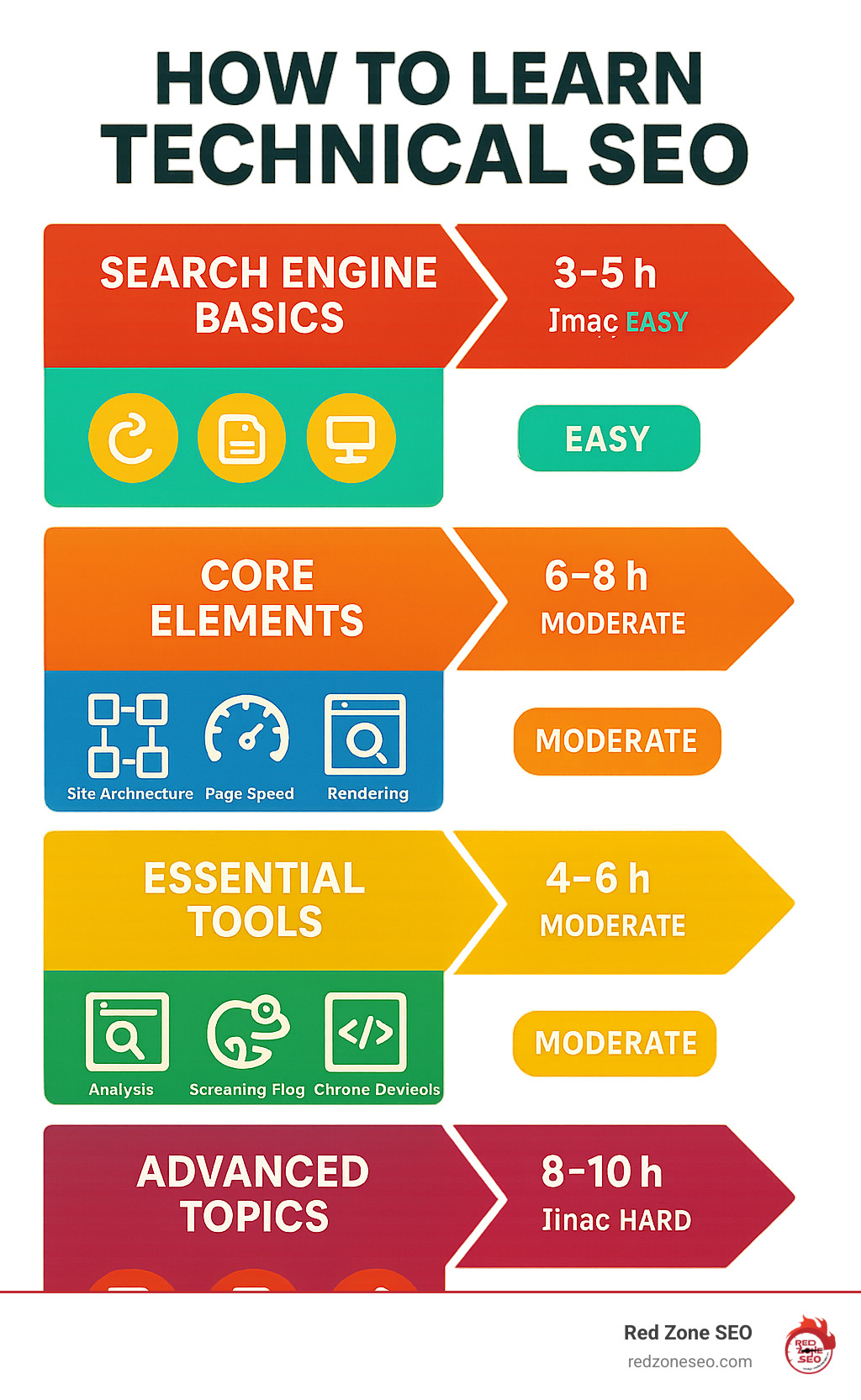
Comprehensive infographic showing the technical SEO learning pathway: starting with search engine basics (crawling, indexing, rendering), moving through core elements (site architecture, page speed, mobile optimization), essential tools (Google Search Console, Screaming Frog, Chrome DevTools), and ending with advanced topics (JavaScript SEO, structured data, collaboration with developers). Each section shows estimated learning time and difficulty level. - how to learn technical seo infographic

Relevant articles related to how to learn technical seo:

What is Technical SEO and Why Does It Matter?

Technical SEO is the practice of optimizing your website's infrastructure and backend to ensure search engines can efficiently find, understand, and rank your content. It isn't directly about keywords or backlinks; it's about building a flawless foundation that allows your other SEO efforts to succeed. Without a technically sound website, even the most brilliant content and authoritative link profile may fail to achieve their ranking potential. As one expert bluntly states, "If your technical SEO is messed up? Then you're not going to rank."

The three core elements of technical SEO that you must master are:

  • Crawlability: Can search engine bots, like Googlebot, easily steer your website's structure and find all of your important content? This involves managing how bots access your site through tools like robots.txt and ensuring a logical internal linking structure.
  • Indexability: Once your pages are found, can they be added to Google's massive database, known as the index? A page must be indexed to appear in search results. This is controlled by directives like the 'noindex' tag.
  • Performance: How quickly and smoothly does your site load for both users and search engine bots? This encompasses site speed, mobile-friendliness, and overall user experience, measured by metrics like Core Web Vitals.

Mastering these elements is non-negotiable for achieving and maintaining online visibility. For businesses that need to ensure this crucial foundation is expertly built, Red Zone SEO provides data-driven SEO services designed to drive measurable growth.

The Three Pillars of SEO: Technical vs. On-Page vs. Off-Page

To fully appreciate how to learn technical SEO, it’s essential to understand its place within the broader SEO landscape. Search Engine Optimization is generally divided into three distinct but interconnected pillars:

Pillar Focus
Technical SEO The website's foundation and infrastructure. This includes site speed, crawlability, security (HTTPS), indexing, site architecture, structured data, and mobile-friendliness. It's about making your site easy for search engines to process.
On-Page SEO The content and HTML source code of your pages. This covers keyword research and implementation, content quality, title tags, meta descriptions, header tags (H1, H2s), image alt text, and user experience on the page.
Off-Page SEO Your site's authority and reputation across the web. This is primarily built through backlinks from other reputable websites, but also includes brand mentions, social media signals, guest posting, and digital PR.

Think of it like building a house: Technical SEO is the strong, stable foundation and framework. On-Page SEO is the interior design, room layout, and furnishings that make the house functional and appealing to live in. Off-Page SEO is the house's reputation in the neighborhood—the word-of-mouth recommendations and curb appeal that draw people to it. All three pillars must be strong and work in harmony for a stable, successful, and highly-visible online presence.

A Step-by-Step Guide on How to Learn Technical SEO

Learning how to learn technical SEO is a logical, systematic process. Once you understand the fundamental mechanics of how search engines interact with the billions of pages on the web, you can begin to build your skills layer by layer, from basic controls to advanced optimization strategies.

flowchart showing the learning path from fundamentals to advanced topics - how to learn technical seo

Step 1: Understand How Search Engines Work

Before you can optimize a website, you must deeply understand the three-phase process that search engines like Google use to organize the world's information:

  • Crawling: This is the findy phase. Googlebot, Google's web crawler, starts with a list of known URLs and follows the links (<a href=...> tags) on those pages to find new ones. It acts like a digital explorer, constantly navigating the web's pathways. If a page has no links pointing to it or is blocked from being crawled, it will remain invisible.
  • Indexing: After a page is crawled, Google analyzes its content (text, images, videos) and stores this information in its massive database, the index. Indexing is not guaranteed; Google may choose not to index a page if it's considered low-quality, a duplicate of another page, or if it's explicitly told not to via a 'noindex' tag. Only indexed pages can be ranked.
  • Rendering: Modern websites often use JavaScript to build or modify content on a page. Rendering is the process where Google executes the page's code (HTML, CSS, and JavaScript) to see the page as a human user would. This is a critical step, as content that is only visible after rendering might be missed if there are errors in the code. You can see the final rendered version of a page, known as the Document Object Model (DOM), using Chrome DevTools.

For a comprehensive overview, review Google's official guide to how search works.

Step 2: Master Crawlability and Indexability

Next, you must learn how to use the specific tools and signals that control how search engines crawl and index your website. These are your primary levers for technical SEO.

  • robots.txt: This is a simple text file located at the root of your domain (e.g., yourdomain.com/robots.txt). It provides instructions to search engine bots about which parts of your site they should not crawl. It's primarily used to prevent access to non-public sections (like admin logins) and to help manage your crawl budget—the amount of resources a search engine will dedicate to crawling your site.
  • Meta Robots Tags: These are HTML tags placed in the <head> section of a specific page. They give page-level instructions. The most common are noindex, which tells Google not to add the page to its index, and nofollow, which tells Google not to follow any of the links on that page.
  • XML Sitemaps: An XML sitemap is a file that lists all the important URLs on your site that you want search engines to find and index. It acts as a roadmap, making it easier and more efficient for Google to find your content, especially pages that might be deep within your site's architecture. Sitemaps are the second most important source for finding URLs, making them a critical tool for any website.
  • Canonical Tags: The rel="canonical" tag is an HTML element that solves duplicate content issues. When you have multiple URLs with the same or very similar content, the canonical tag tells search engines which version is the "master" or preferred one that should be indexed and ranked.
  • HTTP Status Codes: These are three-digit codes that a server sends in response to a browser's or crawler's request. Understanding them is vital for diagnosing issues. Key codes include 200 (OK - the request was successful), 301 (Permanent Redirect - the page has moved permanently), 404 (Not Found - the page doesn't exist), and 503 (Service Unavailable - the server is temporarily down).

Step 3: Build a Solid Foundation with Site Architecture

A logical, well-organized site structure is crucial for both user experience and SEO. It helps search engines understand the relationship between your pages and helps distribute authority (or "link equity") throughout your site.

  • Structure: Aim for a "flat" architecture, where your most important pages are only a few clicks away from the homepage. This helps prevent "orphan pages" (pages with no internal links) and ensures that crawlers can easily find all your content. A logical hierarchy, like domain.com/services/service-a, also provides context.
  • URLs: Keep your URLs simple, descriptive, and consistent. A clean URL like /blog/how-to-learn-technical-seo is far more user-friendly and informative than a dynamic one like /articles.php?id=789123.
  • Breadcrumbs: This navigational aid (e.g., Home > Blog > Technical SEO) shows users where they are on your site. It also creates a trail of internal links that reinforces your site structure for search engines.
  • Internal Linking: Strategically linking between relevant pages on your own site is one of the most powerful and underrated technical SEO tactics. It guides users and crawlers to important content, helps establish topical authority, and passes ranking power between your pages, helping more of your content to rank.

Mastering Key Technical SEO Elements

With the fundamentals of crawling, indexing, and site structure in place, you can now focus on the specific technical elements that directly impact your search engine rankings and, just as importantly, your users' experience.
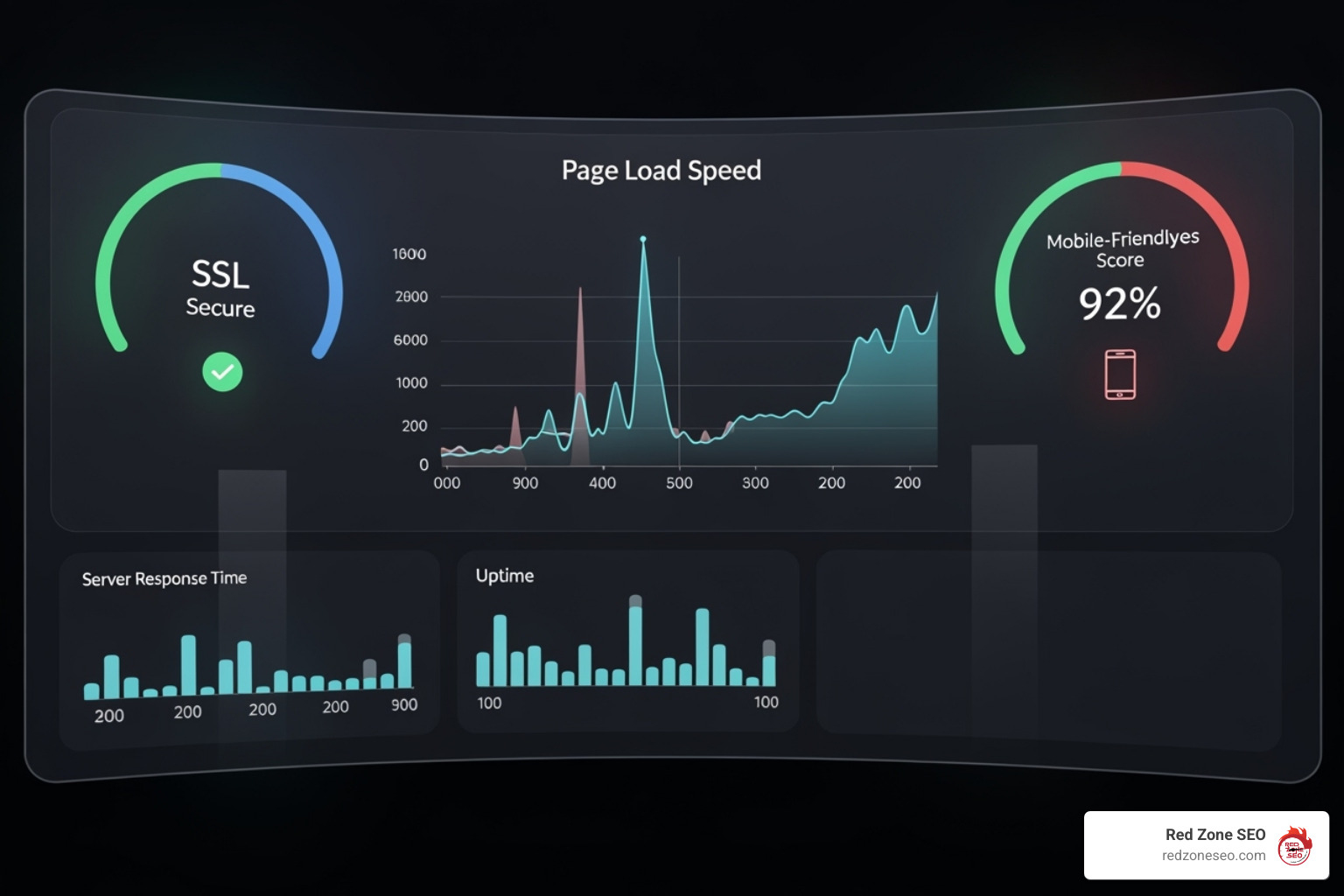
website health dashboard showing metrics like speed, security, and mobile-friendliness - how to learn technical seo

Optimizing for Page Speed and Core Web Vitals

Page speed has been a confirmed Google ranking factor since 2010, and its importance has only grown. Google's Core Web Vitals (CWV) are a set of specific metrics designed to measure the real-world user experience of a page:

  • Largest Contentful Paint (LCP): Measures loading performance. It marks the point when the page's main content has likely loaded. A good LCP is 2.5 seconds or less. Common causes of poor LCP include slow server response times, large images, and render-blocking resources.
  • First Input Delay (FID) / Interaction to Next Paint (INP): Measures interactivity. FID (being replaced by INP) gauges how quickly a page responds to a user's first interaction (like a click or tap). A poor score is often caused by heavy JavaScript execution that ties up the browser.
  • Cumulative Layout Shift (CLS): Measures visual stability. It quantifies how much the page content unexpectedly shifts around during loading. A low CLS score is crucial for a good user experience. Common culprits are images without defined dimensions, ads, or content injected dynamically.

Use Google's PageSpeed Insights tool to diagnose issues. Common fixes include compressing images, using a Content Delivery Network (CDN), enabling browser caching, minifying CSS and JavaScript files, and reducing the impact of third-party scripts. A page's total size is often the biggest factor, so focus on reducing it without sacrificing quality.

Conquering Duplicate and Thin Content

Duplicate content occurs when the same or substantially similar content exists on multiple URLs. This confuses search engines, forcing them to choose which version to rank and diluting your ranking potential. It can arise from http vs. https versions, www vs. non-www URLs, or parameters used for tracking and filtering. Use the canonical tag (rel="canonical") to point Google to the single, preferred version you want to be indexed. For pages with very little value ("thin content") or pages you don't want in search results (like internal search pages), use the "noindex" tag. Tools like Screaming Frog or Copyscape can help you find instances of duplicate content on your own site and across the web. For more on creating valuable pages that avoid thin content issues, see our guide on content optimization.

Understanding JavaScript SEO

Many modern websites rely heavily on JavaScript to create dynamic and interactive experiences. However, this can create challenges for SEO because content is often loaded after the initial HTML file. This can cause delays or, in worst-case scenarios, prevent search engines from seeing critical content and links. It's vital to understand the difference between rendering methods:

  • Client-Side Rendering (CSR): The browser downloads a minimal HTML file and then uses JavaScript to fetch content and build the page. This can be fast for users after the initial load but can be difficult for search engines to process efficiently.
  • Server-Side Rendering (SSR): The server builds the full HTML page and sends it to the browser. This is generally the safest and most reliable method for SEO, as search engines receive a complete page from the start.
  • Dynamic Rendering: A hybrid approach where the server detects if the visitor is a search engine bot and sends it a fully rendered HTML page (like SSR), while sending the regular client-side version to human users. This can be a good solution for existing JavaScript-heavy sites.

Use the URL Inspection Tool in Google Search Console or Chrome DevTools to inspect the rendered HTML and ensure all your important content and links are visible to Google.

Implementing Structured Data (Schema Markup)

Structured data, often implemented using the Schema.org vocabulary, is code you add to your HTML to help search engines understand the context of your content in a more sophisticated way. It's what powers the rich snippets you see in search results—features like star ratings for products, cooking times for recipes, and dropdowns for FAQs. Google prefers the JSON-LD format because it's easier to implement. Use markup that is relevant to your content (e.g., Product, LocalBusiness, Article, FAQPage) and always validate your implementation with Google's Rich Results Test. While structured data is not a direct ranking factor, it can significantly improve your visibility and click-through rates from the search results page.

How to Perform a Technical SEO Audit

Theory is important, but the most effective way for how to learn technical SEO is through hands-on practice. Performing a technical SEO audit is the single best way to apply your knowledge, understand how theoretical issues manifest on real websites, and learn how to prioritize fixes. An audit is a comprehensive health check for your website's technical foundation, designed to identify and resolve any issues that could be hindering its performance in search engines.

At Red Zone SEO, our SEO Audit services follow a systematic methodology to uncover critical roadblocks and opportunities for growth. You can use a similar, structured approach to guide your learning.
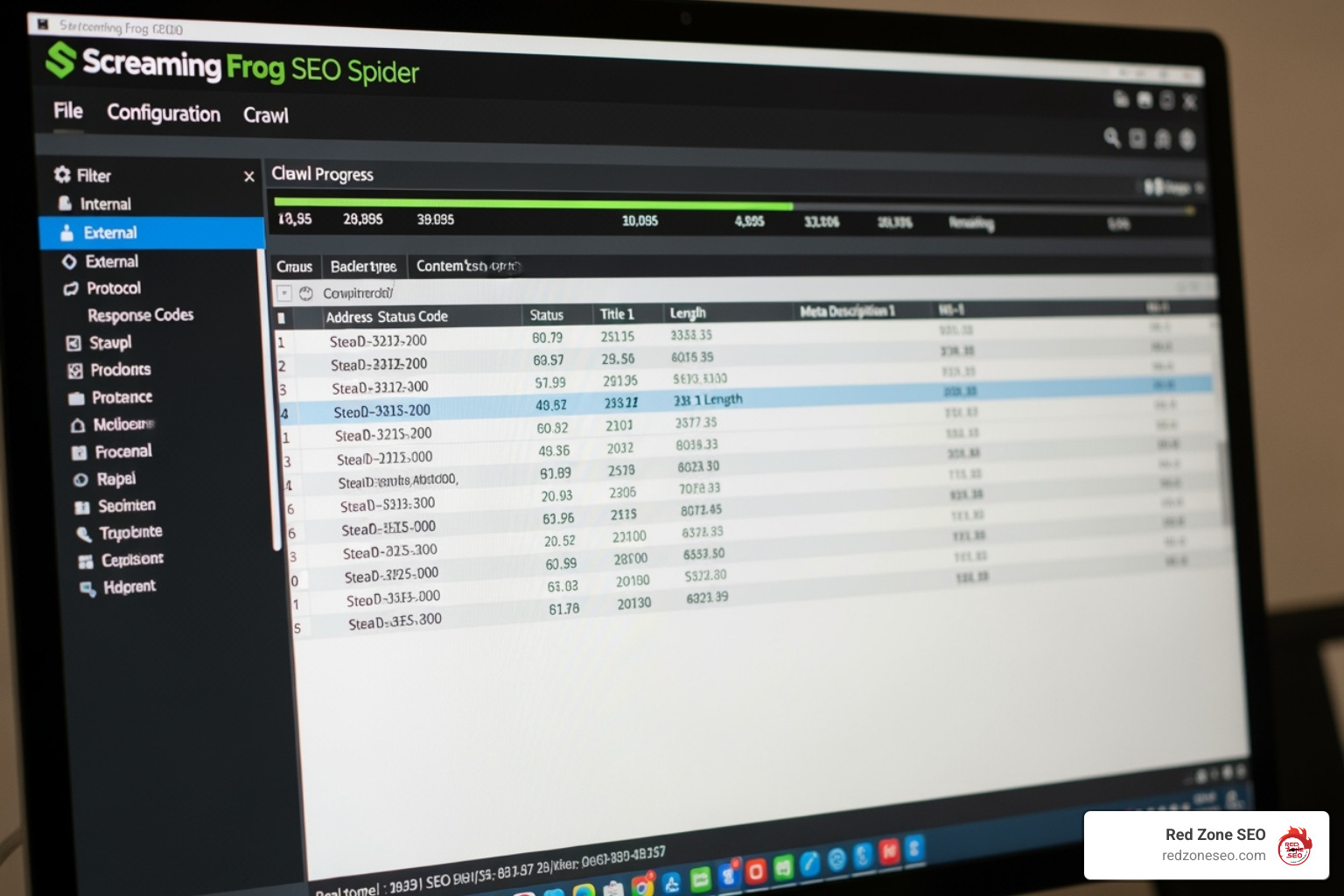
Screaming Frog interface crawling a website - how to learn technical seo

Essential Tools for Learning and Auditing

  • Google Search Console: This is your direct line of communication with Google and is absolutely indispensable. Use the Coverage report to find indexing errors, the Page Experience report for Core Web Vitals and mobile usability, and the URL Inspection Tool to analyze how Google sees specific pages.
  • Screaming Frog SEO Spider: The industry-standard site crawler for technical SEO. It simulates how Googlebot crawls your site, providing detailed reports on status codes, meta tags, redirect chains, duplicate content, page titles, and much more. The free version allows you to crawl up to 500 URLs, which is perfect for smaller sites and for learning.
  • Chrome DevTools: This suite of tools is built directly into the Chrome browser. It lets you inspect the rendered DOM (crucial for JavaScript SEO), simulate different devices, and analyze network performance.
  • PageSpeed Insights: Google's tool for analyzing page performance on both mobile and desktop. It provides a detailed report on Core Web Vitals and offers actionable recommendations to improve speed.

A Basic Technical SEO Audit Checklist

  1. Check Indexing Status: Start with the big picture. Use the site:yourdomain.com search operator in Google to get a rough idea of how many pages are indexed. Compare this to the number of valid pages in your sitemap and the Coverage report in Google Search Console. Are there major discrepancies?
  2. Review XML Sitemap: Is your sitemap submitted to Google Search Console? Is it up-to-date? Crawl it with Screaming Frog to ensure it doesn't contain errors like redirects, 404s, or non-canonical URLs.
  3. Examine robots.txt: Make sure you aren't accidentally blocking important pages, subfolders, or critical resources like CSS and JavaScript files that are necessary for rendering the page correctly.
  4. Crawl the Site: Use Screaming Frog to find common technical issues. Look for broken internal links (404s), redirect chains (e.g., Page A -> Page B -> Page C), temporary redirects (302s) used for permanent moves, and missing or duplicate page titles and meta descriptions.
  5. Analyze Performance: Run your key pages (homepage, service pages, blog posts) through PageSpeed Insights. Identify the primary bottlenecks affecting your Core Web Vitals scores.
  6. Test Mobile-Friendliness: With mobile-first indexing, your site's mobile version is the primary one Google uses for ranking. Use Google's Mobile-Friendly Test or Chrome DevTools to ensure your site is responsive, text is readable, and tap targets are appropriately sized.
  7. Verify HTTPS: Ensure your entire site uses HTTPS. Check for "mixed content" issues, where insecure HTTP resources (like images or scripts) are being loaded on a secure HTTPS page.
  8. Look for Schema Opportunities: Identify pages that could benefit from structured data to earn rich snippets. Use Google's Rich Results Test to validate any existing schema and check for errors or warnings.

Collaborating with Developers

Finding issues is only half the battle; getting them fixed is what counts. Effective communication with developers is a critical skill for any technical SEO. To build a productive relationship:

  • Understand Their World: Learn their terminology, understand their workflow (e.g., sprints, ticketing systems), and respect their priorities and constraints.
  • Write Specific, Actionable Tickets: Don't just say "fix duplicate content." Create a detailed ticket that explains the issue, lists the specific URLs affected, describes the business impact ("This is diluting our ranking ability for our primary service page"), and provides a clear, recommended solution (e.g., "Please implement a self-referencing canonical tag on these pages.").
  • Explain the 'Why': Always frame your requests in terms of business goals. Connect your recommendations to improved user experience, better site performance, increased organic traffic, or potential revenue gains. This helps developers understand the importance of your task and prioritize it accordingly.

Frequently Asked Questions about Learning Technical SEO

What are the most impactful technical SEO fixes for a beginner?

For the biggest and quickest impact, especially on a site that hasn't been optimized before, focus on these three areas:

  1. Fixing Indexing Issues: Use Google Search Console's Coverage report to find and fix errors that prevent your important pages from being indexed. If a page isn't in Google's index, it has zero chance of ranking for anything. This is the most fundamental fix.
  2. Reclaiming Link Equity from Broken Pages: Use a crawler like Screaming Frog to find internal links pointing to pages that return a 404 (Not Found) error. For each broken URL that has valuable external backlinks, implement a 301 redirect to the most relevant live page on your site. This is a quick way to reclaim lost authority and pass that value to important pages.
  3. Improving Internal Linking: This is a powerful tactic entirely within your control. Find your high-authority pages (using a tool's URL rating or by looking at which pages have the most backlinks) and add contextual internal links from them to important, relevant pages that you want to rank higher. This helps Google find your content and signals its importance.

How long does it take to learn technical SEO?

There are different levels of proficiency. You can learn the fundamentals of how to learn technical SEO—what the core concepts are and why they matter—in a few months of dedicated study (e.g., 5-10 hours per week). Reaching proficiency, where you can confidently conduct an audit, diagnose common issues, and recommend solutions, typically takes 6 to 12 months of consistent learning and hands-on practice. Achieving true mastery is a continuous journey that takes years. The field is constantly evolving with Google updates, new technologies, and changing user behavior, so a commitment to ongoing learning is essential. Think of it like driving: you can learn the basics to get your license quickly, but becoming an expert driver who can handle any condition takes years of experience on the road.

Do I need to know how to code to learn technical SEO?

No, you do not need to be a professional coder or developer. However, you do need to achieve a certain level of technical literacy. You should be comfortable reading HTML to identify key tags like titles, meta tags, canonicals, and links. You should understand the basics of how CSS styles a page and how JavaScript can add or change content. The goal is not to write the code yourself but to understand how it works so you can identify problems (e.g., "This important paragraph is loaded via JavaScript and may not be visible to Google") and communicate the required fix clearly to a developer.

What are the best free resources to learn technical SEO?

Some of the best and most authoritative learning materials are completely free:

  • Google Search Central Documentation & Blog: This is Google's official documentation. It is the ultimate source of truth for how Google works and what it expects from websites.
  • Industry Blogs: Reputable sites like Ahrefs, Semrush, and Moz publish excellent, in-depth guides, tutorials, and case studies that are invaluable for learning practical applications.
  • Free Online Courses: Platforms like Semrush Academy and Ahrefs' Blogging for Business offer structured courses that can guide your learning path from beginner to intermediate.
  • Build a Test Site: This is arguably the best way to learn. Get a cheap domain and hosting, install WordPress, and use it as your personal lab. Experiment with your robots.txt file, implement different types of schema, intentionally break things and then figure out how to fix them. This hands-on experience without the risk of damaging a live site is invaluable.

Conclusion

Learning how to learn technical SEO is a rewarding journey that empowers you to build and maintain the invisible, yet absolutely critical, foundation for online success. By moving from understanding the core mechanics of search engines to mastering key elements like site speed and architecture, and finally to auditing a site and collaborating effectively with developers, you gain a skill set that is essential for any modern marketing professional.

Mastery in this field is not a destination but a continuous process. It requires a commitment to ongoing learning and curiosity, as the digital landscape and search engine algorithms are in a constant state of flux. The most effective approach will always be a practical one: start auditing, get your hands dirty with the tools, find real issues, and learn by fixing them. Don't be afraid to experiment and make mistakes on a test site—it's a rite of passage for every skilled technical SEO.

While learning these skills yourself is incredibly valuable, executing a comprehensive technical SEO strategy at scale can be a significant challenge, requiring time, expertise, and resources that many businesses don't have in-house. For businesses ready to implement advanced strategies and achieve measurable, long-term growth, the expert team at Red Zone SEO can build the powerful technical foundation your website needs to thrive in competitive search results.

Our data-driven approach ensures that technical improvements are not just about checking boxes on a list, but about translating those fixes into more organic traffic, a better user experience, and ultimately, more customers for your business.

Get in touch with our Las Vegas SEO experts today!

Explore Other Blog Posts

Copyright 2026 | Privacy Policy | Tems of Service | Powered by GETBIG