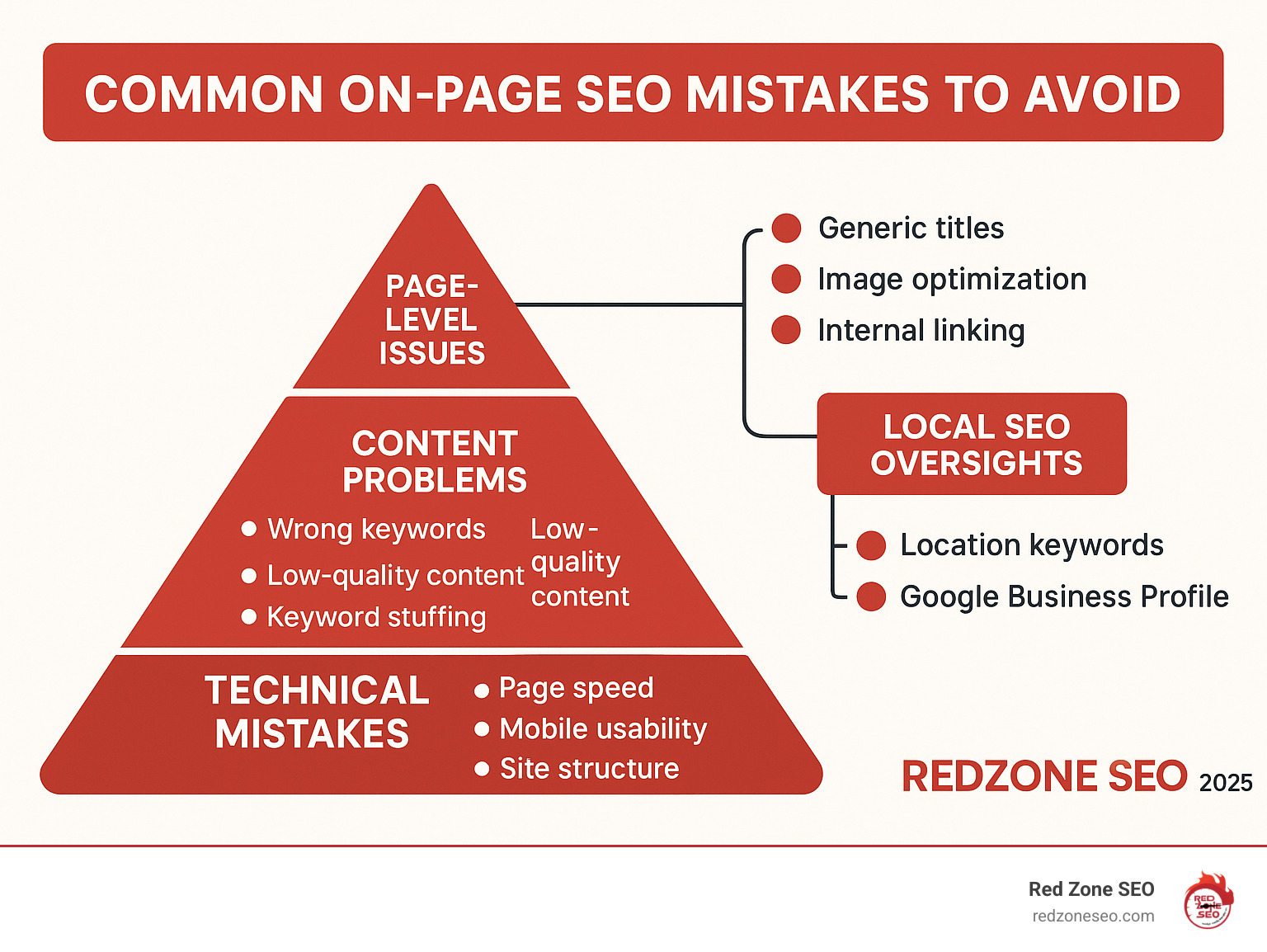
Common on-page SEO mistakes to avoid can be the difference between ranking on page one and getting buried in search results. On-page Search Engine Optimization (SEO) refers to all the measures you can take directly within your website to improve its position in the search rankings. Many websites lose potential customers daily by making simple yet critical errors in their on-page strategy. These issues range from deep technical glitches like slow page speed and broken links to fundamental content problems like targeting the wrong keywords or publishing thin, unhelpful material.
When you get on-page SEO right, you create a seamless, valuable experience for both users and search engines. It's about signaling to Google that your page is the best, most relevant answer to a user's query. According to research, 67% of all clicks go to the top five organic results. This statistic highlights why avoiding these pitfalls isn't just helpful—it's essential for online visibility and survival in a crowded digital marketplace.
These mistakes don't just hurt your rankings; they actively damage user experience, which leads to higher bounce rates, lower engagement, and a tarnished brand reputation. They waste your marketing budget and hand customers directly to your competitors on a silver platter. The good news is that most of these errors are entirely within your control and are easy to fix once you know what to look for. This comprehensive guide will walk you through the most critical errors and provide actionable steps on how to correct them, helping you build a website that search engines and, most importantly, users will love.
Quick common on-page seo mistakes to avoid definitions:
Think of technical SEO as your website's foundation. If it's cracked, everything you build on top becomes unstable and at risk of collapse. These common on-page SEO mistakes to avoid at a technical level can sabotage your rankings, no matter how great your content is. When search engines can't properly crawl, index, or understand your site, you're essentially invisible. Let's explore the most damaging technical errors.
Slow websites frustrate users and kill conversions. After about three seconds of waiting, a significant portion of visitors will leave. This is why page speed is a confirmed Google ranking factor, especially with the Page Experience update. A high bounce rate is a strong signal to Google that your site offers a poor user experience, which can demote your rankings.
Google's Core Web Vitals are specific metrics that measure this experience, focusing on:
To fix slow speeds, start with image compression and modern formats like WebP, as large photos are a common culprit. Also, minify CSS and JavaScript to remove unnecessary code, enable browser caching so returning visitors load pages faster, and consider using a Content Delivery Network (CDN) to serve assets from servers closer to your users. Use Google PageSpeed Insights to get specific recommendations. For a deeper dive, our guide on How to Conduct a Technical SEO Audit is a valuable resource.
Since 2019, Google has primarily used your mobile site for indexing and ranking (this is called mobile-first indexing). A poor mobile experience will directly hurt your desktop rankings, too. With mobile searches for "near me" growing 900 percent between 2013 and 2017, you can't afford to ignore this massive source of traffic. In fact, 76 percent of people who search for something nearby on mobile visit the business within a day.
Responsive design is non-negotiable. Your site must automatically adapt to any screen size, from a small smartphone to a large desktop monitor. This means having readable text without zooming, tap targets large enough for human fingers, and avoiding intrusive pop-ups that cover the main content on mobile devices. Use Google's mobile-friendly test to see what needs fixing. This is a cornerstone of our SEO for Small Business strategy.
Poor site structure confuses both users and search engines, hurting crawlability and indexability. A logical structure helps search engine bots understand the relationship between your pages and which ones are most important. Your URL structure should be a clear reflection of this hierarchy. As Moz notes, a well-crafted URL is beneficial to readers and search engines.
SEO-friendly URLs are concise, use hyphens instead of underscores to separate words, and include relevant keywords that describe the page's content. For example, yourdomain.com/services/local-seo is far better than yourdomain.com/page_id=123. Ensure your site uses HTTPS for security and trust; it's a minor ranking signal and essential for user confidence. A logical site hierarchy with clear categories and subcategories (often called a "silo" structure) is also crucial for distributing authority throughout your site. For e-commerce sites, our guide on E-commerce Site Structure SEO Contextual Links provides specialized advice.
Clicking a link only to land on a "404 Page Not Found" error is a frustrating experience that kills user trust. Broken links create dead ends that stop visitors and search engine crawlers in their tracks. This wastes your crawl budget—the number of pages Google will crawl on your site in a given period. These 404 errors also dilute your link equity, the value passed through your internal and external links.
Faulty redirects, like redirect chains (Page A -> Page B -> Page C) or loops (Page A -> Page B -> Page A), slow down your site and can prevent search engines from accessing your content entirely. Use tools like Google Search Console or Screaming Frog to find and fix these issues. When you find a broken internal link, either recreate the page, implement a permanent 301 redirect to the most relevant live page, or remove the link. Regular maintenance as part of a comprehensive SEO Audit prevents these problems from damaging your rankings.
Content is the heart of your SEO strategy, but creating content without a clear purpose or audience in mind is a recipe for failure. These common on-page SEO mistakes to avoid relate to what you write and the keywords you target, directly impacting your ability to attract, engage, and convert the right audience.
Many businesses make the critical mistake of skipping keyword research or chasing highly competitive, generic "vanity" terms. For example, a local Denver bakery trying to rank for "cake" is competing against massive international brands and recipe sites. This is a battle they can't win.
Generic keywords also suffer from unclear search intent. Someone searching "cake" could want a recipe, pictures, or decorating tips. In contrast, someone searching "custom birthday cake Denver" is a high-intent potential customer ready to buy. This is why many times, lower-traffic phrases will convert better—they are more specific and align with user needs. Understanding the four main types of search intent is key:
Focus on long-tail keywords (phrases of 3+ words) that match the specific intent of your ideal customers. Fifty visitors from "gluten-free wedding cakes Denver" are far more valuable than thousands from "cake." Start with thorough Keyword Research to find terms that balance search volume with realistic ranking opportunity.
Thin content offers little to no value to the reader, like a "gardening guide" with only three generic paragraphs. Quality content, on the other hand, demonstrates E-E-A-T (Experience, Expertise, Authoritativeness, and Trustworthiness) and is genuinely useful. While there's no magic word count, every important page should have at least 300 words of unique, valuable text. For competitive topics, 1,000-2,000+ words are often needed to be comprehensive.
Duplicate content confuses search engines when multiple pages on your site have identical or nearly identical text, diluting your ranking potential. This often happens when e-commerce sites use generic manufacturer descriptions or when service businesses use the same boilerplate text for different location pages. To fix this, use canonical tags to tell Google which page is the master version. Better yet, consolidate similar pages into one strong resource or rewrite the content to be unique and valuable for each page. Always rewrite manufacturer descriptions. Use a tool like Copyscape to find issues and our Content Optimization services to fix them.
Keyword stuffing is the outdated and unnatural practice of cramming keywords into your content to manipulate rankings. It's a black-hat tactic that modern search engines easily detect and penalize. More importantly, it creates a terrible, often unreadable user experience, leading to high bounce rates that further harm your rankings.
Google's algorithms, powered by AI like BERT and MUM, now understand natural language, context, and semantics. Instead of obsessing over keyword density, focus on covering your topic comprehensively with related terms, synonyms, and answers to common questions. This demonstrates topical authority. Write for humans first. If your content is valuable, well-structured, and reads naturally, you're on the right track.
Google's official policy on keyword stuffing is clear: it violates their guidelines and can lead to a ranking penalty. We follow ethical SEO Content Strategies to create effective, penalty-free content that users and search engines value.
With a solid technical and content foundation, it's time to zoom in and focus on individual page elements. These common on-page SEO mistakes to avoid are often simple fixes that can significantly boost click-through rates, user engagement, and rankings. Getting these details right is what separates good SEO from great SEO.
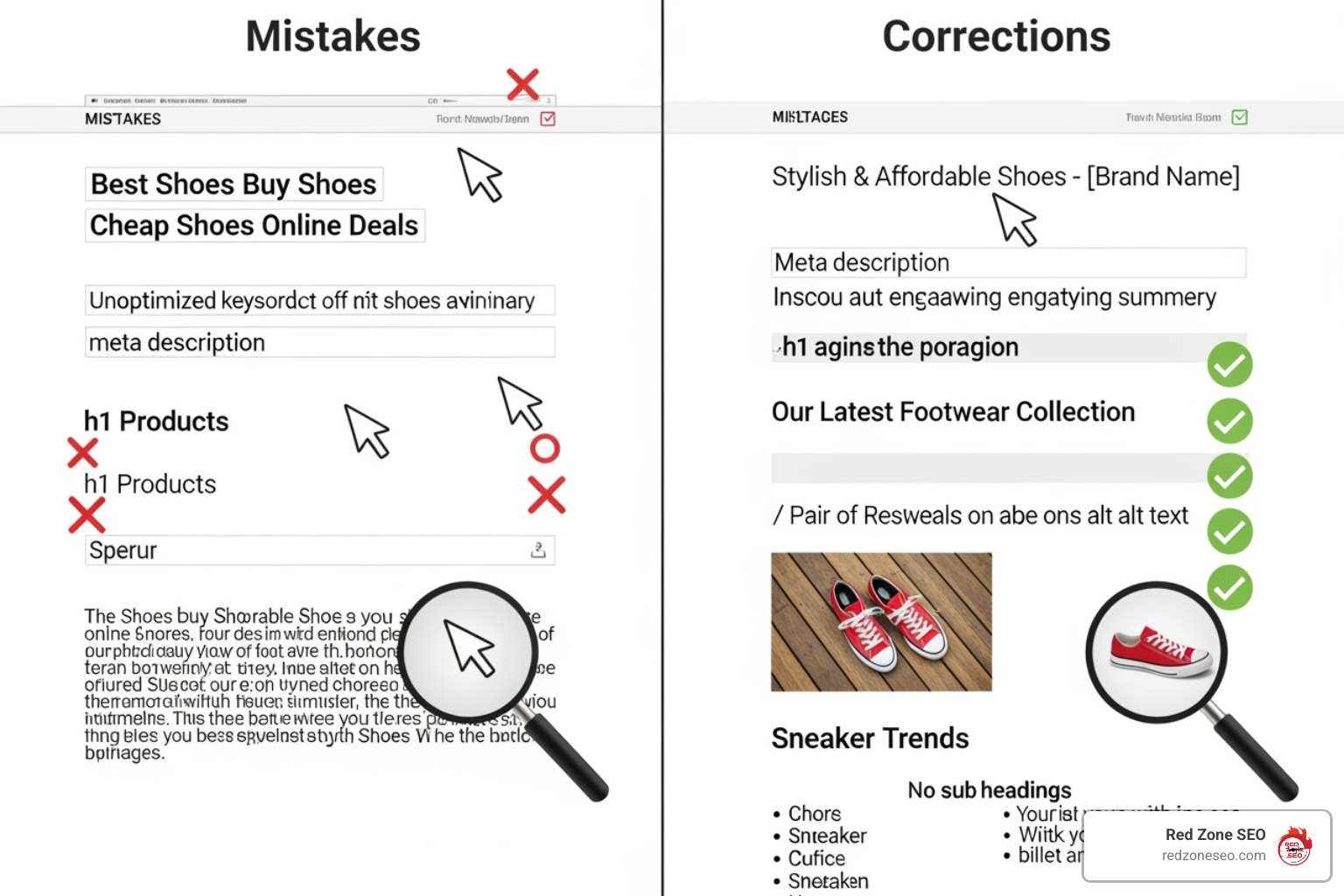
Your title tag and meta description are your digital billboard in the search results. The title tag is the clickable headline and a direct, heavyweight ranking factor. The meta description is the short sales pitch underneath that convinces users to click on your result over a competitor's.
Many businesses use generic or duplicate titles like "Home" or "Product Page," which tells users and search engines nothing. This hurts your click-through rate (CTR) and can cause keyword cannibalization, where your own pages compete against each other. A low CTR signals to Google that your result isn't relevant to the query, which can lower your rankings over time.
The fix: Every page needs a unique, compelling title and meta description. Keep title tags between 50-60 characters and meta descriptions between 50-160 characters to avoid truncation. Include your primary keyword naturally, preferably near the beginning of the title, and write ad-like copy that highlights value and encourages clicks. For example, instead of "Services," use "Las Vegas SEO Services That Increase Your Rankings." As Moz explains, the optimal format for writing the meta title is key. This is a fundamental part of the On-Page SEO Definition.
A common and often overlooked mistake is the improper use of header tags. These tags (H1, H2, H3, etc.) are not just for styling text; they create a logical, hierarchical structure for your content. The H1 is the main title of the page's content, H2s are main subheadings, H3s are sub-points of H2s, and so on. This structure helps search engines understand the main topics of your page and makes the content more scannable for readers.
The fix: Use only one H1 tag per page, and it should closely align with the page's title tag and primary keyword. Use H2s and H3s to break up your content into logical sections, incorporating related keywords where they fit naturally. Never skip heading levels (e.g., going from an H2 to an H4) and don't use them simply to make text bigger or bold.
Images improve engagement but can kill rankings if not optimized. Large, uncompressed images are a primary cause of slow page speed, which directly impacts your Google ranking.
Another critical element is alt text (alternative text). This descriptive text serves two main purposes: it helps visually impaired users with screen readers understand your images, making your site more accessible, and it gives search engines context, as they cannot "see" images. Missing alt text hurts both accessibility and your ability to rank in image searches.

The solution: Compress images using tools like PicResize or plugins to reduce file size without sacrificing too much quality. Choose the right file format: JPEG for photos, PNG for graphics needing transparency, and WebP for the best combination of quality and compression. Use descriptive filenames (e.g., red-mountain-bike.jpg instead of IMG_001.jpg). Write meaningful, descriptive alt text that describes the image and includes keywords naturally where appropriate. This is a key step in How to Check On-Page SEO.
Internal linking is one of the most powerful and underused SEO tools. It guides users and search engines through your site, distributes "link equity" (authority) between pages, and helps establish topical relevance, which can boost rankings. Good internal linking also keeps visitors engaged longer, reducing bounce rates.
Most websites go wrong by using generic anchor text like "click here" or "read more." This provides zero context to users or search engines. Another mistake is having orphaned pages with no internal links pointing to them, making them nearly impossible for search engines to find and index.
The fix: Use descriptive, keyword-rich anchor text contextually within your content. For example, link to your service page with "our comprehensive Las Vegas SEO services" instead of "click here." Create a logical linking structure, such as topic clusters where you link from a main "pillar" page to related, in-depth "cluster" pages and back. Don't overdo it; focus on quality, relevant links that add value for the reader. Our On-Page SEO Checklist provides detailed strategies for building an effective internal linking structure.
For businesses serving specific geographic areas—from plumbers and restaurants to lawyers and dentists—ignoring local SEO is one of the biggest common on-page SEO mistakes to avoid. A huge percentage of searches have local intent, representing customers in your area who are ready to buy now. When you search for a service, you likely use terms like "plumber near me" or "best pizza in [your city]." If your business isn't optimized for these high-value searches, you're invisible to your most qualified customers.
A local business optimizing for generic terms like "wedding cakes" without mentioning their service area will miss out on customers actively searching for "wedding cakes near me." This disconnect costs businesses valuable leads every single day. The growth of mobile search makes this even more critical. As Google reports, 76 percent of people who search for something nearby visit a business within a day, and 28% of those searches result in a purchase.
The fix:
Our Local SEO Packages are designed to capture this high-intent local traffic.
Your Google Business Profile (GBP) is your digital storefront and one of the most critical factors for local SEO. It's what gets you into the Local Pack—the map and three business listings that appear at the top of local search results. An incomplete, inactive, or outdated profile means missing out on this prime visibility.
Your GBP is often a customer's first impression. They can get directions, see your hours, read reviews, and call you directly from your profile without ever visiting your website. A complete, active profile with numerous positive reviews builds immense trust and authority, both with customers and Google.
The fix:
Our SEO Services Las Vegas include comprehensive GBP optimization to drive real, local results.
Here are answers to some of the most common questions we receive about on-page SEO, expanded to give you a deeper understanding.
There's no single magic number, and quality always trumps quantity. As a general guideline, aim for a minimum of 300-500 words for any page you want to rank. However, the true answer is: your content should be as long as it needs to be to be the most comprehensive and helpful resource for the user's query. For competitive topics, this often means 1,000-2,000+ words. Research the top-ranking pages for your target keyword. If they are all long-form guides, a short 500-word article is unlikely to compete. The goal is to thoroughly answer a searcher's query and satisfy their intent so they don't need to go anywhere else.
Keyword cannibalization is one of the sneakiest common on-page SEO mistakes to avoid. It occurs when multiple pages on your site compete for the same primary keyword. This confuses search engines, forcing them to choose which page is more relevant, which often means neither page ranks as well as it could. It splits your authority, backlinks, and click-through rate between multiple pages.
To fix it:
If Google rewrites your metadata, it's not a penalty. It's a signal that Google believes it can create a better, more relevant title for the user's specific search query. This often happens if your original title is:
To minimize this, write unique, compelling titles and descriptions for every page. Keep titles between 50-60 characters and focus on creating a headline that accurately reflects your content and makes a human want to click.
Schema markup (or structured data) is a vocabulary of code that you can add to your website's HTML to help search engines better understand the information on your pages. It translates your content into a language that search engines speak fluently. While not a direct ranking factor, it can improve your search listings with rich snippets—like star ratings, review counts, prices, or FAQ dropdowns—which can dramatically improve your click-through rate.
Common types of schema relevant to on-page SEO include:
Implementing schema helps your listing stand out and provides more value to the user directly in the search results.
By understanding and actively correcting these common on-page SEO mistakes to avoid, you've taken a critical step toward improving your website's performance. We've covered the essential pillars: building a sound technical foundation by fixing site speed and structure; creating valuable, targeted content that avoids keyword stuffing and duplication; optimizing individual page-level elements like titles, headers, and images; and leveraging local SEO to capture nearby customers. Fixing these issues removes the roadblocks that stand between you and your potential customers, creating a website that both Google and your visitors will value and trust.
The best part about on-page SEO is that it's entirely within your control. Unlike off-page factors like backlink building, you can start making these improvements today to build a stronger, more resilient foundation for your entire digital marketing strategy.
However, SEO is not a one-time task. It's a continuous process of improvement and adaptation. Search engines and competitors are constantly evolving. Regular SEO Audits are essential for maintaining your rankings, identifying new issues, and adapting to changes in algorithms and user behavior. Think of it as crucial, ongoing maintenance for your most important digital asset.
For businesses in competitive markets like Las Vegas, Austin, and Henderson NV, getting these fundamentals right is the key to not just surviving, but thriving online. You don't have to do it alone. At Red Zone SEO, we use data-driven strategies to address these exact issues and deliver measurable results that drive growth.
Ready to stop losing customers to avoidable SEO mistakes? Learn how our Las Vegas search engine optimization services can turn your website into a customer-generating machine.
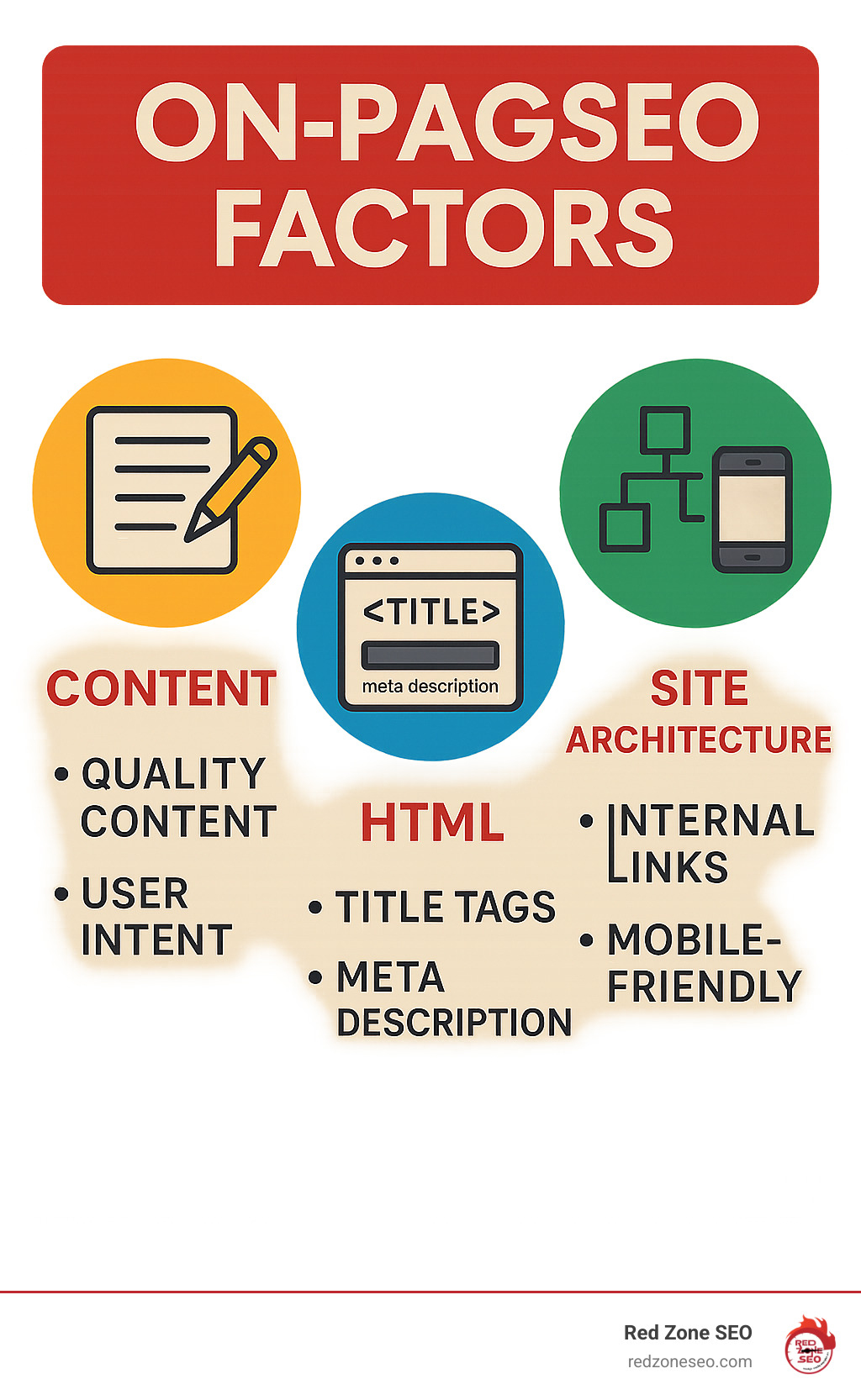
What are on page seo factors that can make or break your website's search engine rankings? On-page SEO refers to the practice of optimizing elements on your website that you can directly control. This includes everything from the quality of your content and the structure of your HTML to your site's technical performance and the overall user experience.
The main on-page SEO factors include:
On-page SEO is critical because many of the signals Google uses to rank web pages come directly from these on-page elements. Think of it as your website's foundation; without solid on-page optimization, achieving strong search rankings is nearly impossible.
The good news is that unlike off-page factors like backlinks, on-page SEO is completely within your control. By understanding which elements matter most, you can start improving them today to improve your site's ability to rank for both search engines and human visitors.
What are on page seo factors terms to know:
Content is the heart of your website. Without engaging, valuable content that speaks directly to your visitors' needs, even the most technically perfect website won't attract or keep customers. Modern SEO isn't about tricking search engines; it's about genuinely helping people find what they're looking for. When someone searches online, they have a specific goal, and your job is to provide the solution.
This is where content quality and user intent become crucial. Gone are the days of keyword stuffing. Today's approach focuses on understanding the underlying reason for a search query. We start with thorough keyword research to understand the language your customers use, then craft content that is both useful and natural.
Google's E-E-A-T (Experience, Expertise, Authoritativeness, and Trustworthiness) guidelines are central to this. You must demonstrate genuine knowledge, back up claims with data, and build trust. We also focus on readability with short paragraphs and clear subheadings, ensure content freshness by keeping information current, and use visual assets like images and videos to improve engagement.
Creating content that resonates means sharing information that is interesting, helpful, and comes from a place of real knowledge. This is the essence of Google's people-first content philosophy.
Our content creation is guided by E-E-A-T:
Google's helpful content guidelines ask a simple question: "Is this genuinely useful to humans?" The best content offers something new, whether it's original research, a unique perspective, or a more comprehensive resource. While there's no magic content length, we aim for at least 500 words to provide comprehensive coverage, ensuring every word earns its place. This approach forms the foundation of our SEO Content Strategies.
Keywords are the bridge connecting what people search for with the solutions you provide. Our Keyword Research process is about understanding intent, not just search terms.
Keyword placement still matters. We include the target keyword within the first 100-150 words and sprinkle variations throughout conversationally. As Google's "How Search Works" report confirms, keywords remain a basic signal for relevance. The key is using natural language that matches how real people search and speak.
Content relevance is fundamental. Your content must align with what a searcher is actually looking for.
Search intent alignment means understanding the four main types of queries:
To ensure relevance, we provide comprehensive answers that cover related subtopics. We structure content with descriptive subheadings that mirror search queries, leading with the answer and then providing supporting details. This creates a satisfying user experience that leads to higher rankings.
Think of HTML elements as the structural blueprint for your content. While visitors see the polished design, Google's crawlers read the HTML code to understand what's important and how your content is organized. What are on page seo factors that matter most to search engines? Your HTML elements are crucial because they are the road signs that guide crawlers.
Optimizing HTML serves a dual purpose: it helps search engines understand your page, which can improve rankings, and it directly influences your Click-Through Rate (CTR) from search results. Your title tag and meta description are often a user's first impression. Getting this structure right is foundational work we examine in every SEO Audit.
Your title tag and meta description are your digital storefront window. They are often the first thing potential visitors see in search results.
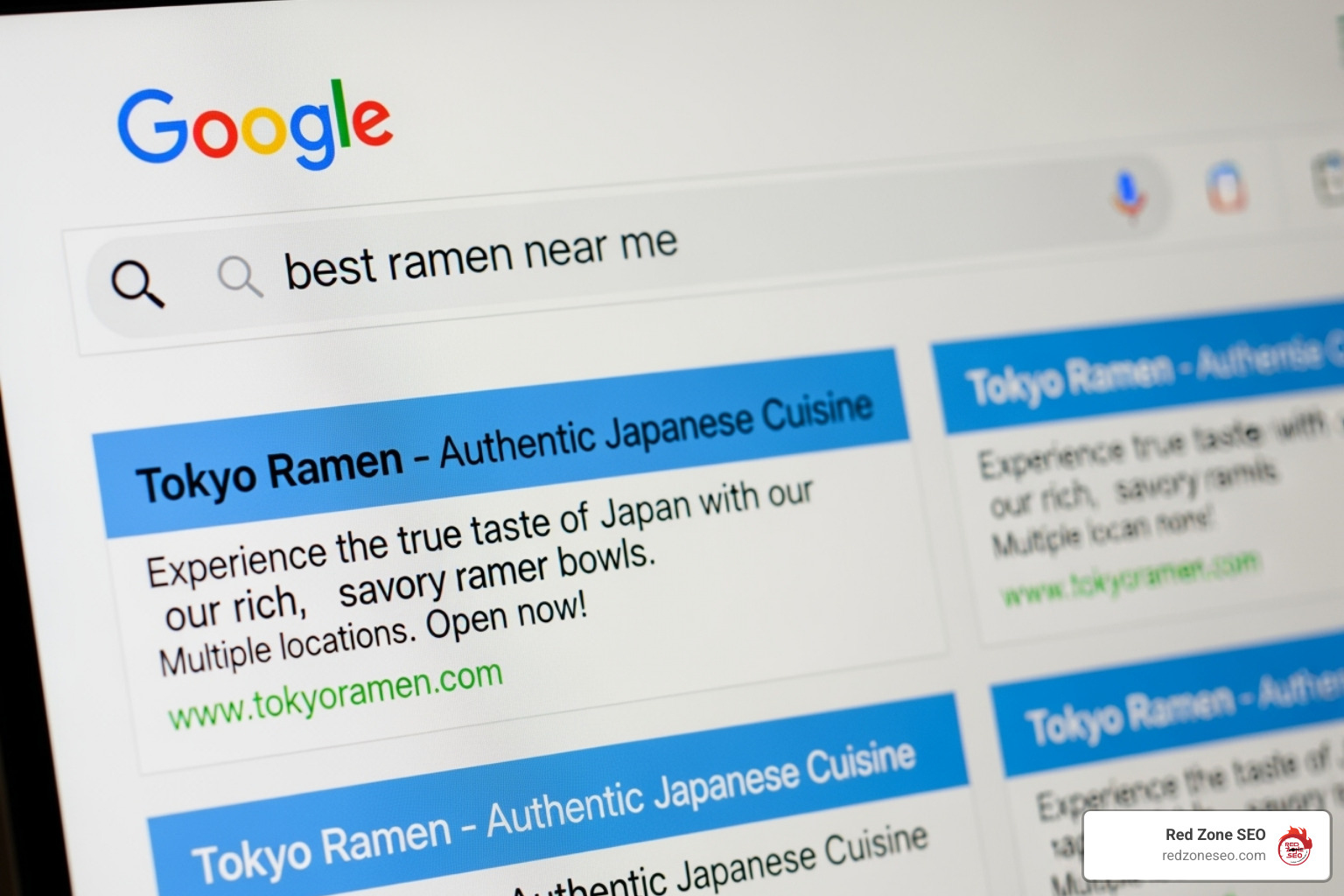
Title tags are a significant ranking factor, appearing as the blue clickable headlines in search results. We craft titles to be between 50 and 60 characters to avoid being cut off. Each title should be unique, include the primary target keyword near the beginning, and accurately describe the page's content.
Meta descriptions are not a direct ranking factor but are critical for attracting clicks. They are your 160-character elevator pitch. We write them to be between 120-160 characters, include the target keyword naturally, use active voice, and often include a clear call to action.
Headings (H1, H2, H3, etc.) act like chapter titles, guiding readers and search engines through your content and establishing a clear hierarchy.
Your H1 tag is the main headline; there should be only one per page. It should contain your primary keyword and state the page's topic. Google's guidance on H1 tags confirms their importance. H2 tags introduce major subtopics, and H3 tags break those down further.
This structure makes content skimmable, which is crucial as most users scan a page before committing to reading it. Well-crafted headings improve user experience and help Google understand the relationship between different content sections. Using keywords naturally in subheadings provides additional context about your content's depth.
Images improve user engagement and are powerful SEO tools when optimized correctly.
Image alt text is a written description that serves three purposes: it displays if an image fails to load, is read by screen readers for visually impaired users, and provides context to search engines. We write descriptive alt text under 125 characters, including relevant keywords naturally.
Other key optimizations include:
on-page-seo-factors.png instead of IMG_001.png to give search engines context.Making your site accessible is not just good practice; it's smart SEO that aligns with Google's focus on user experience.
Your website's architecture is the technical foundation upon which your content and design rest. When we discuss what are on page seo factors for site architecture, we're focusing on how your site is structured and optimized for users and search engines. A slow, confusing, or mobile-unfriendly site will struggle to rank, regardless of content quality.
Site architecture directly impacts critical areas Google evaluates: user experience (UX), crawlability (can Google find your content?), and indexability (can your pages be added to search results?). Technical performance, especially site speed and mobile-friendliness, are confirmed ranking factors. Improving your site's architecture can deliver dramatic results. Our guide on How to Conduct a Technical SEO Audit can help you identify key areas for improvement.
URLs are the addresses for your web pages and should be clear, logical, and easy to understand for both humans and search engines.

Follow these best practices for URL structure, as advised by Google's advice on simple URLs:
yourwebsite.com/on-page-seo-factors is far better than yourwebsite.com/page?id=12847.-), not underscores (_), as Google treats hyphens as word separators./seo-guide/ are better than /2024-seo-guide/ because they don't need to be changed when the content is updated.Links are the highways of the internet. A strategic linking plan is crucial for on-page SEO.
Internal links connect pages on your own website. They help search engines find new content and understand your site's structure. They also distribute link equity (ranking power) from strong pages to other pages on your site. For users, internal links guide them to related content, improving engagement and reducing bounce rates. Always use descriptive anchor text (e.g., "learn about our SEO services") instead of generic phrases like "click here."
External links point from your site to other websites. Linking to high-quality, authoritative sources shows Google that your content is well-researched and trustworthy. It also provides additional value to your readers. The key is to link out judiciously to relevant, credible resources. Our comprehensive SEO services cover both internal and external linking strategies.
Page speed is a confirmed ranking factor. Slow websites frustrate users and hurt rankings. Google's Core Web Vitals are metrics designed to measure real-world user experience.

The three core vitals are:
You can check your site's performance with the Google PageSpeed Insights tool. Common fixes include compressing files, optimizing images, and leveraging browser caching.
With mobile search volume far surpassing desktop, Google now uses mobile-first indexing. This means it primarily uses the mobile version of your site for indexing and ranking. If your site isn't mobile-friendly, your rankings will suffer on all devices.
Responsive design is Google's recommended approach. It allows your website to automatically adapt its layout to fit any screen size, from smartphones to desktops. This ensures a consistent and positive user experience everywhere.
A good mobile user experience includes touch-friendly navigation, readable text without zooming, and fast loading times. As stated in Google's mobile-first indexing announcement, a mobile-optimized site is no longer optional—it's the foundation of a modern online presence.
Once you've mastered the fundamentals of what are on page seo factors, advanced strategies can provide a significant competitive advantage. These techniques help you earn special search features, attract local customers, and give search engines richer context about your content. Our SEO for Small Business services are designed to incorporate these tactics effectively.
Rich results are improved search listings that display extra information like star ratings, prices, or event dates. They grab attention and can significantly boost your click-through rate (CTR).
The key to earning rich results is schema markup, a type of code that helps search engines understand your content more deeply. By using vocabulary from Schema.org, you can explicitly label elements on your page. While not a direct ranking factor, schema makes your listings more visible and informative.
Common schema types include:
You can test your implementation with Google's Schema Markup Validator to ensure it's working correctly.
Featured snippets are the answer boxes that appear at the very top of search results, often called "position zero." Winning a featured snippet can drive a significant amount of traffic.
Snippets come in several formats, including paragraphs, lists, and tables. The strategy for capturing them involves:
By creating content that serves as the definitive answer to a specific query, you increase your chances of being featured.
For local businesses, specific on-page factors can attract nearby customers who are ready to buy.
Our Local SEO Packages integrate these on-page signals to help businesses dominate their local markets.
Here are concise answers to some of the most common questions we receive about on-page SEO.
The time it takes to see results varies. Google can index changes in hours or days, but significant ranking improvements depend on factors like your website's authority, the competitiveness of your keywords, and your site's technical health. While some initial improvements may appear within weeks, substantial organic traffic growth typically takes several months. On-page SEO is an ongoing effort—a marathon, not a sprint.
While they overlap, they have different focuses. On-page SEO concentrates on the content and HTML elements of individual pages to make them relevant for specific queries (e.g., content quality, keywords, title tags). Technical SEO focuses on the site-wide infrastructure to ensure it's accessible, fast, and easy for search engines to crawl and index (e.g., site speed, mobile-friendliness, sitemaps).
Think of it this way: technical SEO is building a solid house foundation, while on-page SEO is furnishing and decorating each room to be useful and welcoming.
Absolutely. Many on-page SEO basics are accessible and can be implemented with the help of free tools like Google Search Console and various online SEO checkers. You can make significant progress by improving titles, content, and image alt text.
However, hiring an expert becomes valuable when you're in a competitive market or lack the time to keep up with Google's constant updates. At Red Zone SEO, we use data-driven strategies and premium tools to identify opportunities and achieve measurable results, allowing you to focus on running your business.
Understanding what are on page seo factors is the key to open uping sustainable online growth. It's not about a single trick, but a holistic strategy that blends high-quality content, flawless technical execution, and a user-centric design.
Your success hinges on three core pillars:
On-page SEO is not a one-time task; it's an ongoing process of refinement and adaptation. As search engines evolve and user behavior shifts, your strategy must evolve too. Advanced tactics like schema markup and featured snippet optimization can provide a powerful competitive edge.
At Red Zone SEO, we use data-driven strategies to measure impact and continuously refine our approach, ensuring your on-page efforts translate into real, measurable business results. We understand the intricate dance of on-page factors and how they work together to drive visibility and revenue.
Ready to see what a professionally optimized on-page strategy can do for your business? Let us map out a clear path to better rankings and more traffic.
Get a comprehensive SEO audit for your Las Vegas business today, or connect with our team to build your online success story, one optimized page at a time.
An on page seo checker is a digital tool that analyzes your website's individual pages to identify SEO issues and uncover optimization opportunities. These tools crawl your content just like search engines do, then deliver actionable recommendations to boost your rankings and visibility.
Quick Answer: Best On-Page SEO Checkers for 2025
Why does this matter? With over 90% of online experiences beginning with a search engine and more than half of all website traffic coming from organic search, you cannot afford to ignore your on-page SEO. It is the bedrock of your digital presence.
Think of on-page SEO checkers as skilled building inspectors. They spot foundational cracks from title tags and meta descriptions to page speed and mobile-friendliness before they become major problems. They compare your pages against Google's ranking factors and tell you exactly what needs fixing, often with step-by-step guidance.
The real game-changer is speed and efficiency. Whether you are a small business owner or an agency managing multiple clients, the right on page seo checker can be the difference between page-one rankings and digital invisibility.
In today's competitive digital landscape, businesses cannot rely on guesswork when it comes to SEO. Every element of your webpage sends signals to search engines about your content's quality, relevance, and user value. From the technical architecture that determines how easily search engines can crawl your site to the semantic richness of your content that demonstrates topical authority, every detail matters.
Modern on-page SEO checkers have evolved far beyond simple keyword density calculators. They now incorporate machine learning algorithms that mirror Google's own ranking systems, analyzing hundreds of factors simultaneously. These tools can detect subtle issues that even experienced SEO professionals might miss during manual audits, such as semantic keyword gaps, content freshness signals, or mobile usability problems that only appear on specific devices.
The competitive advantage becomes clear when you consider that most websites have significant on-page optimization gaps. Studies show that even well-established websites typically have dozens of easily fixable issues that could improve their search visibility. By systematically identifying and addressing these opportunities, you can often achieve ranking improvements within weeks rather than months.
On page seo checker helpful reading:
Ever wondered what happens when you run an on page seo checker? The tool sends a crawler to your webpage, much like Google does, to carefully examine every element. It reads your code, measures speeds, checks images, and analyzes your text.
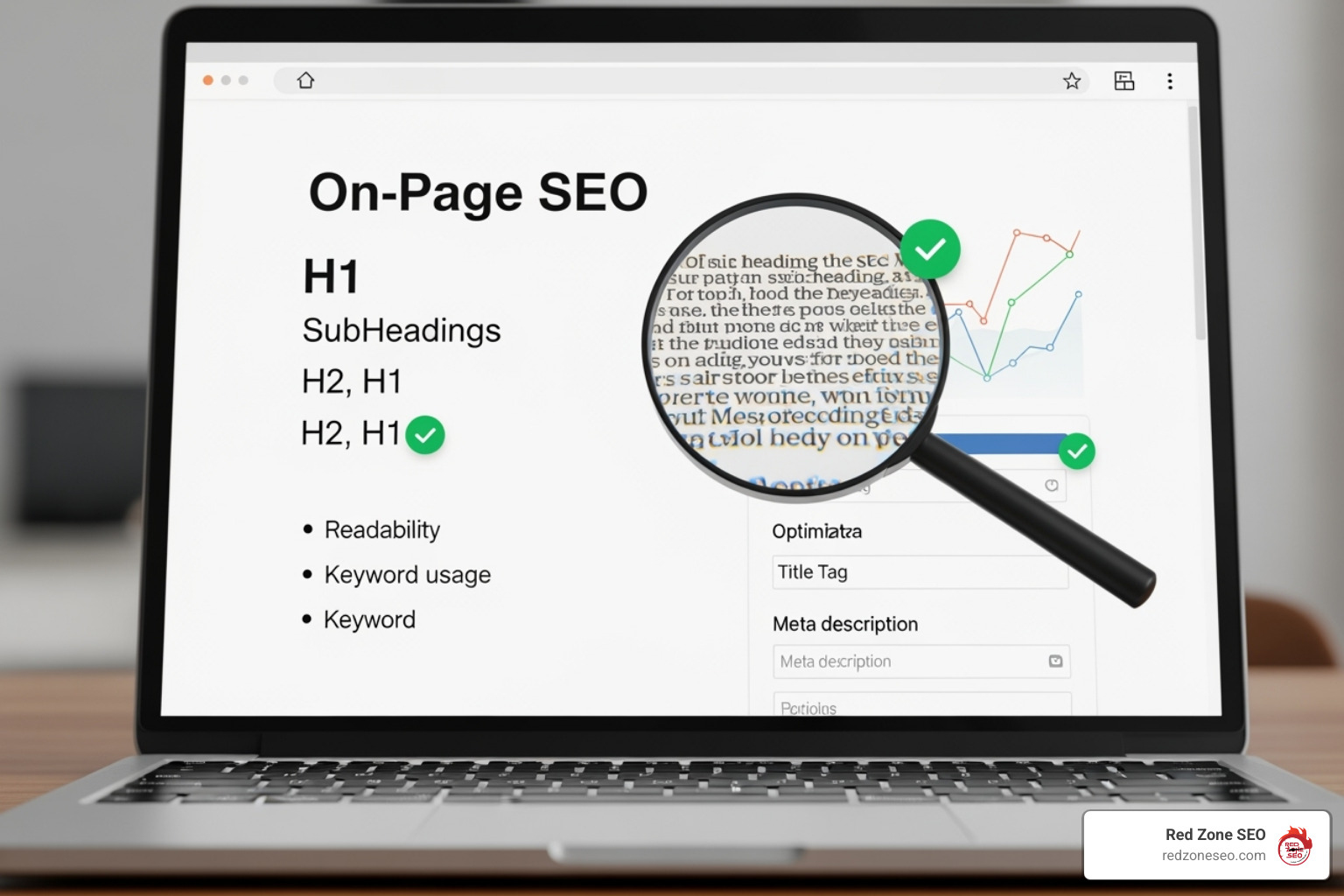
The checker then compares its findings against a vast database of SEO best practices, essentially acting as a friendly spy that reports back on what Google might think of your page. Since Google uses hundreds of ranking factors, these tools have a lot of detective work to do.
Modern SEO checkers employ sophisticated algorithms that simulate search engine behavior. They parse your HTML structure, analyze JavaScript rendering, evaluate CSS performance impact, and even assess how your content appears across different devices and screen sizes. This comprehensive approach ensures that no optimization opportunity goes unnoticed.
The crawling process itself is fascinating. These tools create a virtual browser session, load your page completely including all resources, and then systematically examine each component. They measure loading times at multiple stages, check for accessibility compliance, verify that all links function properly, and ensure that your content is properly structured for both human readers and search engine algorithms.
Your content is the star of the show. Modern checkers are smart, looking beyond simple keyword stuffing to understand the true quality and relevance of your content.
For deeper insights into crafting content that both humans and search engines love, explore our guide on Content Optimization.
Technical optimization is the circulatory system of your SEO. This is where checkers dive into the details that can make or break your visibility.
If you are running a WordPress site, these technical elements require special attention. Our WordPress SEO Services can help ensure your technical foundation is rock-solid.
This final piece of the puzzle involves how users experience your visual and interactive content.
For e-commerce websites, these UX elements are even more critical. Learn more in our guide to Ecommerce Store SEO.
Now that we understand what these powerful tools inspect, let's explore the best on page seo checker options available. We have narrowed down the choices to our top picks, focusing on those that provide comprehensive insights, actionable recommendations, and outstanding value.
The SEO tool landscape has evolved dramatically in recent years. What once required multiple separate tools can now be accomplished with comprehensive platforms that integrate various aspects of optimization analysis. However, this consolidation has also led to feature bloat in some tools, making it crucial to identify which platforms truly excel at on-page analysis versus those that offer on-page checking as a secondary feature.
Our evaluation process considered several critical factors: accuracy of recommendations, depth of analysis, ease of implementation, reporting quality, integration capabilities, and overall value proposition. We tested each tool against a diverse set of websites across different industries, content management systems, and optimization levels to ensure our recommendations work in real-world scenarios.
Before diving into our top picks, understand how to select the tool that best fits your unique needs. The right choice depends on your budget, team size, technical expertise, and specific goals.
Understanding the SEO Audit Cost can also help you budget for the right solution and understand the value proposition of paid tools.
Overview:
Semrush is an undisputed powerhouse in the SEO world, and its On-Page SEO Checker is a core component of its comprehensive suite. It goes far beyond basic checks by comparing your page against the top 10 real-time organic competitors for your target keywords. This provides unparalleled strategic insights, offering actionable ideas for content enrichment, semantic keyword usage, backlink opportunities, and technical fixes by integrating with its powerful Site Audit tool.
Key Features:
Pros:
Cons:
Pricing:
The On-Page SEO Checker is included in Semrush's subscription plans, which start at around $129.95/month.
Best For:
SEO professionals, marketing agencies, and businesses that need a comprehensive, data-driven tool for developing a winning SEO strategy.
Overview:
For a fast, free, and surprisingly comprehensive audit, Sitechecker is an excellent choice. Its free on-page checker scans your page against over 100 parameters, categorizing issues by severity (Critical, Warning, Notice) and providing clear, step-by-step fix guides. Its popular Chrome extension, used by over 100,000 people, delivers these instant insights with a single click, making it a go-to tool for quick analysis.
Key Features:
Pros:
Cons:
Pricing:
Offers a powerful free on-page checker. Full site auditing and monitoring are available in paid plans starting at $49/month.
Best For:
Small business owners, bloggers, and marketing generalists who need a quick, easy, and free way to identify and fix on-page SEO issues.
Overview:
SE Ranking's On-Page SEO Checker is a standout tool that leverages AI to provide a data-driven roadmap for optimization. It analyzes pages against 94 parameters, but its real strength lies in its integration of competitor data and robust workflow management. It allows you to create, assign, and track on-page tasks, making it an ideal solution for teams and agencies managing multiple projects.
Key Features:
Pros:
Cons:
Pricing:
Included in SE Ranking's plans, which are highly customizable and start at around $55/month.
Best For:
SEO agencies, in-house marketing teams, and businesses looking for a powerful, collaborative tool with a strong focus on competitor analysis.
Overview:
Known for its German engineering and thoroughness, Seobility's SEO Checker audits your page against more than 200 criteria. It provides a truly holistic view of your optimization status, from major technical flaws to minor content tweaks. The tool calculates an overall SEO score, with anything above 80% considered well-optimized, and presents findings in a clean, color-coded report with a prioritized task list.
Key Features:
Pros:
Cons:
Pricing:
Offers a free plan for small websites. Paid plans with more extensive features start at a very affordable $50/month.
Best For:
Website owners who want a deep, comprehensive audit, and SEOs who appreciate a meticulous, no-stone-unturned approach to on-page optimization.
Overview:
As part of the respected Moz Pro suite, the On-Page Grader is a classic tool that has been helping SEOs for years. It's famously user-friendly, making it a fantastic choice for beginners. You simply enter a URL and a target keyword, and it returns a page optimization score from 1-100 along with a prioritized checklist of fixes. Its clear, actionable advice and integration with other Moz metrics are its standout features.
Key Features:
Pros:
Cons:
Pricing:
Included with a Moz Pro subscription, which starts at $99/month.
Best For:
Beginners, content marketers, and small business owners who want a straightforward, reliable tool to guide their on-page efforts for specific keywords.
Overview:
SEOptimer is a fantastic tool for agencies and freelance SEOs, specializing in creating beautiful, customizable, white-label PDF reports in just seconds. Its unique selling proposition is its embeddable audit tool, which can be placed on an agency's website to capture leads. This feature has reportedly doubled inbound SEO leads for some clients by offering immediate value to potential customers.
Key Features:
Pros:
Cons:
Pricing:
Plans start at $19/month, with white-label and embedding features available in higher tiers.
Best For:
Digital marketing agencies, freelance SEOs, and sales teams who need a fast, professional reporting tool to attract and convert new clients.
Overview:
When you need to check many pages at once, VerifySEO is the answer. Its core strength is its bulk analysis feature, which can audit up to 100 URLs simultaneously—a massive time-saver for large e-commerce sites, enterprise websites, or agencies managing multiple clients. It tracks over 50 key SEO features and provides plain-language explanations and how-to-fix tutorials for every issue it finds.
Key Features:
Pros:
Cons:
Pricing:
Offers a free trial. Paid plans are very competitive, starting at around $29/month.
Best For:
Enterprise SEOs, e-commerce managers, and agencies that need to efficiently audit and monitor a large number of pages.
Getting a report from an on page seo checker is just the first step. The real work begins when you translate those findings into action. Many people run an audit, get overwhelmed by the list of issues, and then do nothing. This is your opportunity to gain an advantage.
Most tools provide an "SEO Score." While helpful for tracking progress, don't fixate on the number. Focus on the underlying issues. Look for patterns: are your problems mostly technical, or are they content-related? This tells you where to direct your energy.
Create a strategic action plan. Don't try to fix everything at once. Prioritize your tasks like this:
SEO is not a one-time fix; it's an ongoing process. After implementing changes, run your on page seo checker again to confirm the issues are resolved. But don't stop there.
Regular audits should become part of your routine—at least quarterly, or whenever you publish new content or notice a drop in rankings. The real test is your actual search performance. Monitor your rank tracking tools and Google Analytics to see if your efforts are improving traffic and engagement.
Search algorithms are constantly evolving. Consistent monitoring helps you stay ahead of changes and maintain your competitive edge. For a comprehensive evaluation of your entire site, a full SEO Audit can provide the strategic roadmap needed for long-term success.
Let's tackle the most common concerns and clear up some widespread misconceptions about using an on page seo checker.
This is a frustrating but common situation. A perfect on-page score means you have a solid foundation, but it's just one piece of a much larger puzzle. Google uses hundreds of ranking factors, and many of them happen off your page.
Here are a few reasons you might not be ranking:
Regular checks are key to maintaining a healthy site. Here’s a good rule of thumb for when to run an audit:
Our guide to SEO for Small Business can help you create a manageable routine.
No. An automated checker is like a calculator for a mathematician—an essential tool, but it can't replace strategic thinking and context.
The most effective approach combines both. At Red Zone SEO, we use powerful tools to handle the heavy lifting of data collection, allowing our experts to focus on interpretation, prioritization, and strategic implementation. Learn more about our approach in our SEO Strategies for Start-ups.
In today's digital landscape, a reliable on page seo checker is an essential part of your toolkit. These tools act as your website's personal health monitor, diagnosing issues that could be holding you back from top search rankings.
We've explored how these tools analyze everything from content and keywords to technical health and user experience. We've also highlighted the top checkers for 2025, from Semrush's strategic insights to Sitechecker's powerful free audits and VerifySEO's bulk analysis capabilities.
However, a tool is only as good as the person using it. The real magic happens when you consistently apply the recommendations. SEO is a marathon, not a sprint. It rewards patience, consistency, and smart execution. The businesses that win are those that commit to an ongoing process of optimization and adaptation.
At Red Zone SEO, we combine the analytical power of the best tools with genuine human expertise. We understand that data without context is just noise. We don't just identify problems—we craft comprehensive strategies that drive real business growth.
Whether you're a local business in Las Vegas or a company anywhere in the country, we bring data-driven solutions that deliver measurable results. Your competitors are investing in SEO every day. Don't get left behind.
Take the first step toward dominating your market. Contact us for a comprehensive Las Vegas SEO strategy and find how our proven approach can help you win the SEO game. Your future customers are searching for you right now—let's make sure they find you first. Reach out to our Las Vegas SEO Experts today.
Learning how to do on page optimization in seo is the foundation of any successful SEO strategy. It involves optimizing individual web pages to rank higher and earn more relevant traffic from search engines. This is achieved by improving both the content and the underlying HTML source code of your pages.
Effective on-page SEO focuses on creating high-quality, user-focused content that matches search intent, optimizing title tags and meta descriptions, and structuring content with proper header tags (H1, H2, H3). It also includes using descriptive URLs, implementing internal links, optimizing images, ensuring fast page speeds, and adding schema markup.
Unlike off-page SEO factors like backlinks, on-page optimization is completely under your control. This is a critical advantage; you don't need to wait for another website to link to you or for a journalist to mention your brand. You can make changes immediately and see the impact directly. Google's algorithms have evolved far beyond simple keyword placement to understand context, semantics, and user intent. This means modern on-page SEO prioritizes a holistic user experience. Pages that load quickly, provide clear and comprehensive answers, and offer genuine value will consistently outrank those that don't. For small businesses, mastering on-page SEO is often the fastest and most cost-effective way to improve search rankings and generate a tangible return on investment.
Key terms for how to do on page optimization in seo:
If you've ever wondered how to do on page optimization in seo, you're in the right place. Think of on-page SEO as the art of making your website speak fluently to both search engines and real people. It's the practice of optimizing everything that lives directly on your website—your content, HTML code, images, and how they all connect.
To understand its role, it's helpful to know the three main flavors of SEO:
The game changed with Google's focus on user intent. Google is now incredibly smart about understanding why people search. This means modern on-page SEO requires thinking like your customers, not a keyword-stuffing robot. This aligns with Google's emphasis on E-E-A-T (Experience, Expertise, Authoritativeness, and Trustworthiness), which rewards content from authors who genuinely know their subject matter. E-E-A-T is demonstrated through:
This all ties into Google's push for people-first content. When you write for humans first, search engines follow. This is why on-page SEO is so crucial: it gives Google a clear roadmap to your content, leading to improved rankings and increased organic traffic. A compelling title and description can also boost your click-through rate, stealing clicks from higher-ranked competitors. Best of all, these are completely controllable SEO factors, making on-page optimization the essential foundation for all other SEO efforts. For more details, check out our More info about On-Page SEO Definition.
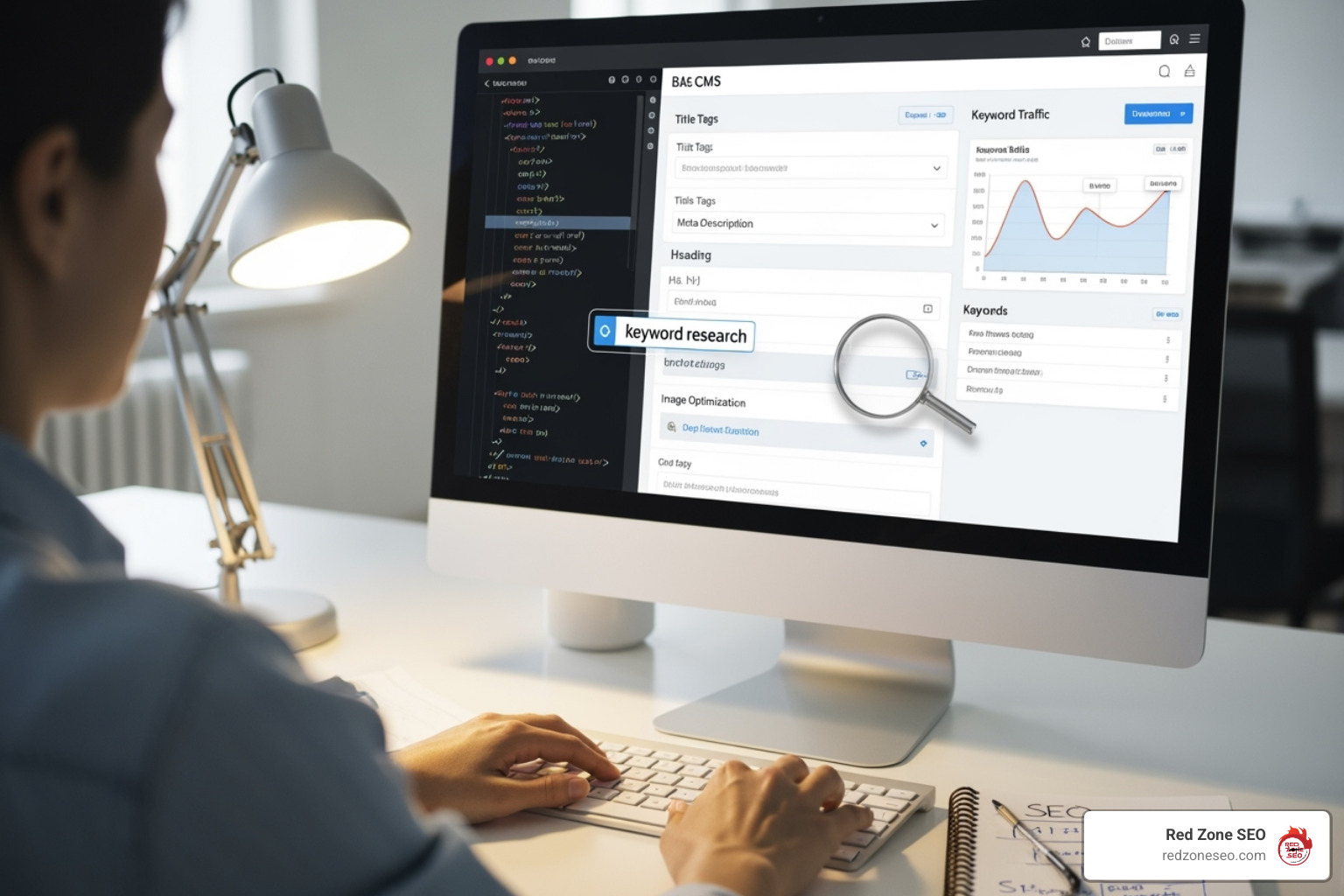
Now that we understand the "why," let's dive into the "how." The heart of how to do on page optimization in seo lies in carefully crafting your content and optimizing the HTML elements that structure it. This is where your words meet the code to tell search engines and users what your page is about.
Content is king, but only if it's created to help people. Writing for users first is the most sustainable path to SEO success. This means creating in-depth content that goes beyond surface-level answers. While there's no magic word count, comprehensive content often performs better because it thoroughly addresses a user's needs.
What truly makes content shine is original research and insights. In an age of AI-generated articles, your unique perspective and real-world experience are invaluable. This can include conducting your own surveys, analyzing proprietary data from your business, presenting unique case studies, or offering a novel perspective that challenges conventional wisdom. When you bring fresh value to a topic, you create content worth linking to. This also helps demonstrate expertise, a key component of Google's E-E-A-T framework. Show your credentials, cite reputable sources, and share your real-world experience. Finally, ensure your content is readable by using short sentences, conversational language, and plenty of white space. You can learn more info about Content Optimization on our website.
Modern keyword research focuses on understanding customer intent. The goal is to balance primary keywords (the main terms you want to rank for) with long-tail keywords (longer, more specific phrases that often have higher conversion rates). Tools like Ahrefs can uncover opportunities, but the best insights often come from listening to your customers.
Keyword mapping is the process of assigning specific keywords to specific pages. This prevents your own pages from competing against each other for the same search queries, a problem known as keyword cannibalization. For example, if you have two different blog posts both trying to rank for "on-page SEO checklist," Google may struggle to determine which is more relevant, potentially hurting the rankings of both. By mapping one primary keyword to one primary page, you create clarity for search engines. Once mapped, focus on natural keyword integration. Place your primary keyword in the first 100 words to signal the topic to readers and search engines. Use variations of your keyword in headings and subheadings to guide users through the content. In the body copy, write naturally; Google understands synonyms and context, so there's no need to repeat the exact phrase over and over. You can find more info about Keyword Research on our website.
These HTML elements are your content's first impression in search results. Get them right, and you'll attract more clicks.
Google's advice on title links emphasizes creating clear, unique, and concise titles. Following these guidelines creates a better experience for everyone.
Beyond the words on your page, a technical layer significantly impacts your on-page SEO. These elements ensure your content is findable, accessible, and enjoyable. Think of it as the essential plumbing and wiring of your website.
Mastering how to do on page optimization in seo requires attention to these technical details. Here’s what belongs on your checklist.
A well-crafted URL tells users and search engines what to expect. Follow these best practices:
yourwebsite.com/on-page-seo-guide is better than yourwebsite.com/p-123.Links connect your content and guide users and search engines.
Optimized images are powerful SEO assets that can drive traffic from image search.
IMG001.jpg to on-page-seo-checklist.jpg before uploading.Schema markup is code you add to your site to help search engines understand your content in greater detail. This structured data can help you earn rich snippets in search results—improved listings that include star ratings, prices, or event dates. For example, adding FAQ schema to a list of questions and answers on your page can make those Q&As appear directly in the search results, taking up more space and enticing clicks.
Common schema types include FAQ, How-to, Review, and Product schema. These make your listing stand out and can significantly increase click-through rates. After implementing schema, use the Schema Markup Validator to ensure it's error-free. You can explore all available types at Schema.org.
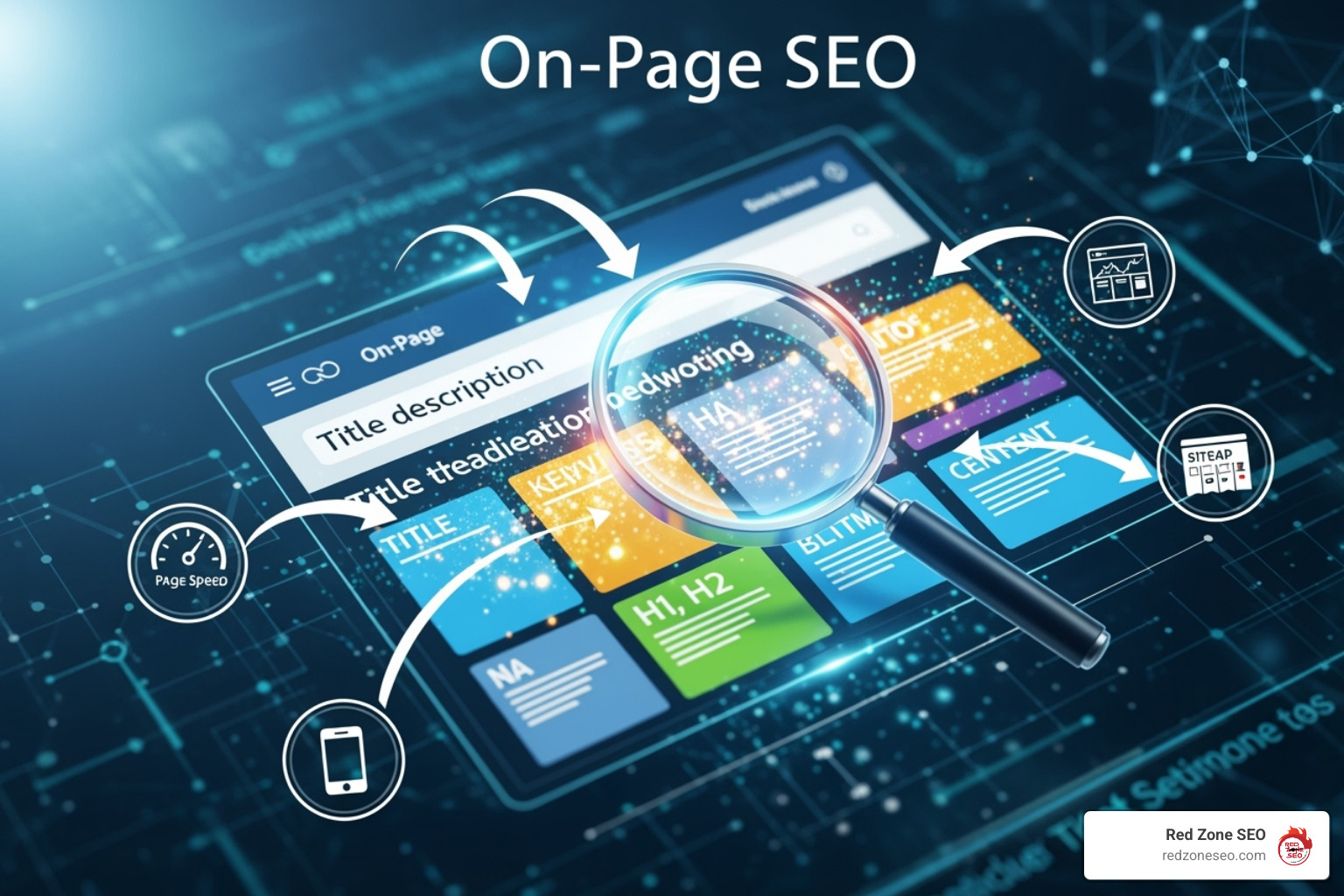
Optimization is an ongoing process. To truly master how to do on page optimization in seo, you must continuously audit your site, measure performance, and adapt your strategies based on data.
Featured snippets, or "Position Zero," are boxes that appear at the very top of search results, providing a direct answer to a user's query. To win them, you need to identify snippet opportunities (often question-based keywords) and structure your content accordingly:
Winning a snippet provides incredible visibility and can significantly boost click-through rate (CTR).
In our mobile-first world, page speed is non-negotiable. It's a confirmed ranking factor, and slow load times lead to high bounce rates. With Google's shift to mobile-first indexing, the mobile version of your site is now the priority for ranking. If your mobile site is slow or clunky, your overall rankings will suffer.
Google uses Core Web Vitals to measure user experience:
Use tools like Google's PageSpeed Insights to diagnose issues. Optimizing for speed and mobile isn't just for Google; it's about respecting your visitors. This is especially crucial for SEO for Small Business success.
A content audit is like spring cleaning for your website. It helps you systematically evaluate every piece of content to identify what to keep, update, or remove. The goal is to improve the overall quality and performance of your site.
At Red Zone SEO, we've helped countless businesses master their on-page optimization. Here are the answers to the most common questions we hear.
Think of on-page SEO as everything you control directly on your website. This includes your content, title tags, internal links, and page speed. It's like renovating your own house.
Off-page SEO, on the other hand, involves actions taken outside your website to build its reputation and authority. This includes earning backlinks from other sites, social media mentions, and online reviews. It's like building your reputation in the neighborhood.
Both are vital, but on-page SEO offers immediate power to make improvements, making it the perfect starting point.
This is the most common question. The answer depends on the change. Simple optimizations, like improving a title tag, can appear in search results within days and quickly boost click-through rates.
However, for significant ranking improvements and traffic growth, patience is key. It typically takes 4-6 months for major changes to fully manifest. Google needs time to recrawl, reindex, and re-evaluate your pages against competitors. SEO is a long-term strategy where consistent effort compounds over time.
Yes, placing your primary keyword in the first paragraph (ideally the first 100 words) is a best practice. It sends a clear signal to both users and search engines about your page's topic right away.
The critical rule is that it must feel natural and make contextual sense. Don't force a keyword into an awkward opening sentence. Instead, create a compelling introduction that naturally incorporates your keyword. Google's sophisticated algorithms reward natural language, so focus on writing for your audience first.
AI can be a powerful tool for brainstorming, outlining, and even drafting content, but it should be used as an assistant, not a replacement for human expertise. Google's stance is that it rewards high-quality content, regardless of how it's produced. However, content created for people is key. Purely AI-generated content often lacks the E-E-A-T signals (Experience, Expertise, Authoritativeness, Trustworthiness) that build trust. The best approach is to use AI to accelerate your workflow, but always have a human expert add unique insights, original research, and a genuine voice to ensure the final piece is valuable and helpful to the reader.
Congratulations! You now have a complete roadmap for turning your website into a search engine magnet. We've covered how modern on-page SEO has moved beyond keywords to focus on creating a seamless experience where high-quality content meets technical excellence.
The core elements—from compelling titles and structured content to technical details like SEO-friendly URLs, optimized images, and schema markup—are the building blocks of visibility. We've also seen that on-page SEO is a continuous process, not a destination. Regular audits, performance monitoring, and adapting to algorithm changes are essential for long-term success.
The beauty of mastering how to do on page optimization in seo is that it's entirely within your control. You can implement these changes today and start building momentum. Every action you take, from improving your Core Web Vitals to optimizing for a featured snippet, is an investment in your site's future.
At Red Zone SEO, we've seen businesses transform when they commit to a user-first approach backed by solid technical optimization. Search engines will always reward websites that provide genuine value, load quickly, and offer an exceptional experience. By consistently implementing these strategies, you're not just improving rankings—you're building a stronger online presence that converts your ideal customers.
Ready to put these strategies into action? Your website has incredible potential waiting to be opened up. Get a comprehensive SEO strategy for your business and let's work together to turn your knowledge into measurable growth.
What is on-page seo? On-page SEO is the practice of optimizing individual web pages to improve their search engine rankings and attract more organic traffic. It involves refining both the content and HTML source code of your pages, focusing on elements you can directly control.
Key components of on-page SEO include:
With more than 50% of all website traffic coming from organic searches and 93% of online experiences beginning with a search engine, mastering on-page SEO is essential for business survival. Unlike off-page factors like backlinks, on-page SEO is completely within your control. You can implement changes directly on your website and often see results quickly.
Effective on-page optimization acts as the foundation of your digital marketing, helping search engines understand what your pages are about and why they deserve to rank higher than your competitors.
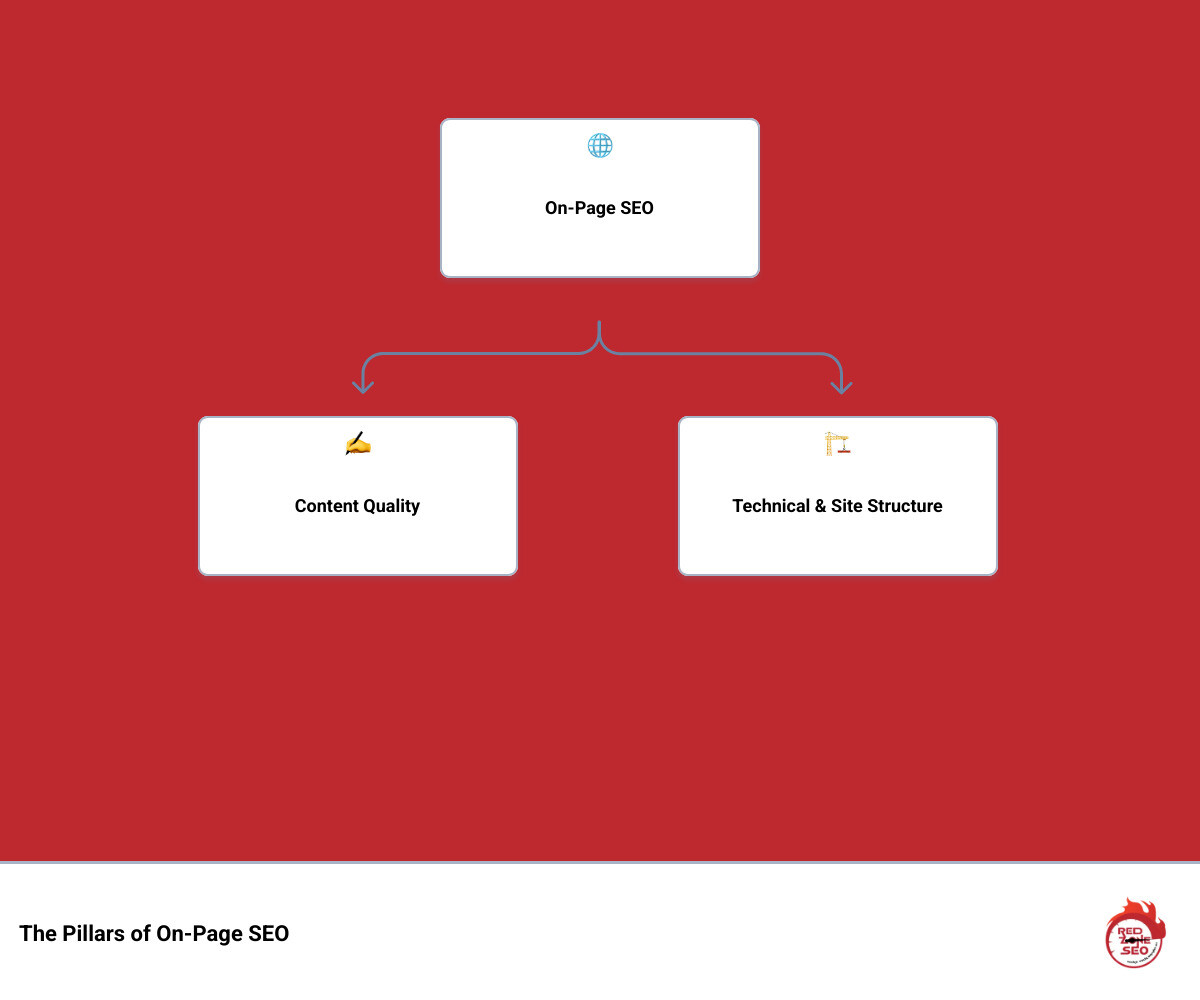
Related content about what is on-page seo:
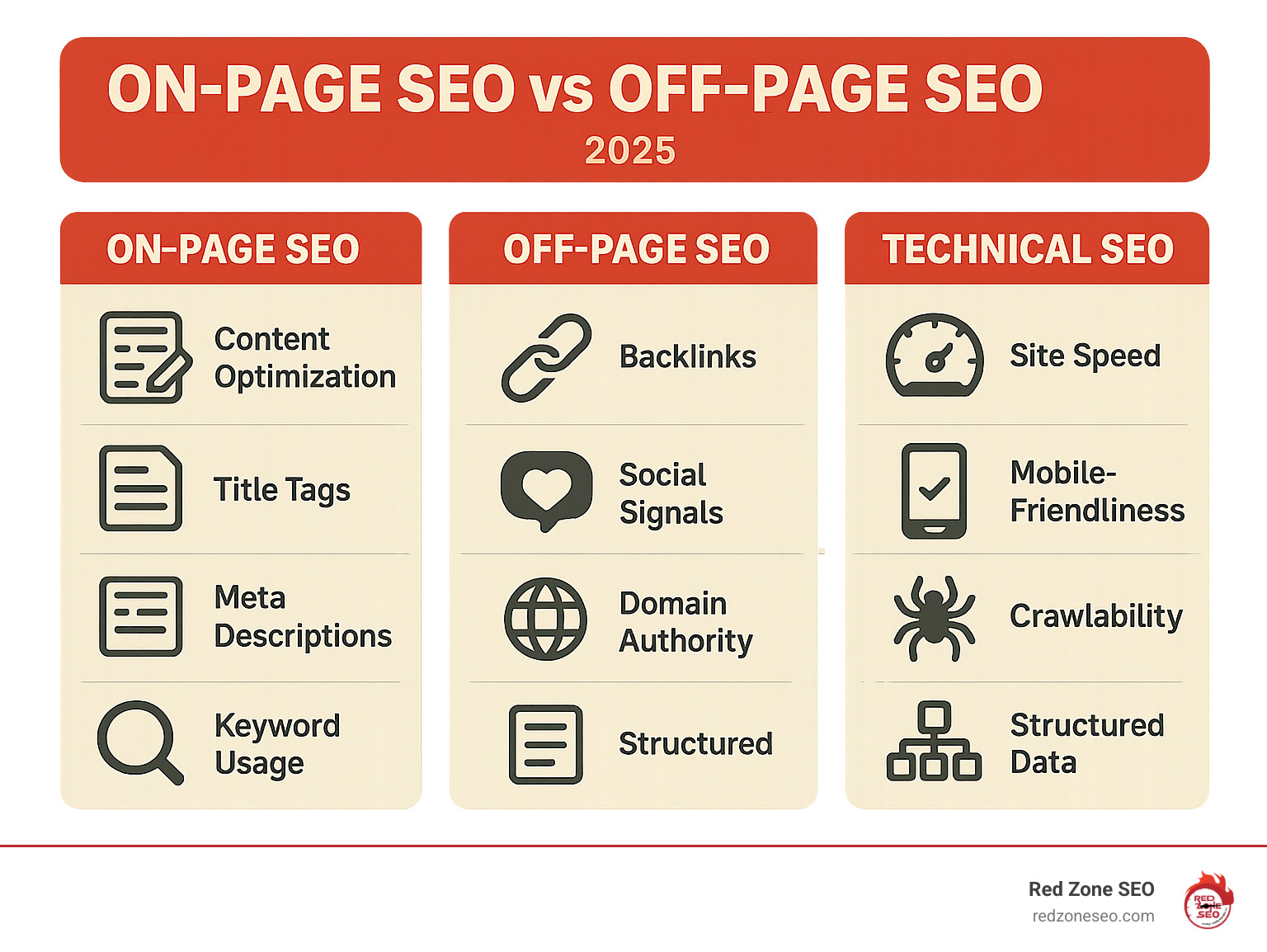
A robust SEO strategy rests on three pillars: on-page, off-page, and technical SEO. Understanding how these three essential ranking factors work together is key to building a solid website foundation that search engines and users will value. What is on-page SEO in this context? It's the pillar you have the most direct control over.
The table below breaks down how each pillar contributes to getting your website noticed.
| Aspect | On-Page SEO | Off-Page SEO | Technical SEO |
|---|---|---|---|
| Focus | Content, Keywords, HTML Tags, User Experience | Backlinks, Brand Mentions, Social Signals | Site Speed, Indexing, Security, Crawlability |
| Elements | Title tags, headings, content, internal links | Inbound links, social shares, online reviews | HTTPS, sitemaps, mobile responsiveness, structured data |
| Control Level | High (you directly control) | Low-Medium (depends on external entities) | High (you directly control, often with expertise) |
| Timeframe | Shorter-term impact, continuous refinement | Longer-term authority building | Medium-term impact, foundational improvements |
| Goal | Relevance, clarity, user engagement | Authority, trust, popularity | Accessibility, performance, findability |
On-page SEO involves optimizing elements on your website to be as clear and valuable as possible for both search engines and visitors. This includes content optimization—creating content that directly answers user questions—and structuring it with HTML source code elements like title tags and headers. Because you have direct control over these user-facing elements, on-page SEO is the perfect starting point for any SEO strategy. Improving your content and structure not only sends positive relevance signals to Google but also creates a better experience for your audience.
Off-page SEO refers to actions taken outside of your own website to impact your rankings. It's about building your site's reputation and authority through external signals. The most significant of these are backlinks—links from other websites to yours. High-quality backlinks act as votes of confidence, boosting your domain authority. Other off-page factors include brand mentions (even without a link) and signals from social media marketing that drive traffic and awareness. Building authority this way takes time and effort, as you are relying on external entities to vouch for your credibility.
Technical SEO is the work done behind the scenes to ensure your website's foundation is solid, allowing search engines to crawl and index your site effectively. Key components include crawlability and indexability, which depend on clean code and a logical site structure. Site speed is another critical factor, as fast-loading pages rank better and reduce user frustration. With Google's mobile-first indexing, mobile-friendliness is non-negotiable. Finally, website security via HTTPS is a standard ranking factor that builds trust with both users and search engines. These foundational improvements have long-lasting effects across your entire site.
Let's explore the specific elements that make on-page SEO effective. Each component works together to help search engines understand your content and, more importantly, help users find the answers they need. Mastering these elements is the key to aligning ranking factors with genuine user engagement and satisfying search intent.
High-quality content is the most critical part of what is on-page seo. If your content doesn't genuinely help people, no amount of technical tweaking will lead to long-term success.
Keywords act as signposts, helping search engines understand your content's topic. A modern keyword strategy is about relevance and natural language, not stuffing terms into your text.
HTML elements are what users and search engines see first. They are critical for making a good first impression in search results.
A logical site structure makes your website easy to steer for both users and search engine crawlers.
yoursite.com/what-is-on-page-seo). A clean simple URL structure tells everyone what the page is about at a glance. Google recommends this approach for using simple URLs.Once you've mastered the fundamentals, advanced tactics can set you apart from the competition. What is on-page seo at this level? It's about perfecting the page experience and using sophisticated techniques to earn more visibility through features like rich snippets.

Images are powerful SEO assets that can drive traffic and improve engagement. To leverage them effectively:
on-page-seo-infographic.jpg) instead of generic names like IMG_1234.jpg.Google uses page experience signals, including Core Web Vitals, as official ranking factors. A poor user experience can directly harm your rankings.
You can check your site's performance using Google PageSpeed Insights for specific improvement recommendations.
Structured data is a standardized format for providing information about a page and classifying its content. Using schema markup, you can explicitly tell search engines what your content means.
Always validate your implementation with Google's Rich Results Test tool to ensure it's error-free and eligible for rich results.
On-page optimization is not a one-time fix. To ensure your efforts are effective, you must measure and monitor your success. This allows you to identify what's working, find areas for improvement, and adapt your strategy over time.
Keep a close eye on these metrics to understand your performance:
Several powerful tools can help you track these metrics:
By regularly analyzing data from these tools, you can continuously refine your on-page SEO strategy for sustainable growth.
Business owners often have similar questions when starting with on-page SEO. Here are answers to three of the most common ones.
On-page SEO is an ongoing process, not a one-time task. Search engine algorithms, competitor strategies, and user behavior are constantly changing. To stay competitive, you should adopt a regular maintenance schedule.
While all elements work together, high-quality, comprehensive content that satisfies user search intent is the most critical factor. Google's primary goal is to provide users with the most relevant and helpful answers to their queries. If your content achieves this, you've won the most important part of the battle. Technical elements like title tags and headers are essential for helping Google understand and present your content, but they cannot make up for content that is irrelevant or unhelpful. Great content is the foundation upon which all other on-page SEO efforts are built.
The distinction can seem blurry, but it's best understood this way:
In short, technical SEO builds a fast, accessible highway for search engines, while on-page SEO ensures the destinations (your pages) are valuable and worth visiting. The two work hand-in-hand for optimal results.
Mastering on-page SEO is not a luxury—it is the price of entry for competing in today's search landscape. From crafting people-first content that nails search intent to polishing every HTML element, each tweak you make sends a clear signal to Google: this page deserves to rank. Because these improvements are almost entirely within your control, on-page work delivers one of the highest ROIs in digital marketing.
Remember the key takeaways:
At Red Zone SEO, we specialize in turning these principles into tangible growth. Whether your company is headquartered in Las Vegas or expanding operations across Austin, Florida, Henderson NV, or elsewhere in Nevada, our data-driven SEO solutions meet you where you are and propel you to where you want to be.
Ready to open up the full potential of your website? Our team is here to help you refine every element—from keyword research to schema markup—and build a sustainable stream of qualified organic traffic.
Take your website to the next level with our Las Vegas SEO services
SEO is a marathon, not a sprint. The best-ranking pages on the internet didn't get there overnight—they earned their spot through regular updates, consistent optimization, and relentless attention to user needs. Treat your on-page SEO the same way you treat any other mission-critical business process: review performance data, test new ideas, and iterate until you outperform the competition. Over time, these incremental gains compound, turning your website into an always-on sales engine that works for you 24/7.
Why is on page seo important? It’s the foundation of your entire digital marketing strategy. By optimizing elements directly on your website, you control how search engines understand your content and how users experience your brand, which directly impacts your rankings, traffic, and revenue.
Here’s why on-page SEO is critical for your business:
Consider the data: half of all website traffic comes from search engines, and the first page of results captures 91.5% of that traffic. The top result alone gets over 32% of all clicks. This means your on-page optimization directly affects your bottom line.
Unlike off-page SEO (like earning backlinks), on-page SEO puts you in complete control of your site's content, HTML, and structure. These factors work together to signal relevance to search engines while creating a better experience for your visitors, turning your website into a revenue-generating asset.
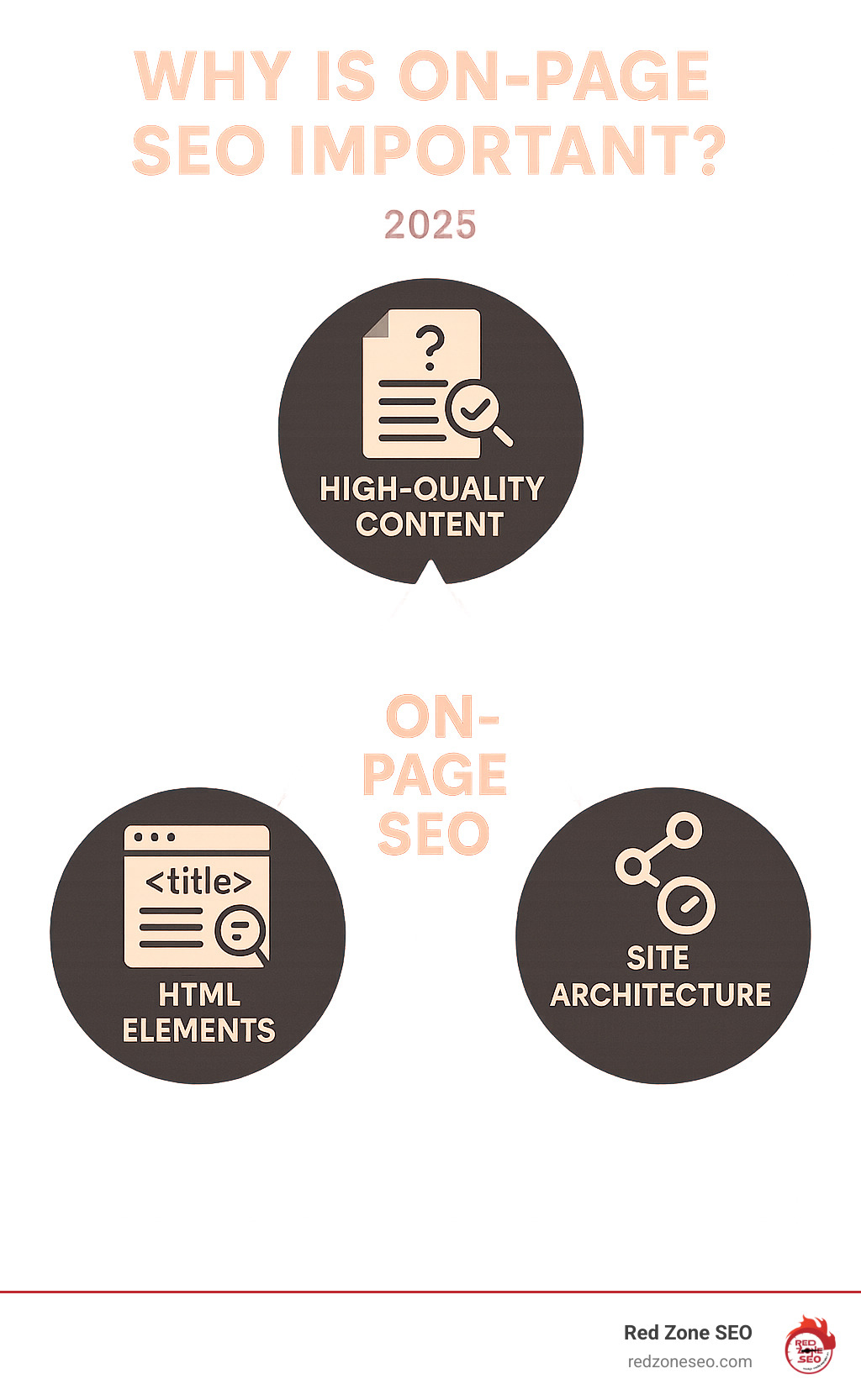
On-page SEO (or on-site SEO) is the practice of optimizing individual web pages to rank higher in search results and attract more relevant traffic. Think of it like running a great restaurant: you need a clear menu (content), delicious food (value), and a clean, welcoming environment (user experience). It’s everything you do directly on your site to make it appealing and understandable to both search engines and people.
This includes the words you write, the images you choose, and the way you organize content with headings. It also covers behind-the-scenes HTML elements that signal importance to search engines. The key benefit of on-page SEO is its controllable nature; you can make these improvements yourself and see a direct impact.
To understand why is on-page SEO important, it helps to see how it fits with other SEO strategies. SEO is a combination of what happens on your site (on-page) and what happens elsewhere on the internet (off-page).
Off-page SEO builds your site's reputation and authority through external signals, primarily high-quality backlinks from other websites. It also includes social media marketing, brand mentions, and online reviews.
Technical SEO is the foundation that supports both. It ensures your site is technically sound—fast, crawlable by search engines, and secure.
Here’s a quick comparison:
| On-Page SEO | Off-Page SEO |
|---|---|
| What you control: Content quality, keywords, title tags, meta descriptions, headings, URLs, internal links, image optimization, structured data, page speed, mobile-friendliness | External signals: Backlinks, guest posting, social media engagement, brand mentions, online reviews, local citations |
| Your control level: Complete control – you can make changes immediately | Your control level: Limited control – you need to earn these signals from others |
| Primary purpose: Helps search engines understand what your page is about and ensures great user experience | Primary purpose: Builds authority and trust signals that show your site is popular and credible |
The best results come when these strategies work in synergy. Great on-page content naturally attracts off-page backlinks, and a technically sound site ensures all your efforts are recognized by Google.
A successful SEO strategy always begins with a solid on-page foundation. It's the only part of SEO that's entirely in your hands. You can implement these changes today to immediately improve how search engines and users perceive your site.
If Google can't figure out what your page is about, even a mountain of backlinks won't help you rank. Strong on-page SEO makes your off-page efforts, such as link building, exponentially more effective. A link to a well-optimized, user-friendly page carries far more weight.
That's why a holistic approach is essential. At Red Zone SEO, we often start with a comprehensive SEO audit to ensure all elements are working together seamlessly.
On-page SEO directly translates to business growth by improving visibility, user experience, and ROI. The data is clear: with nearly 40% of online revenue coming from search and the top result getting over 32% of clicks, optimizing your pages is not optional—it's essential for capturing your share of the market. If you're not on the first page, you're effectively invisible to most potential customers.
On-page SEO is your direct path to claiming that valuable digital real estate by aligning your website with key ranking factors and user intent.
Search engine crawlers need clear signals to understand and index your content. On-page SEO provides these signals.
Google's ultimate goal is to satisfy users. This is where why is on-page SEO important becomes most meaningful. Google's guidelines emphasize E-E-A-T: Experience, Expertise, Authoritativeness, and Trustworthiness.
On-page SEO delivers one of the strongest returns on investment in digital marketing.
Now that we've established the "why," let's focus on the "how." The real power of on-page SEO comes from optimizing the specific elements you control. These are the practical tools you can use to build a website that is both functional for search engines and valuable for users.
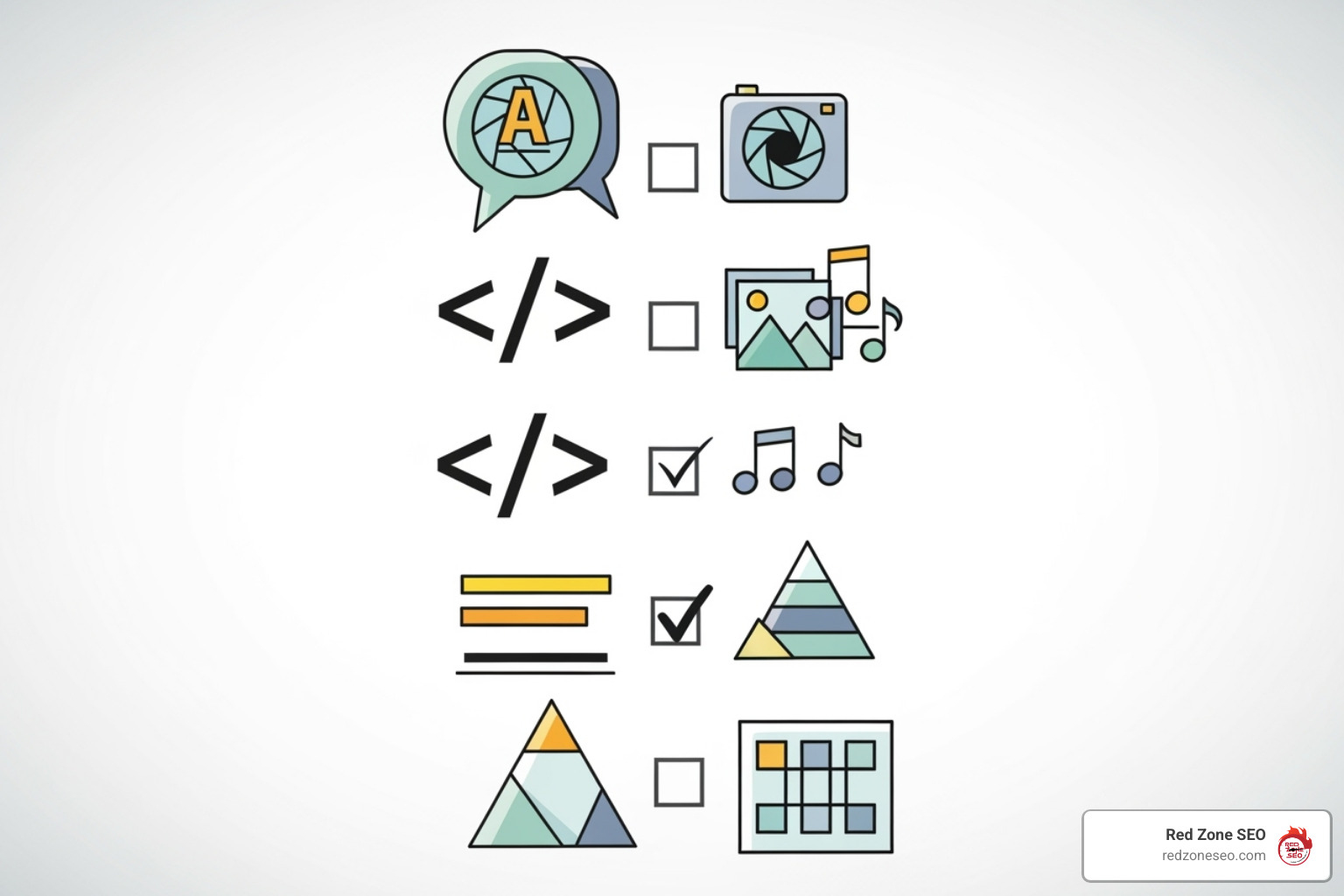
At Red Zone SEO, we focus on seven core on-page elements that fall into three main categories: content creation, HTML elements, and site architecture. Because you have direct control over these elements, you can implement changes today and start improving how search engines rank your content. Let's explore each one.
High-quality content is the cornerstone of on-page SEO. To succeed, your content must be helpful, comprehensive, and original, directly answering the questions your audience is asking. This means going beyond surface-level information to provide real solutions and unique insights.
This valuable content must be paired with strategic keyword research. A thorough keyword research process helps identify the exact phrases your potential customers are using.
Title tags and meta descriptions are your website's advertisement in search results. They are the first thing a potential visitor sees, making them critical for earning clicks.
Title tags are the clickable blue headlines in search results and are a confirmed ranking factor. A great title tag is:
Meta descriptions are the short summaries that appear under the title. While not a direct ranking factor, they heavily influence click-through rates. A compelling meta description acts as a mini-advertisement for your page, using active language and a clear call to action to convince users to click. Even though Google sometimes rewrites them, a well-crafted description provides a strong suggestion and can significantly boost clicks when used.
Header tags (H1, H2, H3) create a logical structure for your content, acting as a roadmap for both readers and search engines. This hierarchy is crucial for readability and signaling your content's relevance.
This structure makes your content highly scannable, as most users scan pages for relevant information before reading in detail. Well-organized headings help them find what they need quickly, improving engagement and sending positive signals to search engines.
An SEO-friendly URL is like a clear street address for your web page. It should be simple, descriptive, and easy for both humans and search engines to understand at a glance.
A well-structured URL provides context and reinforces your page's topic. Google's advice on simple URLs emphasizes this human-first approach.
Best practices for URLs include:
redzoneseo.com/on-page-seo-checklist is much better than redzoneseo.com/p?id=123.on-page-seo more understandable than on_page_seo or onpageseo.Clean, descriptive URLs are more shareable and can improve click-through rates from search results, especially when the keywords in the URL match a user's query.
Strategic internal linking creates a connected web of content on your site, guiding users and search engines to relevant information. This practice is essential for distributing page authority, improving navigation, and establishing your expertise on a topic.
For best results, use descriptive, keyword-rich anchor text (e.g., "learn about our SEO audit services" instead of "click here") to provide clear context for both users and search engines.
Images make your content more engaging, but unoptimized files can slow down your site and hurt your SEO. Proper image optimization ensures fast load times and helps search engines understand your visual content, making it a win for both user experience and rankings.
Key elements of image optimization include:
alt="sparrow-resistant bluebird house").bluebird-house-plans.jpg instead of IMG_1234.jpg).Optimized images can also rank in Google Image Search, driving additional traffic to your site.

Structured data (or Schema markup) is a specialized code that gives search engines explicit context about your content. It's like adding labels to your information, helping Google understand it better and display it in more engaging ways in search results.
Why is on page seo important here? Because structured data can open up rich snippets—improved listings in the search results that include extra details like star ratings, prices, cooking times, or FAQ dropdowns. While not a direct ranking factor, rich snippets make your listing stand out, which can dramatically increase your click-through rate.
The vocabulary for this code comes from Schema.org, a collaborative effort supported by all major search engines. Common types of Schema that provide high impact include:
Before implementing, always validate your code using Google's Rich Results Test to ensure it's eligible for display.
Beyond content and HTML, the technical performance of your site is a massive part of on-page SEO. Google's page experience signals measure how fast, responsive, and stable your site is for users. A poor technical experience can undermine even the best content, hurting both your rankings and conversions. Optimizing these technical pillars is a key part of any effective SEO strategy for an online business because it creates a better site for both Google and your customers.
Page speed is a confirmed ranking factor. Google measures this using Core Web Vitals, a set of metrics that capture the real-world user experience of a page.
You can analyze your site's performance and get recommendations for improvement using Google's free PageSpeed Insights tool.
With more users browsing on mobile than desktop, Google uses mobile-first indexing. This means Google primarily evaluates the mobile version of your site to determine rankings. If your mobile site is poor, your rankings will suffer on all devices.
Responsive web design is the best solution. It allows your website layout to automatically adapt to any screen size, providing a consistent experience for all users. A mobile-friendly site should also have:
You can audit your site's mobile performance with tools like Google Lighthouse. A website that isn't optimized for mobile is bad for business.
Business owners often have similar questions about on-page SEO. Here are straight answers to the most common ones we hear at Red Zone SEO.
There's no single answer, as results depend on factors like your industry's competition, your website's existing authority, and the scope of the changes made. On-page SEO can produce results faster than off-page efforts, but it's still a long-term strategy.
Typically, you might see initial crawling and indexing improvements within weeks. Minor ranking shifts can appear in one to three months. However, significant, sustained growth in traffic and revenue usually takes three to six months of consistent effort. Patience and persistence are key.
Yes, absolutely. Many fundamental on-page SEO tasks are accessible to business owners. With free tools like Google Search Console and user-friendly platforms like WordPress or Shopify, you can manage basics like writing title tags, structuring content with headers, and optimizing images.
However, advanced strategy and technical optimization often require specialized expertise. In-depth keyword research, technical audits, and large-scale content strategy can be complex and time-consuming. For many, hiring a professional is a smart investment to save time and achieve better results. Deciding when to seek help, such as by requesting a quote for an SEO audit, is a strategic choice about maximizing your impact.
This is like asking if a house needs a foundation or walls—you need both. On-page and off-page SEO have a synergistic relationship and are both essential for success.
We always recommend starting with on-page SEO because it's entirely within your control and sets the stage for all other efforts. A strong on-page strategy makes your off-page campaigns significantly more powerful. A balanced approach that integrates both is the only way to achieve sustainable, long-term growth.
On-page SEO isn't a technical chore; it's the bedrock of your online success and a powerful engine for growth. It’s the most direct way to influence how both search engines and customers see your business.
To recap, why is on-page SEO important?
SEO is not a one-time task but a continuous process of refinement to adapt to algorithm updates and changing user behavior. At Redzone SEO, we build data-driven strategies from the ground up, always starting with a solid on-page foundation to ensure the long-term success of our clients in Las Vegas, Austin, Florida, and across the country.
Ready to take control of your online visibility and build your blueprint for success? Explore our expert Las Vegas SEO Services today.
When you want to know how to check on page seo, you're taking a vital step toward improving your website's visibility. With over 50% of all website traffic coming from organic searches and 93% of online experiences starting with a search engine, this is a smart move.
If you're looking for a quick answer, here are the fastest ways to check your on-page SEO:
On-page SEO is the practice of optimizing elements directly on your website pages, including content, keywords, headlines, and technical setup. It's the foundation for your site's search engine performance.
Why is this so important? Search engines like Google use hundreds of factors to rank web pages. On-page elements send crucial signals that tell search engines what your page is about and how relevant it is to a user's search. Getting it right helps your website appear higher in search results, bringing more organic traffic and potential customers.
This guide will walk you through everything you need to know about checking your on-page SEO, from key elements and tools to fixing common issues.
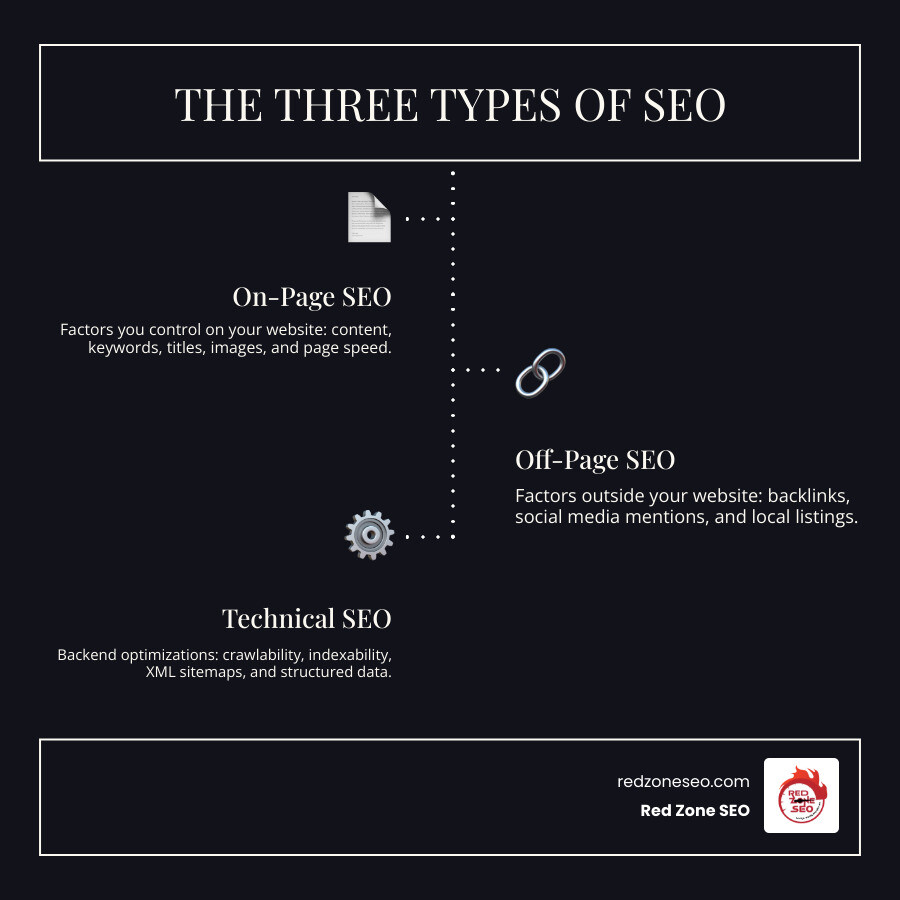
Simple how to check on page seo glossary:
When we talk about how to check on page seo, we're focusing on everything you can control directly on your website. Each element on your page acts as a signal to search engines, helping them determine your page's topic, quality, and relevance. The goal is to make these signals clear and strong, aligning with what both search engines and visitors are looking for. This involves a thorough website analysis of various ranking signals, prioritizing user experience, and keeping Google's guidelines in mind.
High-quality content is one of the most important factors for SEO success. Here’s what “quality” means to a search engine:
For more on this topic, see our insights on Content Optimization.
Your website's HTML structure plays a huge role in how search engines understand your content. These tags are the signposts that guide search engine crawlers.
For a deeper dive, Google's Search Engine Optimization (SEO) Starter Guide is an excellent resource.
A well-structured page is fundamental for both SEO and user experience. Google prioritizes sites that are easy to steer, load quickly, and work well on all devices.
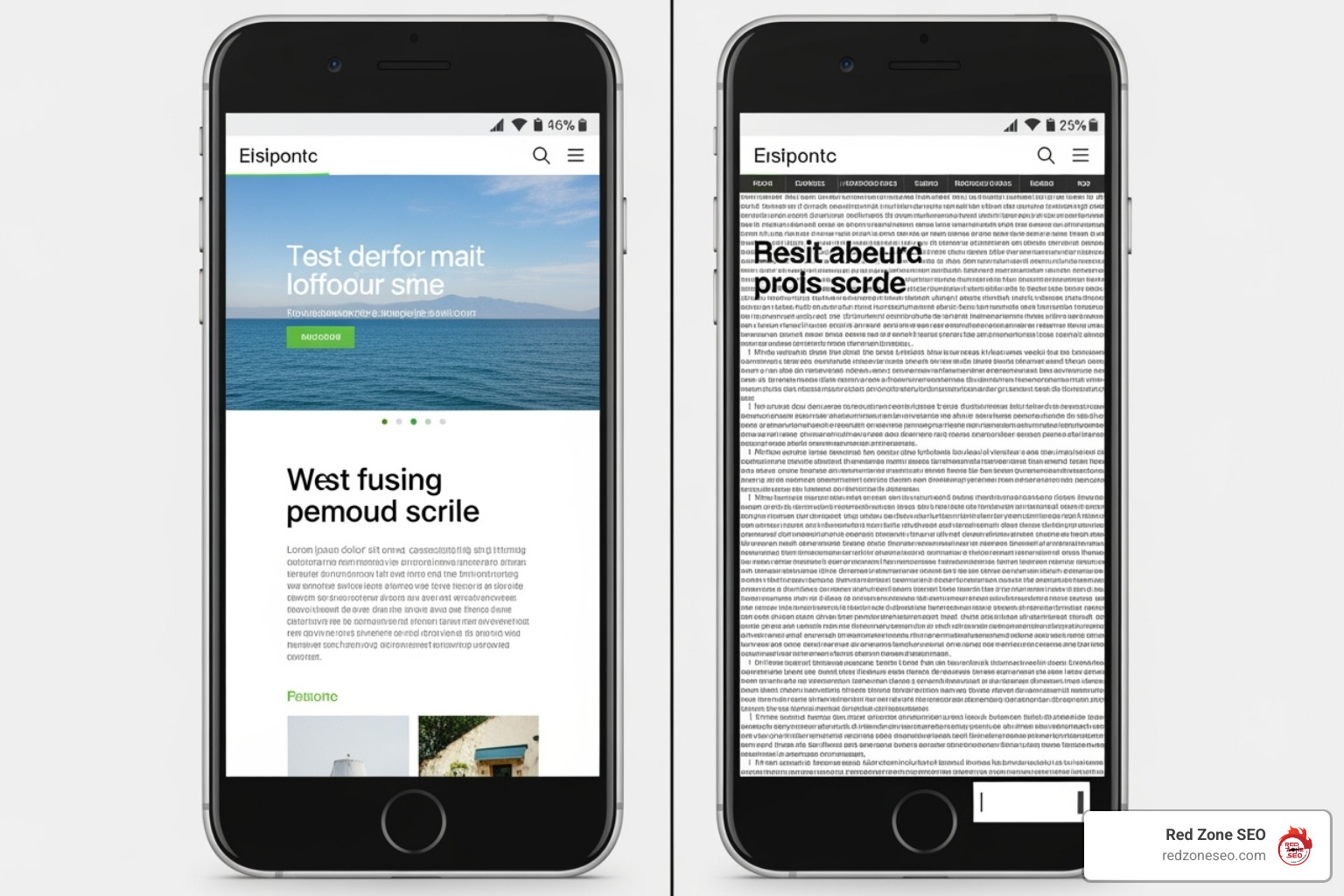
Now that we've covered what to check, let's explore how to check it. You can take two main approaches: hands-on manual inspection or using automated tools. Both are valuable parts of a robust SEO strategy, especially when trying to account for Google's 200+ ranking signals.
Manual checks are a great way to understand your website's mechanics without special software. They are perfect for quick spot-checks and deep dives.
site:yourdomain.com to see which pages are indexed.<h1> tag, and does it contain the primary keyword?<img> tags have descriptive alt text?While manual checks are insightful, they are time-consuming for larger sites. Automated on-page SEO checker tools can scan your page against hundreds of criteria and provide a comprehensive report.
These tools crawl your URL like a search engine spider, identifying technical issues like broken links, server errors, or duplicate meta tags. They then generate a detailed report, categorizing issues by severity and often providing step-by-step fixes.
Some popular tools for checking on-page SEO include:
For a more in-depth look at auditing, explore our article on SEO Audit.
Here's a quick comparison of these tools:
| Tool | Primary Function | Key On-Page SEO Features | Best For |
|---|---|---|---|
| Semrush | Comprehensive SEO platform | Instant Analyzer; On-Page SEO Checker compares to top 10 competitors, provides strategy, backlink, technical, content, and UX ideas. | Agencies and businesses needing competitive analysis and data-driven recommendations. |
| Yoast SEO | WordPress SEO plugin | Real-time content analysis in WordPress; checks readability, keyword usage in titles, metas, headings, alt text; suggests internal links. | WordPress users looking for in-editor optimization guidance. |
| Google Search Console | Google's official webmaster tool | Reports on indexing, crawl errors, mobile usability, Core Web Vitals, security issues; URL inspection tool; identifies missing titles/descriptions. | Understanding how Google indexes your site and identifying site-wide technical issues. |
Using an automated tool to how to check on page seo is straightforward and saves time. Here’s a simple guide:
After running an on-page SEO check, you'll have a report full of data, scores, and potential issues. Think of this report as your website's health check-up. Understanding it is the first step toward turning those insights into improved online visibility. Our goal is to help you make sense of these diagnostics and create a clear, actionable plan.
Most on-page SEO checkers provide an "SEO score" or "health score." This score measures how well your page aligns with ideal SEO practices, typically starting from 100 and deducting points for each issue found.
This score is a diagnostic metric, not a direct ranking factor. A perfect 100 doesn't guarantee a #1 ranking, but it does reflect the overall optimization level of your page.
Not all SEO issues are created equal. Your report will likely categorize issues by severity, which is key to prioritizing your efforts effectively.
To improve your score and performance, systematically address the identified issues. Always prioritize fixing critical errors first, as they have the biggest potential to hold your site back. Then, move on to warnings, and finally, tackle notices.
For our WordPress clients, a structured approach to these fixes makes a huge difference. If you feel overwhelmed by the technical side, our WordPress SEO Services are designed to help you manage these issues effectively.
We've focused on what's on your page (content, headlines), but that's only part of the story. Technical SEO involves the behind-the-scenes elements that help search engines find, understand, and index your content. A holistic approach combining both on-page and technical SEO is crucial for effective search engine communication and a solid website architecture.
Two critical technical concepts are crawlability and indexability. Crawlability is a search engine's ability to access and read the content on your website. Indexability is its ability to add your pages to its massive database (the index), making them eligible to appear in search results. A key part of how to check on page seo is ensuring your pages are both crawlable and indexable.
Several technical elements are key to this process:
Google Search Console is the best tool for monitoring these elements and identifying crawl or indexing errors. For more guidance, Google's Steps to a Google-friendly site is an invaluable resource.
Structured Data, often called Schema Markup, is a specialized code you add to your pages to give search engines a highly organized summary of your content. It's a standardized vocabulary from Schema.org that helps search engines understand your content's context, not just its words.
The biggest benefit of using structured data is earning Rich Snippets. These are improved search listings that display extra information like star ratings, prices, or event dates directly in the search results.
Rich snippets make your listing stand out, which can significantly increase your Click-Through Rate (CTR), even if your ranking doesn't change. Common types of schema include:
Implementing structured data can be technical, but the potential boost in visibility and traffic makes it a worthwhile effort.
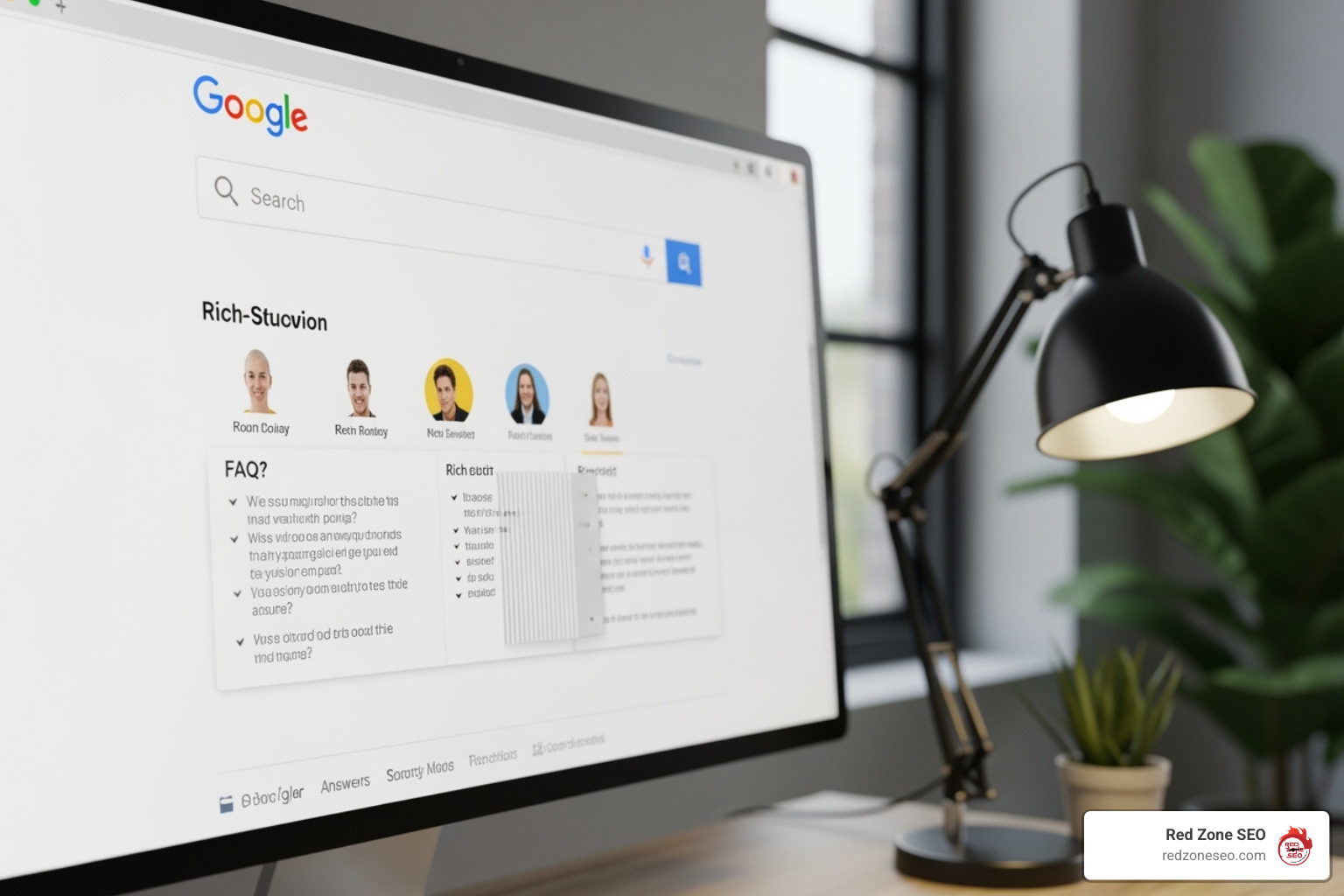
It’s natural to have questions when you're learning how to check on page seo. Here are answers to some of the most common ones.
Consistency is key. The ideal frequency depends on your site's activity, but here are some general guidelines:
This is a common and important question. A perfect on-page SEO score is excellent, but it's only one piece of the puzzle. Google uses over 200 ranking signals. If your well-optimized page isn't at the top, consider these other factors:
On-page SEO is the foundation, but you also need strong off-page signals and a great user experience to reach the top.
Yes, absolutely! Many aspects of on-page SEO are manageable for beginners, especially with the user-friendly tools available today.
However, there are times when hiring a professional SEO agency like Red Zone SEO is beneficial:
At Red Zone SEO, we specialize in data-driven, proven SEO solutions for measurable results, crafting custom strategies that deliver real business growth. For more advice, Google's guide on How to hire an SEO expert is a helpful resource.
We've covered the essentials of how to check on page seo, from the core elements of a well-optimized page to the tools and techniques used to audit them. The most important takeaway is that on-page SEO is not a one-time task. It's a continuous process of improvement that serves as the foundation for all your other digital marketing efforts.
Solid on-page fundamentals make your off-page strategies, like link building, significantly more effective. By embracing on-page SEO as an ongoing cycle, you create a powerful feedback loop for growth:
Google's algorithms evolve, user expectations change, and your competitors are always working to get ahead. Staying committed to this cycle of improvement is what separates successful websites from the rest.
At Red Zone SEO, we live by this philosophy of continuous improvement. We believe that data-driven, proven SEO solutions are about building sustainable, long-term growth, not just quick fixes.
Whether you're ready to start optimizing yourself or you'd prefer to partner with experts who can accelerate your results, the most important step is to begin. If you're a Las Vegas business owner ready to open up your website's potential, we can help transform on-page insights into measurable growth.
Get a professional SEO analysis for your Las Vegas business and let's start your journey to the top of the search results.
If you're aiming to grow your business online, you've likely encountered the term SEO. But what exactly is the on page seo definition and why is it so critical? In short, it’s the practice of optimizing the elements on your website to help search engines like Google understand your content and show it to the right audience.
Here's a more detailed breakdown:
Consider this: 72% of marketers believe high-quality content is the most effective SEO tactic. On-page SEO is the process that ensures your great content gets finded. It's your direct line of communication with Google, telling it precisely what your page is about.
Google's algorithms evolve, but their core focus on user experience and "people-first content" remains. A strong on-page SEO strategy improves your site for visitors, which in turn sends positive signals to Google. This guide will walk you through the essentials of on-page SEO, explaining why it's the backbone of your online visibility and how you can use it to attract more customers.
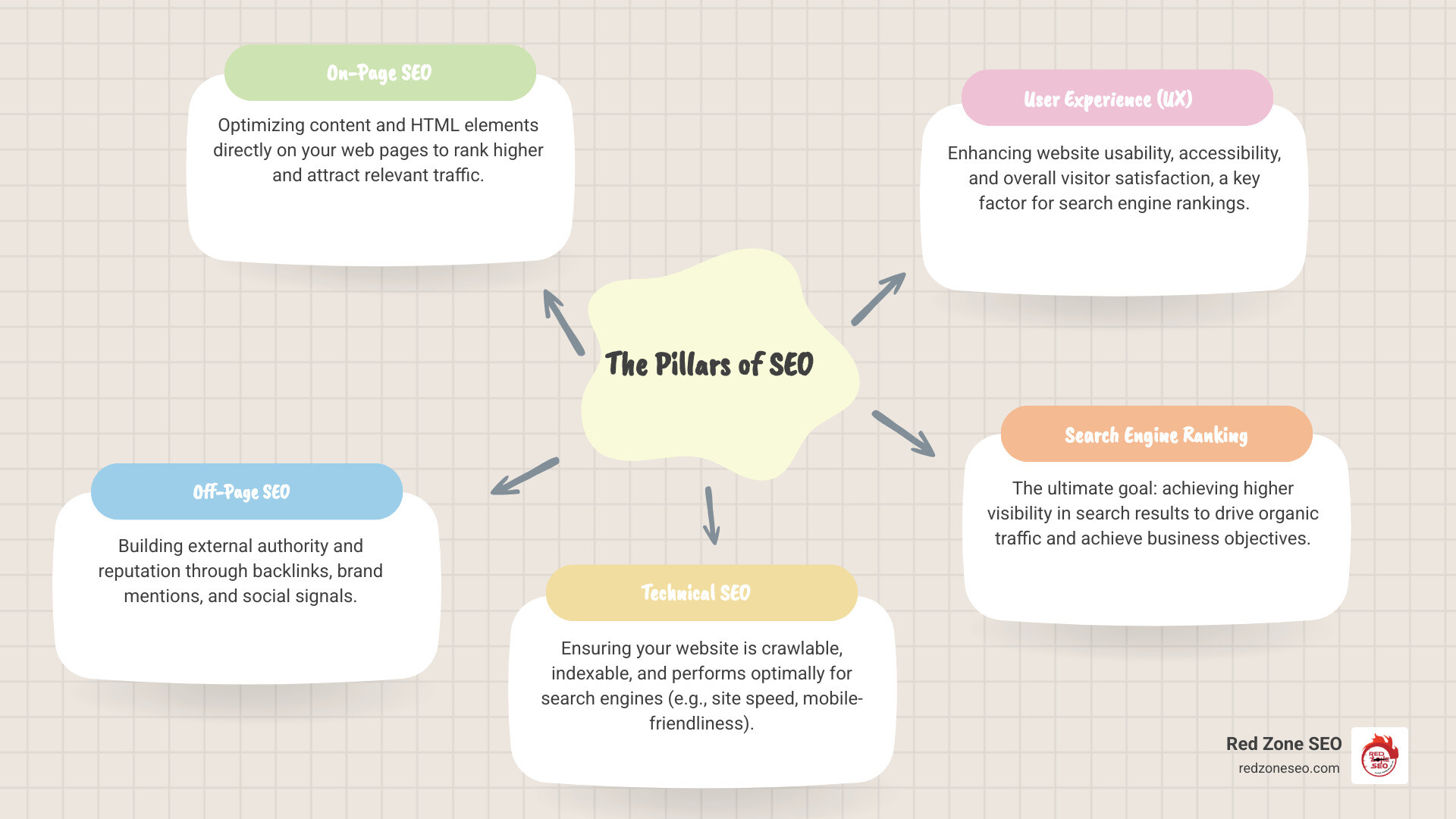
On page seo definition terminology:
At its heart, the on page seo definition is about making your web pages as clear and useful as possible for both search engines and human visitors. It is the practice of fine-tuning all the elements on your web pages—from the text and images to the underlying code—to improve their relevance and visibility in search results. Think of it as preparing a book for a library; on-page SEO gives your content a clear title, a compelling summary, and an organized table of contents so the right readers can find it.
On-page SEO is the foundation of any successful digital strategy for several key reasons:
To fully grasp on-page SEO, it's helpful to see how it fits with its counterparts: off-page and technical SEO. They are three distinct pillars that work together to support your overall search visibility.
This table provides a clear comparison:
| Feature | On-Page SEO | Off-Page SEO | Technical SEO |
|---|---|---|---|
| Focus | Optimizing individual web pages and content | Building website authority and reputation | Ensuring website crawlability and performance |
| Location of Action | Directly on your website | External to your website | Website infrastructure and backend |
| Key Elements | Content, keywords, meta tags, headings, URLs, internal links, images | Backlinks, social signals, brand mentions, online reviews | Site speed, mobile-friendliness, SSL, sitemaps, robots.txt, structured data |
| Control Level | High (we control everything on our site) | Medium (we can influence, but not fully control) | High (we control our server and code) |
| Goal | Improve relevance and user experience | Improve credibility and domain authority | Improve findability and user experience |
All three are essential. On-page SEO tells search engines what your page is about, technical SEO ensures they can access and understand it, and off-page SEO demonstrates its importance and authority. At Red Zone SEO, we integrate all three pillars into our comprehensive strategies, such as SEO for Online Business, to achieve the best results.
Now that we've clarified the on page seo definition, let's get practical. On-page SEO is built upon several fundamental factors that you can control directly on your web pages. Each element sends important signals to users and search engines about your content's value and relevance.

Content is the cornerstone of on-page SEO. Without high-quality, helpful content, all other optimizations will fall flat. Following Google's emphasis on "people-first content," your goal is to create material that demonstrates E-E-A-T, as detailed in Google's quality rater guidelines.
For more strategies, explore our guides on Content Optimization and Content Marketing for Small Businesses.
Your title tag and meta description are your digital storefront in the search engine results pages (SERPs). They are the first things a user sees and are critical for earning clicks.
Header tags (H1, H2, H3, etc.) create a logical structure for your content, making it easier for both users and search engines to understand. Think of them as an outline for your page.
A well-organized URL and linking structure acts as a roadmap for your site, guiding both users and search engine crawlers.
yourdomain.com/on-page-seo-guide is much better than yourdomain.com/p?id=123. Google recommends using simple URLs.
Images are essential for user engagement, but they must be optimized to avoid slowing down your site and to contribute to your SEO.
IMG_1234.jpg to something descriptive like on-page-seo-checklist.jpg. Alt text is even more important; it describes the image for screen readers and helps search engines understand its content. Write clear, descriptive alt text that includes your keyword when relevant.Once you've mastered the fundamentals, you can gain a competitive edge by implementing advanced on-page SEO techniques. These strategies fine-tune your pages for maximum performance and visibility, helping you not just to rank, but to dominate your niche.
While often considered part of technical SEO, page speed and mobile-friendliness have a direct and significant impact on the performance of individual pages.
A Featured Snippet is a special box that appears at the top of Google's search results, providing a direct answer to a user's query. Earning this "position zero" spot can dramatically Boost click-through rate (CTR) and provide incredible visibility.
To optimize for featured snippets:
This is a powerful strategy for informational content, and one we often recommend in our SEO Strategies for Startups.
Schema Markup is a code vocabulary (structured data) that you add to your website's HTML to help search engines understand your content on a deeper level. While users don't see it, it allows search engines to create rich snippets—improved search results that include elements like star ratings, prices, or FAQ dropdowns.
These rich snippets make your listing stand out in the SERPs, which can significantly improve your CTR. While not a direct ranking factor, this increased engagement is a positive signal to Google. Common types of schema include:
Implementing schema can seem technical, but resources like Schema.org provide the necessary documentation, and you can test your implementation with Schema.org’s markup validator. For e-commerce sites, schema is a game-changer, as we explore in our Ecommerce Store SEO guide.
Understanding the on page seo definition is the first step; consistent implementation is what drives results. The right tools and a regular maintenance schedule can make your on-page SEO efforts more efficient and effective, turning theory into practice.
An effective SEO strategy relies on a solid toolkit. These tools help you analyze, optimize, and track your on-page efforts.
Here are five essential free tools to get you started:
On-page SEO is not a one-time task. The digital landscape is constantly changing, requiring ongoing attention to maintain and improve your rankings.
Consistent monitoring and adaptation are crucial for long-term SEO success.
Here are concise answers to some of the most common questions we receive about the on page seo definition and its implementation.
While all on-page elements contribute, the most critical factors are:
These elements signal to Google that your page provides significant value to users.
Yes, absolutely. On-page SEO is one of the most accessible parts of search optimization because you have direct control over your website's content and code. This guide provides a solid foundation, and free tools like Google Search Console can help you get started. For WordPress users, plugins like Yoast SEO or Rank Math offer real-time guidance.
However, for complex sites, competitive industries, or business owners short on time, professional help can provide a significant advantage. An agency like Red Zone SEO can implement advanced strategies and fine-tune every element for maximum impact, offering specialized services like SEO for Small Business.
The timeline for seeing results varies. It's a continuous process, not an instant fix.
On-page SEO is a long-term strategy. Its effects are cumulative, building authority and trust over time to deliver sustainable organic traffic.
We've covered the on page seo definition from the ground up, exploring the fundamental elements and advanced techniques that can lift your website in search results. While it may seem complex, every optimization is a step toward connecting with more customers.
Here are the key takeaways:
At Red Zone SEO, we understand that navigating SEO can be challenging. We specialize in providing data-driven, proven SEO solutions that deliver measurable results. Whether you need help with keyword research, content creation, or technical optimization, our team is ready to be your trusted partner.
Don't let potential customers pass you by. Start applying these powerful on-page SEO principles today to take charge of your online visibility. For businesses in the Las Vegas area, our local experts are here to help you stand out. Learn how Red Zone SEO can lift your Las Vegas business with expert search engine optimization and start achieving your goals.
Welcome to the quick-win corner of SEO. If you want to rank, drive qualified traffic, and convert more visitors into customers, the fastest place to start is right on your own website. A free on page SEO checker lets you see your pages the same way a search-engine crawler does—highlighting what helps, what hurts, and what to fix first.
In this guide you’ll learn:
Whether you run a local bakery in Las Vegas or manage a nationwide e-commerce store from Austin, these insights will help you "check yourself before you wreck yourself"—and set the stage for unstoppable growth.
Here at Red Zone SEO we like to compare websites to skyscrapers. You can’t add extra floors—or invite new tenants—until the concrete base is solid. On-page SEO is that base. It covers every element a visitor (or a Googlebot) can see or read directly on your pages: text, images, HTML, and site architecture.
Why does it still matter?
On-page SEO also doubles as a user-experience upgrade:
Who benefits most from a free on page SEO checker?
Fixing on-page fundamentals isn’t glamorous, but it is the single fastest lever you can pull to improve visibility—and every other SEO tactic performs better once the foundation is set.
Below are seven reputable options. All offer a no-cost tier that lets you audit individual pages (and in some cases full sites) without entering a credit card.
Drop in a URL and receive an instant score, plus suggestions on meta tags, internal links, and content length. A competitive panel shows how your page stacks up against rivals targeting the same keyword.
Ahrefs Webmaster Tools (AWT) crawls up to 5,000 URLs per month for free, highlighting 140+ common problems—from broken links to slow pages—and assigns a Health Score so you can monitor progress over time.
Seobility examines more than 200 parameters and funnels them into a clear traffic-light system—green, yellow, red—so you can spot high-impact tasks immediately. A handy PDF export lets you share results with teammates or clients.
Sitechecker mixes technical data with plain-English “how to fix” steps. Its integration with PageSpeed Insights breaks down LCP, CLS, and other vital metrics so you know exactly why a page feels sluggish.
Enter your target keyword and URL; Moz returns a percentage score plus a checklist of improvements. Code snippets beside each item make implementation straightforward for developers.
Wincher grades titles, headings, body copy, media, and URLs individually. Hover over any red grade to reveal a concise remedy, such as “Add primary keyword to H1” or “Compress hero image to <150 KB.”

If your site runs on WordPress, Rank Math places an audit button directly inside your editor. Fix issues as you write, inject rich schema, and—if you run WooCommerce—optimize product pages without leaving the CMS.
A tool's score is useful, but action moves the needle. Follow this comprehensive workflow to transform audit insights into measurable results:
Scan a priority page. Pick a revenue-generating or high-traffic URL, but be strategic about your choice. Start with pages that:
Create a severity matrix. Not all SEO issues are created equal. Categorize findings into:
Fix critical errors first. Anything blocking crawling or tanking UX—like broken links, noindex tags, or a 5-second LCP—deserves same-day attention. These issues can completely prevent your content from ranking, regardless of quality.
Common critical fixes include:
Re-crawl and measure. Submit the URL in Google Search Console, then rerun your checker after a week to confirm the error count drops. Track these key metrics:
Iterate and optimize continuously. SEO is an ongoing process:
Schema markup implementation: Add structured data to help search engines understand your content context better. This can lead to rich snippets and improved search appearances.
User engagement optimization: Beyond technical fixes, focus on metrics that indicate content quality:
Competitive analysis integration: Use your checker results alongside competitor research to identify content gaps and optimization opportunities your rivals might have missed.
Need keyword ideas or competitive gaps? Visit our deep dive on More info about Keyword Research.
A free on page SEO checker is like a routine doctor visit—fantastic for early detection, but it doesn't replace a full MRI. Understanding these limitations helps you make informed decisions about when to invest in more comprehensive SEO solutions.
Backlink quality and off-page signals. Authority is still earned largely through links from other trusted sites. Free checkers might mention the importance of backlinks, but they can't analyze:
Comprehensive competitor intel. Knowing why a rival outranks you often requires deeper keyword, content-gap, and link-gap analysis. Free tools provide surface-level insights but miss:
Historical trend tracking. Most free tiers give you a snapshot, not month-over-month movement. This limitation means you can't:
Crawl-budget management for large sites. Enterprise domains need to guide bots toward their most profitable URLs. Free checkers typically can't:
Limited crawl frequency and depth: Free tools often restrict how many pages you can analyze per month or how frequently you can run checks. This makes it difficult to:
Basic reporting and collaboration features: Free versions typically offer:
Surface-level technical analysis: While free checkers catch obvious technical issues, they might miss:
You're managing multiple websites: Free tools become impractical when you need to monitor several domains regularly.
Your site has 100+ pages: Comprehensive audits require tools that can crawl and analyze large sites efficiently.
You need competitive intelligence: Understanding your market position requires tools that can analyze competitor strategies in detail.
ROI tracking is essential: Measuring the business impact of SEO efforts requires historical data and advanced analytics.
You're in a competitive industry: Highly competitive markets demand sophisticated strategies that free tools can't support.
Despite their limitations, free checkers provide tremendous value when used strategically:
When you've squeezed all the juice from free audits, consider a custom SEO Audit to uncover hidden technical barriers, refine content strategy, and map out next-level link opportunities. Skipping that step can cost far more in lost traffic than the audit ever would. Curious about pricing? See our breakdown of SEO Audit Cost.
Most tools label anything 80 percent or higher as healthy. Scores between 50–79 show moderate issues; below 50 signals urgent problems. Each platform weighs factors differently—use the score to benchmark your own progress, not as a guaranteed ranking predictor.
On-page excellence is only one slice of Google’s 200+-factor pie. You still need authority (quality backlinks), solid domain history, strong user engagement signals, and an offer that precisely meets search intent. Think of it like acing the written exam—you still have to pass the driving test.
Routine check-ups keep small issues from snowballing into ranking killers.
Free checkers hand you a clear punch list. Execute it and you’ll notice faster load times, richer snippets, and climbing positions—often in weeks, not months. But the biggest wins come when foundation work meets strategic depth.
That’s where Red Zone SEO steps in. From Austin to Las Vegas—and everywhere in between—we transform audits into revenue through data-driven content, local SEO, and technical mastery. Ready to build something bigger than a quick fix? Explore our Las Vegas SEO Services and let’s grow together.